9 Best Free SEO Tools for WordPress in 2026 (By Use Case)
By Toy Wen Da, Co-Founder · · 10 min read · scored 91/100
The best free SEO tools for WordPress in 2026 are Rank Math and Yoast SEO for most sites, Google Search Console for tracking rankings, and Google PageSpeed Insights for fixing speed issues. Yoast suits content-heavy blogs; Rank Math's free plan offers more features for those who don't want to pay.
This comparison is built from each tool's own website and public documentation, not hands-on testing. Treat it as a starting point for your own trial, not a verdict.
How We Chose These Free SEO Tools for WordPress
Picking from dozens of options only works if you're judging them the same way every time. We weighed four things for each entry on this list:
- Price and free plan depth. Does the free tier actually do useful work, or is it a stripped-down trial that nags you to upgrade on day one?
- What it does well. Every tool here has a clear strength, readability scoring, schema markup, rank tracking, or raw site speed diagnostics.
- Its limits. We note what the free plan leaves out, because that's what decides whether you'll need to pay later.
- Who it actually suits. A beginner blogger and an agency managing twelve client sites need different tools, even if both search for "free SEO tools WordPress."
If you want a broader shortlist that includes paid tiers and standalone apps alongside plugins, the 7 best WordPress SEO tools for 2026 covers that ground in more detail.
The 9 Best Free SEO Tools for WordPress in 2026
1. Rank Math: best for feature-hungry users on a budget
Rank Math is a WordPress plugin that bundles on-page analysis, schema markup, and keyword tracking into one dashboard. It's known for packing more into its free tier than most competitors, including a setup wizard with both easy and advanced modes.
The free plan is genuinely usable for a full site. Paid plans are listed starting around $59 a year, though you should confirm current tiers on their pricing page as of October 2026.
Pick it if you want the most features possible without paying, and you don't mind a slightly busier settings screen.
Skip it if you're easily overwhelmed by options, the sheer number of toggles can slow down a first-time setup.
2. Yoast SEO: best for beginners and content-focused bloggers
Yoast SEO is one of the longest-running WordPress plugins, built around a traffic-light content analysis that checks keyword placement, sentence length, and passive voice as you write. It also handles XML sitemaps, meta titles, and basic schema automatically.
The free version covers the fundamentals well. Premium is priced at $99 a year as of October 2026, and some features, like video SEO and a redirect manager, sit behind that paywall.
Pick it if you write a lot of long-form content and want writing feedback built into the editor.
Skip it if you need local SEO or redirect management without paying extra; those are premium add-ons here.
3. All in One SEO (AIOSEO): best for small business and WooCommerce sites
AIOSEO is one of the original WordPress SEO plugins, built around a setup wizard that configures your site's basics in a few short steps. Its free plan includes smart schema markup, basic WooCommerce SEO, and local SEO fields that many competitors reserve for paid tiers.
Pro plans start at $49.60 a year, among the lower starting prices in this list, as of October 2026.
Pick it if you run a small business site or online store and want local and product SEO basics for free.
Skip it if you need advanced redirect management or multi-location local SEO, those require the paid plan.
If local visibility matters more to your business than general content SEO, it's worth comparing AIOSEO against the dedicated options in this roundup of local SEO tools before you commit.
4. SEOPress: best for agencies and freelancers
SEOPress is a lightweight, ad-free plugin aimed at freelancers and agencies managing multiple client sites. The free version includes content analysis with unlimited keywords, Google Analytics integration, and white-label branding, meaning clients never see the SEOPress name in their dashboard.
Pro pricing runs $49 a year for five sites or $149 a year for unlimited sites, as of October 2026.
Pick it if you manage several client sites and want white-label SEO without per-site licensing headaches.
Skip it if you're on a single personal site, the multi-site pricing model offers less value there.
5. The SEO Framework: best for developers and speed purists
The SEO Framework takes the opposite approach from the all-in-one suites: it pre-configures essential SEO settings automatically and stays out of your way. It's unbranded, ad-free, and built to add almost no load to your site.
The free version covers the basics well. Premium extensions start around $7 a month, as of October 2026.
Pick it if site speed is your top priority and you don't need a content-analysis sidebar telling you what to fix.
Skip it if you want guided, step-by-step feedback as you write, this tool is deliberately hands-off.
6. Slim SEO: best for absolute beginners who want zero setup
Slim SEO calls itself a "fire and forget" plugin. It generates meta tags, XML sitemaps, breadcrumbs, and schema automatically, with essentially no configuration screens to learn.
It's free to install, with a premium tier reported around $59 a year by third-party comparisons, confirm current pricing on their page, as of October 2026.
Pick it if you just want the technical basics covered and have no interest in learning plugin settings.
Skip it if you want detailed on-page analysis or control over individual schema fields, this plugin intentionally hides that complexity.
7. Google Search Console: best for tracking what's actually ranking
Search Console is Google's own free tool for monitoring how your site performs in search results: which queries bring in clicks, which pages get indexed, and which get flagged for errors. It connects to most WordPress SEO plugins directly from their settings screen.
It's completely free with no paid tier, and according to Google Search Central, it's the direct line between your site and how Google crawls and indexes it.
Pick it if you want ground-truth ranking and indexing data instead of plugin estimates.
Skip it if you're looking for keyword research or competitor data, Search Console only shows your own site's performance.
For a deeper look at tools built specifically to track rank changes over time, see this comparison of SEO monitoring tools.
8. Google PageSpeed Insights: best for fixing speed and Core Web Vitals
PageSpeed Insights runs your page through Lighthouse and reports load time, interactivity, and visual stability scores, then lists specific fixes, compress this image, defer that script. Page speed is a well-documented ranking and user-experience factor, and the Lighthouse scoring methodology is publicly documented by Chrome's developer team.
It's entirely free, with no paid version, since it's a diagnostic tool rather than a plugin.
Pick it if your site feels slow and you want a prioritized, specific punch list of fixes.
Skip it if you're looking for on-page SEO guidance, this tool only covers performance, not keywords or content.
9. Ubersuggest (free tier): best for quick keyword and competitor checks
Ubersuggest is a web-based keyword and domain research tool, not a WordPress plugin, but it's commonly paired with a plugin for the research work plugins don't do. The free tier allows three searches a day, covering basic keyword volume and competitor domain data.
Paid plans start at $29 a month as of October 2026 for broader historical data and tracking.
Pick it if you want occasional keyword ideas without installing anything on your site.
Skip it if you need daily keyword research, three free searches a day runs out fast for active content planning.
If competitor research is a bigger priority than keyword volume alone, this list of competitor analysis tools goes further into options built specifically for that job.
Free WordPress SEO Tools Compared at a Glance
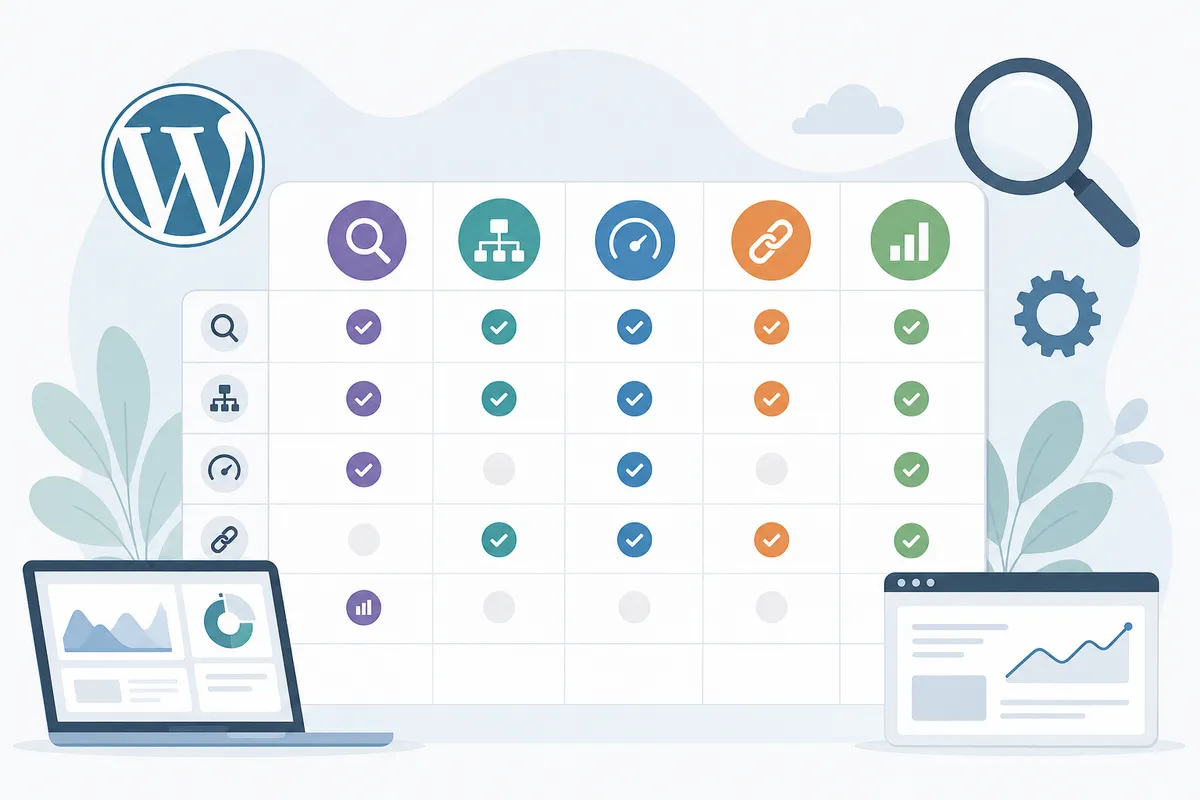
| Tool | Best for | Free plan | Starting price (paid) | Main limit |
|---|---|---|---|---|
| Rank Math | Feature-hungry users on a budget | Yes, feature-rich | ~$59/yr | Can overwhelm beginners |
| Yoast SEO | Beginners and content writers | Yes, core features | $99/yr | Local SEO and redirects are paid add-ons |
| AIOSEO | Small business and WooCommerce | Yes, with basic local SEO | $49.60/yr | Advanced redirects need Pro |
| SEOPress | Agencies and freelancers | Yes, white-label | $49/yr (5 sites) | Pricing model favors multi-site use |
| The SEO Framework | Developers, speed purists | Yes, automated | ~$7/mo | Minimal guided feedback |
| Slim SEO | Zero-config beginners | Yes, fully automated | ~$59/yr | No detailed on-page analysis |
| Google Search Console | Tracking real rankings | Yes, no paid tier | Free | No keyword research tools |
| Google PageSpeed Insights | Speed and Core Web Vitals fixes | Yes, no paid tier | Free | Doesn't cover content or keywords |
| Ubersuggest | Occasional keyword checks | Yes, 3 searches/day | $29/mo | Free tier runs out quickly |
When a Free SEO Tool Is Enough (and When It Isn't)
A free SEO tool for WordPress covers most of what a new or small site needs: titles, meta descriptions, sitemaps, and basic schema. The ceiling shows up once you're managing more pages, more clients, or more competitive keywords than a free plan was built to track.
| Your situation | Free tool likely enough? | What usually forces an upgrade |
|---|---|---|
| New blog, under 50 posts | Yes | Rarely, free plans cover the basics well |
| Small business or local service site | Mostly | Multi-location local SEO, advanced schema |
| WooCommerce store with 100+ products | Partly | Product schema at scale, redirect management |
| Agency managing multiple client sites | Rarely | White-label reporting, per-site licensing costs |
| Competitive niche, heavy keyword tracking | No | Daily keyword limits, historical ranking data |
If you're past the point where a single plugin's free tier covers your needs, it's worth looking at the full field of free SEO tools worth testing in 2026 rather than jumping straight to a paid plan. Many sites can mix a free plugin with free standalone tools, like Search Console and PageSpeed Insights, for a year or more before paying for anything.
Two other categories worth knowing about, even though they're not core SEO plugins: browser-based SEO extensions for Chrome that let you audit any page without installing a plugin, and free AI tools for marketing that help draft content faster once your technical SEO is already in order.

A note on AI search visibility
Search engines aren't the only place people find your content anymore. If you're also thinking about how your pages show up in AI-generated answers, free plugins generally don't help much there, that's a different problem than meta tags and sitemaps. The LLM optimization tools built for AI visibility cover that gap if it's becoming relevant to your traffic.
FAQs
What's the best free SEO tool for WordPress?
Rank Math and Yoast SEO are the most commonly used free SEO tools for WordPress. Rank Math's free plan includes more features out of the box, while Yoast is often preferred by beginners for its content-readability checks.
Can I use two SEO plugins on the same WordPress site?
Running two full SEO plugins together usually causes conflicts, like duplicate sitemaps or meta tags. Stick to one main SEO plugin, and pair it with standalone free tools like Search Console or PageSpeed Insights instead.
Do free SEO plugins actually improve rankings?
A free SEO plugin organizes technical signals, titles, sitemaps, schema, that help search engines understand your site. It doesn't create rankings on its own; content quality and backlinks still do most of the work.
Is Google Search Console better than a WordPress SEO plugin?
They do different jobs. Search Console reports real ranking and indexing data straight from Google, while a plugin helps you set up the on-page elements Search Console then measures. Most sites need both.
How much does a free WordPress SEO tool actually cost long-term?
The plugin itself can stay free indefinitely for basic use. Costs usually appear when you need features like local SEO at multiple locations, advanced schema, or multi-site white-labeling, those sit in paid tiers ranging roughly from $49 to $99 a year across the tools in this list.
Test One Plugin This Week, Then Check the Rest of Your Site
Install one of the best free SEO tools for WordPress from this list, run through its setup wizard, and connect Google Search Console the same day. That alone fixes most of the gaps a new WordPress site has. From there, a free SEO tool only takes you so far, it won't tell you which pages are losing traffic, which keywords you're missing, or whether your content still matches search intent six months later. Talk to the team to see what a fuller SEO picture of your site looks like beyond what any single free plugin can show you.
Resources / References
Sources
About the author
SearchBlueprint researched, wrote and scored this article with the content pipeline our customers run on their own sites. The score in the byline is what our content engine gave this page before it published. Nothing here is reviewed by hand, which is the point: it is the product's output, published where anyone can check it.