9 Best SEO Monitoring Tools in 2026 (Free and Paid)
By Toy Wen Da, Co-Founder · · 12 min read · scored 99/100
The best SEO monitoring tools pair rank tracking with technical fixes and content, not just dashboards. SearchBlueprint does this well for automated fixes; Google Search Console is the top free pick for Google's own click and ranking data. The right choice depends on budget, team size, and keyword volume.
This guide compares nine options side by side: what each does, what it costs as of October 2026, whether it has a free plan, and where it falls short. The goal is a short list you can actually choose from, not another glossary entry.

How We Chose the Best SEO Monitoring Tools for This List

We compared each option on four things that matter to a small business owner, marketer, or agency picking a tool today:
- Price and billing structure, monthly cost, whether annual billing saves money, and whether pricing scales by keyword, project, or user.
- Free plan or trial, whether you can test real functionality before paying, and how limited that free tier actually is.
- What it does well, the one or two jobs each tool is genuinely built for, rather than every feature on its marketing page.
- Its limits, what you'd still need a second tool for, stated plainly rather than buried in fine print.
This comparison is built from each product's own website and documentation as of October 2026, not hands-on testing. Prices and limits change, so confirm current terms on each vendor's pricing page before you buy. Some readers will want a broader survey first, if you're still deciding between all-in-one SEO suites versus single-purpose tools, that comparison covers the trade-off in more depth than this list does.
9 Best SEO Monitoring Tools, Compared
1. SearchBlueprint: best for owners who want fixes, not just dashboards
SearchBlueprint builds an SEO plan that maps each target search to a specific page on your site, then runs technical, on-page, and schema audits to find what's holding that page back. It tracks keyword rankings and AI search visibility alongside the usual Google metrics, does keyword research and competitor analysis, and writes articles that publish weekly to WordPress, Shopify, Wix, or Webflow once you approve them. It also refreshes aging content, suggests internal links, and generates white-label reports for agencies managing client sites.
Pricing starts free, with paid Base and Agency plans above that, see their pricing page for current rates. SearchBlueprint also runs 60+ free SEO tools and a free SEO Academy, so you can test specific checks before committing to a plan.
What it doesn't do: it isn't a standalone backlink index like Ahrefs, and it doesn't offer a desktop crawler for manual, page-by-page audits the way Screaming Frog does. If your site runs on WordPress specifically, it's also worth comparing against dedicated WordPress SEO tools built only for that platform.
Pick it if you want monitoring, fixes, and content handled in one workflow instead of stitching together three tools. Skip it if you need deep backlink analysis or a dedicated desktop crawler as your primary tool.
2. Google Search Console: best for free, first-party ranking data
Google Search Console shows you the keywords your pages rank for in Google Search, their average position, and click-through rate, straight from Google's own index. It flags crawl errors, mobile usability issues, and indexing problems before they hurt your visibility. It's completely free and requires no subscription of any kind.
There's no pricing tier here, Search Console is free for any verified site, documented directly in Google Search Central.
Pick it if you want accurate, free data straight from Google with zero setup cost. Skip it if you need competitor comparisons, historical trend charts beyond 16 months, or alerts for sudden ranking drops.
3. Google Analytics: best for monitoring traffic and on-site behavior
Google Analytics tracks how visitors from organic search behave once they land on your site: bounce rate, session duration, and which pages convert. Paired with Search Console, it tells you not just that a page ranks, but whether the traffic it earns actually does anything. It's free for standard use.
Pick it if you want to connect rankings to actual visitor behavior at no cost. Skip it if you're managing rankings across multiple office or store locations, for that, a tool built for local SEO tracking will save more time than GA's default reports.
4. Semrush: best for agencies wanting one platform for everything
Semrush bundles rank tracking into a much larger suite: keyword research, site audits, backlink analysis, competitive intelligence, and paid search data. Its Position Tracking tool updates daily and segments by location, device, and SERP feature. In 2026, Semrush added "Semrush One" plans that fold AI visibility tracking, covering Google AI Overviews, ChatGPT, and Gemini, into the same subscription.
Pricing starts at $139.95/month for the SEO Toolkit (Pro tier), while Semrush One starts at $199/month and scales to $549/month at the Advanced tier. Annual billing saves roughly 17%. A free plan exists but limits you to tracking about 10 keywords, enough to test the interface, not to run a campaign.
Pick it if you want SEO, content, and competitive data in one login and the budget to match. Skip it if you're a solo operator or small team; the cost and feature sprawl outweigh what you'll actually use. Agencies weighing this against other suites should see what agencies typically pay for SEO software before committing.
5. Ahrefs: best for backlink-heavy monitoring and historical SERP data
Ahrefs built its reputation on backlink data, and its Rank Tracker module carries that strength into monitoring: it tracks desktop and mobile positions, 19+ SERP features including AI Overviews, and Share of Voice metrics. Its historical SERP archive lets you see how ranking pages for any keyword have changed over months or years, which is genuinely useful context most competitors don't offer.
Entry pricing starts at $29/month (Starter), with limited features at that tier. The Lite plan runs $129/month for 5 projects and 750 keywords, Standard is $249/month, Advanced is $449/month, and Enterprise runs $1,499/month. Annual billing saves up to 17%. There's no free plan, the Starter tier is the cheapest way in.
Pick it if backlink strategy and historical ranking context matter as much to you as current position. Skip it if you just need position tracking; Ahrefs' default updates are weekly, and daily tracking requires a paid Project Boost add-on. If links are your main concern, a list of dedicated backlink-building tools may serve that one job better.
6. SE Ranking: best value for small agencies and growing teams
SE Ranking offers a daily keyword rank tracker alongside site audits, backlink monitoring, and keyword research, consistently priced lower than Semrush or Ahrefs at comparable tiers. Its optional AI Search add-on tracks visibility in Google AI Overviews and AI Mode, letting you add that coverage only once you need it rather than paying for it upfront.
Essential pricing starts at $65/month for 500 keywords and 5 projects. Pro runs $119/month (2,000+ keywords, 30 projects), and Business starts at $259+/month (5,000+ keywords, unlimited projects). Annual billing saves 20%. The AI Search add-on starts at $71/month, and a white-label Agency Pack add-on costs $50/month. A 14-day free trial requires no credit card.
Pick it if you want daily tracking and a clear upgrade path without Semrush-level pricing. Skip it if you need built-in white-label reporting or AI visibility tracking without paying extra, both sit behind add-ons here. If AI visibility is the priority, compare it against AI SEO tools built specifically for that job.
7. AccuRanker: best for high-volume, high-frequency rank tracking
AccuRanker does one thing and does it fast: daily automated rank tracking by default, with on-demand refreshes that return results in under a minute. It supports dynamic tagging by campaign, client, or intent, and pushes data into Looker Studio, BigQuery, or a custom dashboard via API. All plans include unlimited users and domains, unusual for a tool at this price point.
Professional pricing starts at $224/month for 2,000–5,000 keywords. Expert runs $764/month (10,000–25,000 keywords), and Enterprise pricing is custom above 25,000 keywords. Annual billing saves 10%. White-label reports are included at Expert and above, or available as a $40/month add-on on Professional.
Pick it if you're tracking tens of thousands of keywords and need speed and accuracy above everything else. Skip it if you also need site audits, keyword research, or backlink analysis, AccuRanker deliberately leaves those out, so decide how an AI-aware SEO tool should fit alongside it before adding a second subscription.
8. Moz Pro: best for beginners who want room to grow
Moz Pro combines rank tracking with site audits, on-page optimization scores, and link analysis in one approachable interface. Its Page Optimization Score gives a simple checklist for improving any page against a target keyword, which makes it a reasonable starting point for teams new to SEO. Moz's two-tier structure also means you can start on Moz Pro and move to STAT Search Analytics later without switching vendors entirely.
Pricing starts at $49/month for a Starter plan covering roughly 50 keywords, with higher tiers available for larger keyword counts and more projects.
Pick it if you're new to SEO monitoring and want an interface that doesn't require a steep learning curve. Skip it if you already need the content itself written and refreshed on a schedule, Moz scores pages, it doesn't produce them, so pair it with content automation tools that actually do the writing if that's the gap.
9. Screaming Frog SEO Spider: best for deep technical crawls
Screaming Frog crawls a website and flags technical SEO issues, broken links, duplicate titles, missing meta descriptions, redirect chains, page by page. It's a desktop application rather than a cloud dashboard, so it's best used as a diagnostic tool alongside something that monitors rankings over time. The free Lite version works with crawl limits; the paid plan runs $160/year with those limits removed.
Pick it if you need a thorough one-time or recurring technical audit and don't mind exporting data to a spreadsheet. Skip it if you want rankings tracked automatically, Screaming Frog has no rank tracking or alerting built in. For a fuller picture of how crawlers like this stack up, see this technical SEO tools comparison.
Comparing the Best SEO Monitoring Tools at a Glance
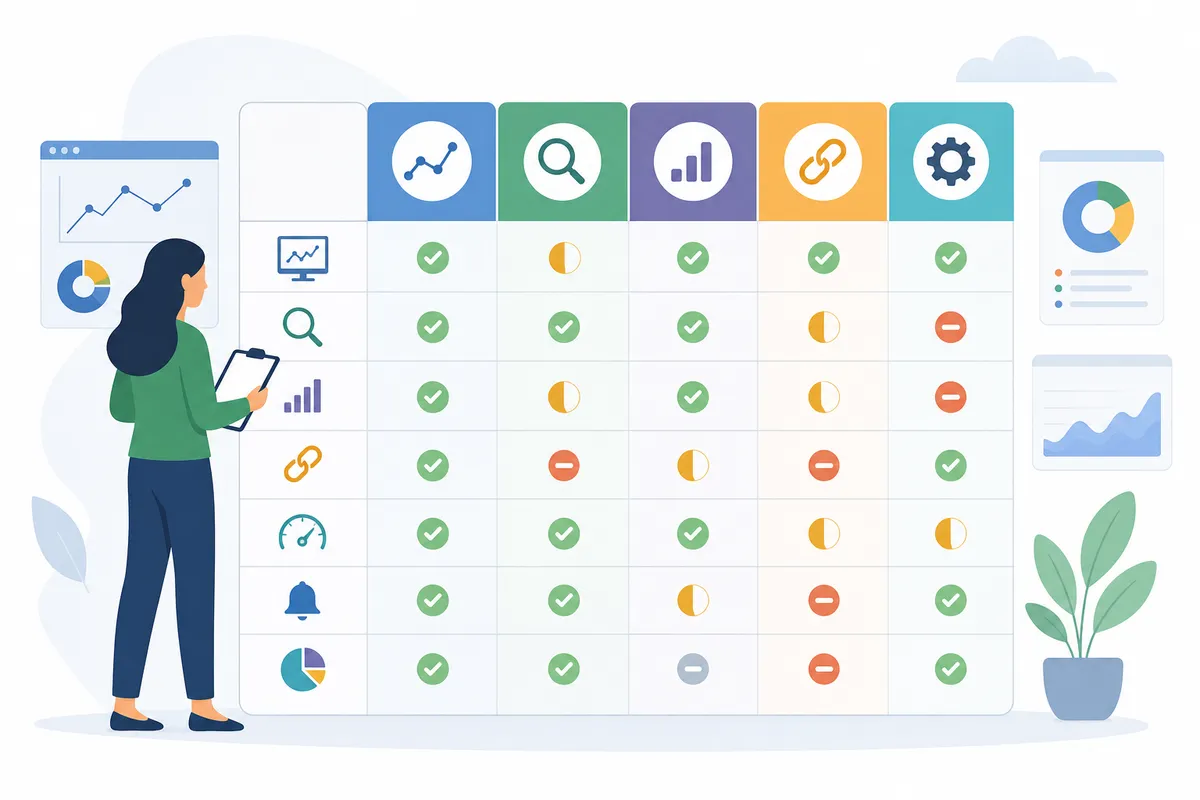
| Tool | Best for | Free plan | Starting price (Oct 2026) | Main limit |
|---|---|---|---|---|
| SearchBlueprint | Owners who want fixes and content, not just data | Yes, free to start | See their pricing page | No standalone backlink index or desktop crawler |
| Google Search Console | First-party Google ranking data | Fully free | Free | No competitor comparison, limited history |
| Google Analytics | Traffic and on-site behavior | Fully free | Free | Not built for multi-location rank tracking |
| Semrush | Agencies wanting one all-in-one platform | Limited (~10 keywords) | $139.95/month (SEO Toolkit Pro) | High cost at scale; steep learning curve |
| Ahrefs | Backlink-heavy monitoring with history | No free plan | $29/month (Starter, limited) | Weekly updates by default; daily needs add-on |
| SE Ranking | Small agencies wanting daily tracking on a budget | 14-day trial, no card | $65/month (Essential) | White-label and AI tracking cost extra |
| AccuRanker | High-volume, high-frequency tracking | No free plan | $224/month (Professional) | No audits, keyword research, or backlinks |
| Moz Pro | Beginners wanting an approachable tool | Trial available | $49/month (Starter) | Scores pages; doesn't write content |
| Screaming Frog | Deep technical crawls | Yes, Lite version | $160/year (paid plan) | No rank tracking or alerts |
When the Free Option Is Enough, and When It Isn't

Google Search Console and Google Analytics cover a real amount of ground for free: keyword-level clicks, impressions, average position, crawl errors, and on-site behavior. For a single-location business tracking a modest number of keywords, that combination is often genuinely enough.
It stops being enough once any of these apply:
- You want to compare your rankings against named competitors, not just your own trend line.
- You're tracking more than a few dozen keywords and need them organized by group, page, or client.
- You need alerts when a ranking drops, instead of checking a dashboard manually.
- You run an online store and need SEO data tied to product pages and categories, in that case, tools built for ecommerce-specific SEO monitoring handle that structure better than general-purpose trackers.
- You manage multiple client sites and need white-label reporting.
If none of those apply yet, start free and upgrade when the gap becomes obvious rather than before.
FAQs
What is the best free SEO monitoring tool?
Google Search Console is the best free option because it's a first-party data source, the ranking, click, and impression data comes directly from Google, not a third-party estimate. Pair it with Google Analytics for free traffic and behavior data.
How often should I check my SEO rankings?
Weekly is reasonable for most small sites; daily tracking matters more for competitive keywords or during a known algorithm update. Tools that update daily, like SE Ranking or AccuRanker, are worth the extra cost only if rankings move fast enough in your niche to justify watching that closely.
Do I need a paid SEO monitoring tool if I already use Google Search Console?
Not always. Search Console covers the basics well. A paid tool earns its cost once you need competitor tracking, alerts, multiple projects, or reporting you can hand to a client, features Search Console doesn't offer.
What's the difference between SEO monitoring and an SEO audit?
Monitoring is ongoing, it tracks rankings, traffic, and technical health over time. An audit is a point-in-time check, usually from a crawler like Screaming Frog, that flags what's wrong right now. Most serious SEO programs use both: an audit to find problems, monitoring to confirm the fix worked and catch new issues.
Can SEO monitoring tools track visibility in AI search results, not just Google?
Some can. Semrush's Semrush One plans and SE Ranking's AI Search add-on both track visibility in AI Overviews and AI chat tools, and SearchBlueprint tracks AI search visibility as part of its standard monitoring. This is a newer category, so capabilities and accuracy vary more between vendors than traditional rank tracking does.
Pick One and Start Tracking This Week
Match the tool to the gap you actually have: Google Search Console and Analytics if you just need the basics for free, a specialist like Ahrefs or Screaming Frog if you have one deep need, or a tool like SearchBlueprint if you'd rather have monitoring tied to fixes and content instead of another dashboard to interpret alone. Whichever list of best SEO monitoring tools you start from, the real test is whether you'll actually open it next month. If you want to see what a plan built around your own site's keywords and issues looks like before you commit to anything, talk to the team.
Resources / References
Sources
About the author
SearchBlueprint researched, wrote and scored this article with the content pipeline our customers run on their own sites. The score in the byline is what our content engine gave this page before it published. Nothing here is reviewed by hand, which is the point: it is the product's output, published where anyone can check it.