Resources / What's new
What we shipped, newest first
The changes you will notice in SearchBlueprint. 89 updates since July 2026.
October 2026
35 updates14 updates14 updates7 updates0 updates
Fixed
2 small fixes: local SEO and audit widget
- Local SEO now works before you run a strategy. It used to wait until a strategy had been run.
- Agencies can now embed the free audit on their own sites. They could not before.
How to use it: The Local SEO & Monitor tabsComment on this update
Improved
Content audit says which page should link to an orphan
The content audit now tells you where to add a link, not only that one is missing.
Read the full updateShow less
For up to 8 orphan, deep or page-two pages, it names the page that should link to them and suggests the words to use. Before, it only said to link the page from a related page.
Audits also start sooner. The audit programme now serves up to 40 sites a day instead of 6, so a newly switched-on site no longer waits weeks for its first content audit.
New
Report each client on its own monthly cycle
Client Reports can now follow a client's own billing cycle instead of the calendar month.
Read the full updateShow less
- Custom cycle: The schedule asks "Current cycle started on" and takes a day from the 1st to the 28th.
- SE Ranking rankings: Connect Windsor.ai once in Settings > Integrations and client reports show keyword rankings from SE Ranking.
Note: connecting Windsor.ai needs a workspace admin to paste the Windsor.ai API key.
How to use it: Run client SEO as an agencyComment on this update
New
Try the strategy flow on sample data, free
You can now walk the whole strategy flow, from step 1 to a finished strategy, before you spend anything. The demo runs on sample data, so no credits are used and nothing needs setting up.
Read the full updateShow less
Open searchblueprint.io/demo to see what each step asks for and what you get back. It is a quick way to judge the result before you run it on your own site.
Note: the demo shows sample data, not your site. Your own strategy starts when you create a blueprint.
New
Spot weak titles and see clicks before and after
The Google to-do list now flags a search that earns under half the clicks its position should. It tells you to rewrite the title and description for that page.
Read the full updateShow less
Work delivered also shows each delivered URL's Google clicks before and after the change. Where there is too little data, it says "not enough data yet" instead of guessing.
Together, you can see which pages to fix and whether the fix worked.
How to use it: Work the marketing planComment on this update
Improved
Content score warns about slow openings and off-topic answers
The content score now gives clearer advice on how an article opens and answers. It nudges you toward the answer first, which suits readers and AI search.
Read the full updateShow less
- Warm-up openings: a warning appears when the first sentence of the opening paragraph warms up instead of stating something, such as "In this article" or "we will".
- Answers that skip the question: under a question heading, you get a warning naming the heading if the first sentence shares none of its key words.
- Word count as advice: a page below its word-count benchmark is still told so, but it keeps full points.
Note: these are warnings in the content score, so they do not lower your total.
Improved
Site Audit finds deep pages, thin sitemap entries and weak links
The Site Audit now catches three more problems that hold pages back in search. Each one shows up in your report with fix steps.
Read the full updateShow less
- Click depth: pages more than 3 clicks from the homepage are flagged as a Low check in Crawling & Indexing.
- Thin sitemap pages: a thin page listed in your sitemap is now flagged, so the sitemap only lists pages worth ranking.
- Anchor text mismatch: the technical audit flags link text that does not match the page it points to, not only "click here".
- Agent readiness: it now checks every sampled page for text without JavaScript, not only the homepage.
Note: a site with no llms.txt, when-to-use guidance or markdown negotiation is no longer marked as failing. These are bonus signals, since Google ignores them. A published llms.txt still has its links scored.
How to use it: Run the Technical SEO auditComment on this update
New
Regulated articles now follow the guidelines you give them
Articles on medical, legal, finance and education topics now follow the official guidelines you choose, instead of leaving the writer to guess. Before Generate, Improve this page, Refresh this page, a calendar Write or the Page Editor's Optimise runs, you are asked which guidelines the article must follow.
Read the full updateShow less
- Paste or upload: Type the rules or upload the guideline document. It is read for that run and not stored.
- Look it up: Leave the box empty and we find official guidelines online, with their sources.
- No false credentials: Drafts that claim professional standing or expert review are revised before they are accepted. A credential you state in your business facts is kept.
Note: Ordinary topics are not affected. Leave the box empty and the run goes ahead as before.
New
Page Editor lists what only you can finish
The Page Editor now shows a "Needed from you" list of jobs the AI cannot do for you, so a page is ready to publish, not just well written. It appears as a bar under the editor tabs and on your Super Page result.
Read the full updateShow less
- Real proof: Prompts for genuine reviews, photos and a gallery of your actual work where the page type calls for one.
- Claims to back up: Flags wording such as "the best", "#1" or "guaranteed" that you must be able to prove.
- Dead buttons: Finds buttons that lead nowhere and asks you to connect them.
- Regulated pages: Healthcare, finance, legal, property, education and food pages get a check against advertising rules.
Tick an action off and it stays ticked, even after later edits or chat changes. Each card jumps to the section it belongs in.
How to use it: Redesign a page with the Page EditorComment on this update
New
Local SEO shows what rivals' customers complain about
Local SEO now turns your map-pack competitors' 1 to 3 star Google reviews into content you can use. Under Top local competitors, "What their customers complain about" groups the complaints into themes.
Read the full updateShow less
- Review themes: Reads the low-star reviews of up to 5 map-pack competitors from your last scan.
- FAQ answers: Each theme comes with an FAQ answer that speaks to the same worry.
- Page sections: Each theme also suggests a section for your location page.
Use it to say, on your page, what the competitors' customers wish they had been told.
Note: It uses the competitors found in your last map-pack scan, so run a scan first.
How to use it: The Local SEO & Monitor tabsComment on this update
Improved
Page Editor designs now use your site's own fonts
Page Editor designs now look like your site, because they are set in your site's own fonts, sizes and weights.
Read the full updateShow less
When we capture a page, we also read its typography: heading and copy sizes, weights, spacing and the font files it loads. The editor canvas, the client share page and published pages all use them. Previously, designs fell back to a house font.
What's new
- Your fonts: Headings and copy match the site you captured.
- Why it scored: "See full findings" lists the checks that cost the page points.
- Internal links: The SEO tab shows your links against a three-link minimum, and designs now place at least three.
- Picture panel: Click any section to generate or upload its picture.
Links written in copy now show as real links on the canvas and on published pages, not as raw text.
How to use it: Redesign a page with the Page EditorComment on this update
New
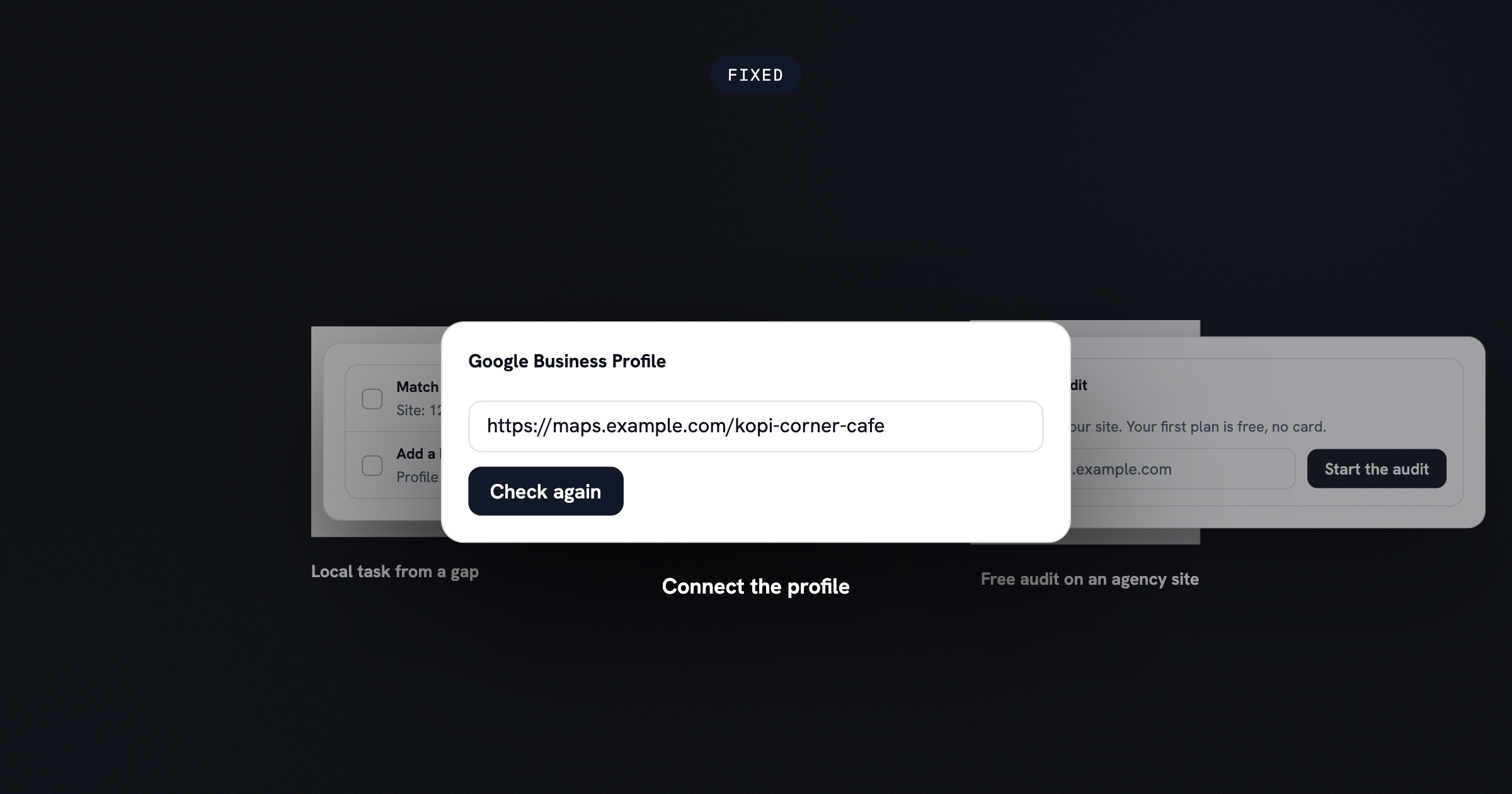
Connect Google Business Profile with one Google sign-in
You can now connect your Google Business Profile to Local SEO by signing in with Google, instead of searching for your business by name.
Read the full updateShow less
Pick the Google account and the location you manage, and the public listing for that exact business loads by its Place ID. If Google refuses the request, the page now says why: the API is not enabled, the Cloud project is not approved, permission is missing, or the connection needs renewing. Previously, every one of those looked like an empty list.
What's new
- Google sign-in: Connect first, with the name search kept as a fallback under "Can't sign in to that Google account?".
- Change location: Re-list your locations and switch between them without reconnecting.
- Disconnect: Removes the stored access and revokes it at Google.
Note: the Business Profile box must stay ticked when you grant access. A grant without it is refused.
How to use it: The Local SEO & Monitor tabsComment on this update
New
Beat Competitors turns a rival's best blog posts into articles
You can now point SearchBlueprint at a competitor's blog and get a queue of articles written to out-rank their best posts.
Read the full updateShow less
Type a competitor or its blog address. We find the posts that rank for the most searches, then queue an article for each one. The writer reads the rival post first and prefers its newer facts. Each article targets a real search, and it keeps revising until it is at least as long as the post it is up against.
What's new
- Best posts found: One scan ranks a rival's posts by the searches they win.
- Sourced figures: Briefs ask for the publisher of every number.
- Matching images: Articles carry as many pictures as the rival post.
- No double queueing: A post already queued shows as being written.
Note: batch Write buttons now show the price of the whole batch, not one article.
How to use it: How SearchBlueprint worksComment on this update
New
Join the affiliate programme and make links for any page
Every account can now join the affiliate programme and create a link for a prospect's website, any page or a campaign, with a message ready to send.
Read the full updateShow less
Partners can have their own commission, duration and discount, and referred trials get their discount when they subscribe. Each commission becomes payable 30 days after the payment. Refunded or disputed payments cancel or reduce the commission.
Note: The first SEO strategy is free with no card. The discount applies when your referral subscribes.
New
Client portals now paint the whole app in your agency colours
Agencies can now set a primary, secondary and highlight colour, and the client portal repaints the whole app in them.
Read the full updateShow less
What's new
- Three brand colours: Pick a primary, secondary and highlight colour in the White label card.
- Branded links and emails: Client report links, scheduled re-audit emails and Audit Programme emails open on your live portal and carry your brand.
- Read-only client view: A client opening an Audit Programme run from its email lands on a read-only page with no sign-in.
- Branded previews: Shared links, sign-in pages and invites preview with your agency name and logo, never ours.
PDFs and workbooks print Chinese or emoji agency names correctly. A client's reply to a branded email now reaches you instead of us.
Note: Primary and secondary colours must read as text on white (4.5:1 contrast), and a highlight colour needs 3:1.
Improved
Technical SEO deep audits read 10, 25 or 50 pages
Technical SEO deep audits now let you choose how many pages to read, at the same page-band prices as the other deep audits.
Read the full updateShow less
Previously, Technical SEO was the only deep audit with a fixed 5-credit run. Your site's size is also detected when you add the website, so there is no manual scan step before Deep Audits. Page discovery now reads the pages your homepage links to before the sitemap, so an old sitemap full of dead URLs no longer skews the count.
Improved
Technical audit checks redirects, images and business details better
The technical audit now catches more real problems and reports fewer false alarms.
Read the full updateShow less
What's new
- Redirect checks: Flags internal links that go through redirects, redirect chains, temporary redirects and slow server responses.
- Smarter image findings: Decorative icons are told apart from content images, and template images count as one fix.
- Business details: Compares your name, email and opening hours too, not just address and phone.
- Clearer history: Findings now read Still open, Improved, Worsened or Regressed between runs.
Exports no longer claim there is nothing to fix when the site could not be read. Workbook links land on the right row, and every finding is titled with the problem it describes.
How to use it: Run the Technical SEO auditComment on this update
Fixed
Phone screens fit better across setup, keywords and audits
Setup, keyword and audit screens are easier to use on a phone.
Read the full updateShow less
Previously, site names, tabs, buttons and table columns were cut off or crowded on small screens. We fixed the setup wizard footer, the keyword map, On-Page pages and the website header, so the full domain now shows. The keyword map and On-Page pages read as cards. A single menu button opens the project drawer.
How to use it: How SearchBlueprint worksComment on this update
New
Your keyword map now tells you when it is out of date
The keyword map, on-page mapping and content plan now say when they were built from an older keyword run than your latest one.
Read the full updateShow less
Previously, re-running keyword research left these three on the old run with nothing on screen to say so. You could be planning pages from keywords you had already replaced. Each screen now shows a notice, so you can rebuild it when you want the newer keywords.
Note: nothing changes on its own. Your existing map, mapping and plan stay as they are until you rebuild them.
How to use it: Map keywords to your pagesComment on this update
Improved
Audits of blocked sites now run on public data
If a site's firewall refuses our crawler, you now still get an audit built from public data.
Read the full updateShow less
Previously, these audits ended on "Website access required" and asked your client to allow our bot. They now run on what is publicly visible and show how much of the site that covers.
When access returns, for example after your client allows the crawler, the audit upgrades itself to a full one. You do not need to start it again.
Note: an audit on public data covers fewer pages than a full crawl, so read its coverage line before sharing the grade.
Fixed
2 small fixes: fix it for me and removed pages
- Fix it for me shows the price before it rewrites. Previously, the credits were spent without the price being shown first.
- Removed pages no longer linger in links and exports. Previously, links pointing to a removed page stayed in those places.
Fixed
White label changes now reach older reports and link previews
Renaming or removing your white label now shows up on reports you ran earlier.
Read the full updateShow less
Previously, an SEO audit kept the brand it was run under, so older reports ignored the change. Client link previews in WhatsApp, Slack and email also showed the SearchBlueprint card, and the copyable agent readiness fix prompt named SearchBlueprint.
We fixed all three. Reports, previews and fix prompts now show your agency.
Improved
Webflow sites get step-by-step fixes for audit findings
Audit and agent readiness findings on a Webflow site now come with fix steps written for Webflow.
Read the full updateShow less
Webflow joins the builders that the agent readiness card, the copyable fix prompt, Site Audit issues and Technical SEO findings already give steps for. Each fix tells you where the setting lives in Webflow, so you do not have to translate generic advice.
How to use it: How SearchBlueprint worksComment on this update
New
Copy on-page changes as an AI prompt or Word guide
Hand your on-page recommendations to a coding agent or a colleague in one click. Every on-page change now copies as a single prompt for Claude Code, Cursor or your AI site builder, or downloads as a Word guide.
Read the full updateShow less
You no longer retype titles and meta descriptions page by page. Paste the prompt into your tool, or send the Word file to whoever edits your site.
How to use it: Generate on-page SEO recommendationsComment on this update
Improved
Put your own brand on client reports, on any plan
Set your name, logo and colour once in settings, and every client report prints them instead of SearchBlueprint. White label is no longer limited to the Agency plan.
Read the full updateShow less
Shared report links now preview with your agency's logo and name, or a neutral card with the client's domain. Branded exports no longer carry our name in the file name. The Deep audits page shows whose brand the reports will print.
Note: Mobile CRO and Schema PDFs are printed once, when the audit runs. A brand saved afterwards does not reach older PDFs, and we warn you before you send one to a client.
New
Agent readiness score shows if AI agents can use your site
See whether an AI agent can reach your site, read it and trust it, scored 0 to 100 and kept apart from your SEO grade. Every audit now includes the score, so you know what to fix for AI search and agent traffic.
Read the full updateShow less
- 26 checks: AI crawler access, readable pages, contact details, prices and brand search.
- Fix prompt: copy one numbered prompt for a coding agent, with WordPress, Wix and Shopify steps for each failing check.
- Free re-check: see what changed since your last audit after you fix things.
- Agent test drive: an AI agent tries three buyer tasks on your site for 2 credits.
Note: the free agentic SEO checker scores any domain with the same probe.
Fixed
Blocked sites no longer cost credits or erase your last audit
Previously, when a firewall blocked our crawler, the Technical SEO audit charged credits, wrote an empty workbook and replaced your last complete audit. A blocked run now reads "Website access issue", with "No credits used" and "No score affected", and your last audit stays.
Read the full updateShow less
You get a free Google PageSpeed view of your homepage and steps to let the audit in. For Cloudflare, the guide leads with the free fix: switch Bot Fight Mode off for one re-run. Mobile CRO audits show this instead of a failed run.
Fixed
Schema audit gives the same answer on an unchanged site
Rerunning the schema audit on a site that has not changed now returns the same recommendations. Previously, a rerun could hand you different code with no explanation of why.
Read the full updateShow less
Every audit is now stamped with a fingerprint of what it read. When nothing changed, it replays the earlier answers. When something did change, the audit says what.
Block order on a page no longer changes the ids or merges in the result. Another site's report is never treated as this site's previous run, even if the project's URL was changed.
Note: Nothing needs doing. Your next rerun picks this up on its own.
How to use it: Audit your schema markupComment on this update
Improved
Redirect map checks every old URL, before and after launch
The redirect map now traces what each old URL answers today, so existing redirects are followed to their final page before the new rule is written. After launch, a re-run gives every old URL a pass or fail.
Read the full updateShow less
- Current status trace: Each old URL shows what it answers now, and a page that redirects by meta refresh or script is no longer read as live.
- Post-launch verdicts: Every old URL must return its mapped redirect and land on a live page in one hop. An inner page sent to the homepage fails.
- Type and location: Each row states its redirect type and where the rule lives.
- Pasted exports: The domain-change form takes old-URL exports, such as Search Console.
Note: A destination that is noindexed is held in Needs Review, never Ready.
How to use it: Build a post-revamp 301 redirect mapComment on this update
Improved
Run SEO, deep and schema audits in one click
You can now open and run the site audit, deep audits and schema audit yourself, with no coming-soon lock. Each audit has its own page, and its button shows the credit price and your balance before you start.
Read the full updateShow less
- Sidebar tree: Each audit sits in the project sidebar with its price, a spinner while it runs and a check when it finishes.
- One-click runs: Start the SEO, deep or schema audit from its own page, without going through the wizard.
- Listed price: The SEO audit is a 3-credit run. It is held once per audit, even if the run resumes.
- Tidier pages: The report, deep audits and schema pages now sit in one centred column.
Note: The credit price shows on each button, so you know the cost before you run it.
Improved
Keywords: target list and rankings in two tabs
Your target keywords and current rankings now sit in two tabs on the keywords page. Search, add and remove keywords inside the table.
Read the full updateShow less
- Saved targets: Keywords you add or remove are saved. The next keyword map, on-page plan and calendar use your saved list.
- Own Google Sheet: The target list exports to its own Google Sheet, apart from the ranking list.
- Keyword map exports: One export menu holds the Google Sheet, workbook, CSV and PNG, each saying what it contains.
Previously, a recommended keyword the keyword map worded differently read as unmapped and was told to get a new page. It now shows the page that already targets it.
How to use it: Research keywords for your marketComment on this update
Fixed
2 small fixes: GSC audit and schema audit
- GSC audit reads your Search Console exports correctly. Previously, the Performance "Download CSV" is a ZIP and was not understood.
- Schema audit gives accurate advice on Squarespace, Wix, Shopify and Ghost.
How to use it: Review indexability with the GSC auditComment on this update
Improved
Redirect map builds large sites in seconds, not minutes
A 1,000 by 1,000 URL redirect map now builds in about 6 seconds, down from about 140. The map is also safer to ship.
Read the full updateShow less
- Pasted exports: A GSC Pages export, a Screaming Frog crawl or a sheet copy is read as URLs, not as one URL per line.
- Equity kept: A junk-looking URL, such as an attachment page with 40 referring domains, is no longer retired automatically.
- No homepage dumps: An inner page is never redirected to the homepage, which Google treats as a soft 404.
- Clearer workbook: Each row says whether its destination was proven live, and the workbook states its trailing-slash, case, www and query-string policy.
URLs with an encoded question mark in the slug also keep their full path in the rule.
How to use it: Build a post-revamp 301 redirect mapComment on this update
Improved
Content calendar: a calmer month view and one-click new topics
The content calendar is easier to read, and you can now add an article to any day. Each month cell shows a count and a colour instead of a full card per item. Click a day to open its items as cards.
Read the full updateShow less
- Day counts: A month cell shows how much each day holds, so busy days stand out at a glance.
- Three board lanes: The Board now has To Write/Optimise, Written/To Publish and Published/Live. Cards move on their own as you write or publish.
- Colour by kind: Articles are green, optimisations blue and new pages yellow, on the Board and in the calendar.
- Add a topic: Press + on a day, type a sentence about the article, and one scheduled article comes back.
Note: A new topic costs credits. Clients reviewing your plan see the same three lanes.
How to use it: Plan and auto-write from the content calendarComment on this update
September 2026
20 updates3 updates4 updates12 updates1 update
New
Seven new free SEO tools, no sign-up needed
Seven tools that competitors already had and we did not are live now. They cover keyword density, readability, broken links, canonical tags, Open Graph tags, URL slugs and schema markup. Each one runs free, with no account needed, and gives you a straight answer for a single page or a single keyword. Find them under Free tools.
Read the full updateShow less
- Keyword density checker: see how often your target keyword appears.
- Readability checker: score how easy a page is to read.
- Broken link checker: find dead links on a page.
- Canonical and Open Graph checkers: catch missing or wrong tags.
- URL slug and schema generators: build a clean slug or JSON-LD schema in seconds.
Improved
Page Editor now optimizes against pages that outrank you
The Optimize step now lists Google's top-ranking pages for your target keyword, with your own site and directories filtered out, plus any page you want to add yourself. Tick the ones worth learning from, and Page Editor builds your page to compete with what is actually ranking, not a generic template. It is the same editor, with one more input: what is already winning.
How to use it: Redesign a page with the Page EditorComment on this update
Fixed
3 small fixes: auto-reload, scheduled re-audits and free tools
- Auto-reload stops billing you after you cancel. It used to keep billing you afterward.
- Scheduled re-audits now email you when they finish. They used to finish without telling you.
- Free tools stop showing a result when the page fails. They used to show one anyway.
Fixed
Technical articles get a diagram instead of a stock photo
Some technical topics do not have an honest stock photo, so the article generator used to leave that slot empty or force in something misleading. It now draws a diagram instead, wherever a stock photo would be refused. Existing technical articles that were short on pictures got diagrams backfilled too, so older content gets the same treatment as new articles.
How to use it: Add images to generated articlesComment on this update
Fixed
Keyword research catches more competitor and branded terms
The branded-keyword filter only recognized names already on its stopword list, so a competitor it had not seen before slipped through as a regular keyword. It now checks each term against the rival firms and people found while researching your market, not just a fixed list. We also fixed the opposite mistake: the relevance judge had started dropping keywords for your own core services. Both changes were re-measured against real production keyword pools before shipping.
How to use it: Research keywords for your marketComment on this update
Fixed
Publishing to Ghost, Webflow and GoHighLevel keeps your URL
Editing an article's title used to regenerate its slug, so a simple update could move the live URL on Ghost, Webflow and GoHighLevel. Any backlink or search ranking pointing at the old address broke. The slug now stays fixed after the first publish, so a later edit changes the content, not the address.
Read the full updateShow less
- Stable URLs: editing a title no longer moves the live page on Ghost, Webflow or GoHighLevel
- Wix rendering: posts publish as formatted text instead of raw markdown
- GitHub titles: pages with a custom SEO title stop getting a duplicate title tag
Improved
Keyword lookups and comparisons load faster across the board
The setup wizard and Keyword Map used to buy the same pricing and rank data more than once. They now reuse what they already have, so several steps finish quicker.
Read the full updateShow less
- Wizard analysis: competitor comparisons reuse the traffic and rank data already gathered during analysis.
- Keyword difficulty: the two difficulty checks in analysis now share one request instead of two.
- Sitemap suggestions: the Suggested tab only prices keywords the Current tab has not already priced.
- Keyword Map: "Get volume & difficulty" skips alternatives already priced elsewhere on the page.
- Caching: repeating the same keywords in a different order reuses the stored answer instead of asking again.
- Caching: the same prompt within a week reuses the stored answer instead of asking again.
How to use it: How SearchBlueprint worksComment on this update
Fixed
Three screens stop losing or misreporting your work
Previously, deleting a recurring re-audit removed it immediately with no way back. Keyword Map could say a keyword saved when the write was refused. The Sitemap Planner could drop an edit made right before you left the board. All three now protect what you did.
Read the full updateShow less
- Re-audit delete: recurring re-audits ask for confirmation first, and the delete icon is a full 44px target.
- Keyword Map: a refused primary-keyword write now says so instead of showing success.
- Sitemap Planner: the edit you just made is saved when you leave the board.
How to use it: How SearchBlueprint worksComment on this update
Improved
Publish warnings now match across every platform
Publishing now gives you the same warning and failure messages no matter which of the six platforms you publish to. If a site ignores cover images, a warning now appears right beside the hero image field, not just in the publish result. You catch it before you hit publish, not after.
How to use it: Why "published" means reachableComment on this update
Improved
Mobile CRO audit finishes twice as fast
Mobile CRO audits now come back in about half the time. We compared medium effort against high across ten sites with past reports, and the findings matched closely enough to make medium the new default. You get the same recommendations, just sooner, with no change to how you run an audit or read the results.
How to use it: Run the Mobile CRO auditComment on this update
Removed
Rank tracking is gone, meet Site traffic
Rank tracking is retired, and every project now has a Site traffic page built on your own Google Analytics 4 and Search Console data instead of estimated positions.
Read the full updateShow less
- Real numbers: traffic and search data come straight from your connected Google Analytics and Search Console properties.
- One-click connect: link your Google account from Site traffic without hitting an OAuth error screen.
- Readable year view: 12-month charts now plot weekly totals instead of 364 crowded daily points.
- Old links redirect: /rankings and /tracking now send you straight to your projects.
Note: Search Console data can lag a few days behind Google's own dashboard.
How to use it: Read analytics and trafficComment on this update
Fixed
Page Editor's developer notes stay off your live blog
The developer brief Page Editor writes for whoever builds the redesign can no longer publish itself to your live blog or RSS feed. That brief could previously be auto-published and show up where your readers would see it, by mistake. It is now never auto-published and never appears on either, so only the finished page reaches your audience.
How to use it: Redesign a page with the Page EditorComment on this update
Fixed
Rewrite tells you when it hits the length limit
If a rewrite gets cut off by the length limit, it now says so instead of reporting the job as done. A long rewrite that hit the model's limit used to finish silently and report success, leaving a page cut off mid-sentence with no warning. Rewrite now recognizes a draft cut off at the cap and tells you, so you can shorten the request or split it into parts instead of publishing an incomplete page.
How to use it: Improve a page you already haveComment on this update
New
Technical audit now tells you how to verify every fix
Every recommended fix in your Technical SEO Audit now comes with its own verification step. Link recommendations also take a page's real purpose into account instead of treating every URL the same.
Read the full updateShow less
- How to Verify: every recommended fix shows the step that confirms it worked
- Smarter link advice: draft, test, preview, and campaign pages are recognized and treated differently
- Working links: every link in the downloadable report, including View buttons, opens the right place
Fixed
Schema audit stops repeating your business details on every page
In Schema audit, blog posts and other pages no longer repeat your full business listing in their structured data. Schema now declares your business once per page, and other blocks reference it instead of repeating it. A page needing no changes still shows its existing schema, so you can always see what search engines will read. All sixteen schema rules now match a page's real content; five previously picked the wrong type.
How to use it: Audit your schema markupComment on this update
Fixed
Sitemap plans keep your existing pages in place
The sitemap planner now keeps the pages your site already has instead of proposing near-duplicates in their place. It reads your site's real navigation and crawl data first, then adds new pages only where a real gap exists.
Read the full updateShow less
- Existing pages first: real pages are kept, never treated as pages still to build
- Smarter labels: a generic page like Services is recognized by its content, not its URL
- No thin pages: blog posts, tags, authors, and pagination are never proposed as core pages
- Few real gaps: only a small number of new pages are added, not a second site's worth
How to use it: Plan your sitemap on the canvasComment on this update
Fixed
Sitemap suggestions are more accurate
- No more duplicate suggestions for a topic your site already covers
- A live page is now compared using its own address, not another page's
- Suggestions no longer show as unrelated
How to use it: Plan your sitemap on the canvasComment on this update
Fixed
Schema audit is more accurate for multi-location and multi-page sites
- Multi-location businesses get a recommendation based on each location's own details, not a platform-wide placeholder duplicated across every page
- Audits that used to fail partway through now complete
- The business name shown comes from your verified business data when your site's own markup doesn't have one
- Address, hours, and video markup are read correctly instead of being skipped or crashing the run
- The hours you enter in the editor now display in plain language instead of raw data
How to use it: Audit your schema markupComment on this update
August 2026
29 updates8 updates9 updates12 updates0 updates
Improved
Insights now explains when nothing changed
When your last two audits agree, Insights says so directly instead of asking you to run another audit you have already run.
Fixed
Ten project tabs are available again
Competitors, both backlink tabs, the Local SEO pages, Rankings, Analytics and Traffic, Page Monitor, What changed, Insights, and the Marketing Plan are usable again. The backlink tabs still carry a Soon badge until the exchange opens.
How to use it: Find the right project tabComment on this update
New
The assistant now sees what's on your screen
It reads your active tab, an open dialog, the section you scrolled to, status chips, and empty states. Asking why something is empty now gets an answer about what is actually on your screen.
Fixed
On-page audits now cover new pages first when you ask for more
Choosing to generate the rest of an on-page audit used to re-run the same pages already covered. It now maps pages that haven't been analyzed yet, so each run makes new progress.
Fixed
Quick wins now include keywords your site already ranks for
Quick wins previously could report that a topic had no measurable search terms even when your site already ranked for related keywords with real search volume. It now checks your site's own ranking keywords first.
How to use it: Research keywords for your marketComment on this update
Improved
Tools now run against the site you're already working in
Open a tool from inside one of your websites or projects and it runs against that site automatically, instead of asking you to pick one first.
Improved
Your page plan and site map now show inside Keyword Map step
Setup's Keyword Map step used to send you out to the dashboard to see your page plan or site map. Both now appear inline in that step. The sitemap also has a single editor instead of a second one hiding behind a link, and you're warned upfront that generation takes 1-2 minutes.
Fixed
Publishing is more reliable, and the queue works on mobile
- Publishing no longer gets stuck showing 'Going live' if the final check runs out of tries.
- The queue shows accurate status and counts, orders entries consistently, and caps retries sensibly.
- Rows now lay out properly on a phone, and cancelling an item can be undone.
Fixed
Technical and mobile audits stay saved when you leave the page
Running the technical or mobile audit on Deep Audits used to look like it vanished after you left and came back, showing 'not run yet' even though it had finished. Both audits now persist properly, so your results are there when you return.
Fixed
Technical audit fixes are now general, and priority issues aren't repeated
- Technical audit recommendations describe what to fix in general terms instead of guessing your exact site setup, since we can't see it.
- Priority fixes: each issue now appears once, with a page count, instead of several times.
Improved
Schema audit now reviews the structured data already on your page
Schema audit now reviews the structured data already on your page. Before, it only suggested new markup to add. The review covers your properties one by one, maps how your entities connect, and gives your existing structured data a health score.
How to use it: Audit your schema markupComment on this update
New
Copy, edit, or let AI rewrite keyword map cells, with undo
Every keyword and suggestion cell in your Keyword Map (and the matching step in setup) now has copy, edit, and comment controls. Leave a comment and the AI rewrites everything in that row it affects, with a full undo and history. Changing a page's primary keyword cascades the update to its secondary keywords, AI search prompts, and suggested copy automatically. The primary keyword picker also lists every alternative and lets you undo your pick.
How to use it: Map keywords to your pagesComment on this update
Improved
Content History now shows every site in your workspace
You can now see every site in your workspace when you open Content History, instead of only the one you had selected. This makes it easier to check the history of content across every site you manage from one place.
Fixed
Technical audit fixes no longer invent filenames
Every finding now gets one general fix, shown the same way on every tab and in the free tool. Recommendations no longer reference filenames that do not exist.
How to use it: Run the Technical SEO auditComment on this update
Improved
On-page audits now cover up to 50 pages per run
Each run also keeps any new pages the map proposed.
How to use it: Set audit scope and page capsComment on this update
New
Edit a keyword map cell by leaving a comment
Tell the AI what to change on a row and it rewrites the cell for you. The change can be undone.
How to use it: Map keywords to your pagesComment on this update
Fixed
Search volume spikes no longer skew keyword plans
Head terms whose 12-month average was inflated by a recent spike now plan on the prior year's figure instead of the inflated one.
How to use it: Research keywords for your marketComment on this update
Fixed
Keyword difficulty now shows for every keyword
Keyword maps and pickers show a difficulty score for every keyword. A keyword that has not been scored yet now says Not scored instead of showing a misleading zero.
How to use it: Intent & difficulty on keyword chipsComment on this update
Improved
Mobile CRO audit now uses real phone screenshots
The mobile conversion audit is now a consultant-grade PDF built from real phone screenshots of your key pages, replacing the old checklist.
How to use it: Run the Mobile CRO auditComment on this update
New
See your planned sitemap as a diagram
The strategy wizard now draws your planned sitemap, shows today's site next to the plan, and maps your internal links before and after. Drag and drop to reorder pages, with undo.
How to use it: Plan your sitemap on the canvasComment on this update
New
Redesign a page with the new Page Editor
Analyze a live page, get back an editable redesign with SEO copy, revise it with AI, and share it with a developer brief.
How to use it: Redesign a page with the Page EditorComment on this update
New
Three new free tools: keyword intent, llms.txt, and location pages
You can now use three new free tools without signing up: a keyword intent checker, an llms.txt generator, and a location page generator. The keyword intent checker tells you the intent behind any keyword. The llms.txt generator creates an llms.txt file for your site. The location page generator creates a page for a specific location. Find all three on the Free tools page.
Fixed
Running analysis without discovery no longer gets stuck loading
Starting an analysis before discovery has finished now returns you to setup instead of leaving a Preparing spinner that never resolves.
Fixed
Unsaved changes are now protected on Local SEO pages and in Settings
Local SEO pages now use one shared save bar, and it warns you before you leave the page with changes still unsaved. In Settings, switching tabs while you have unsaved edits asks you to confirm instead of quietly throwing them away.
Fixed
Image feedback now updates your images instead of losing them
Leaving feedback about an image used to occasionally strip it from the article with nothing put back. Image notes now trigger a proper re-selection pass, and if no replacement can be found the original image is kept rather than removed.
How to use it: Add images to generated articlesComment on this update
Improved
The setup wizard now suggests your target audience for you
Describing your business now also generates a few buyer-shaped audience suggestions as editable chips, so you do not have to write them from scratch. Remove or add your own; the same suggestions now fill Target audience correctly in both the wizard and Business settings.
New
Group your keywords into winnable topics with Keyword Clusters
A new Clusters page groups your researched keywords into topics you can realistically win, labeled from your real rankings as owned, overlapping, underperforming, or open. View topics as a map or as bubbles, and turn any topic straight into a content calendar item.
Improved
Competitor discovery now verifies each candidate
Discovery now reads each candidate competitor's own homepage and runs checks before flagging a non-rival, so directories and adjacent trades get caught by evidence instead of by name alone. Flags stay visible and you can override them.
How to use it: Review your competitorsComment on this update
New
Search everything and ask AI with Cmd-K
Cmd-K now searches your reports, tasks, keywords, articles, leads, and the help pages. Ask AI answers using your own workspace data, with citations.
July 2026
5 updates0 updates4 updates1 update0 updates
Improved
Manage your project from one Overview page, without needing Google Drive
Project Overview is now the hub for your project, linking straight to your Keyword Map, Sitemap, On-Page SEO Mapping, Technical Audit, and Mobile CRO Audit.
Read the full updateShow less
- Each view reads your saved data, so you can open it without rerunning anything or opening a Google Sheet
- Technical SEO Audit and Mobile CRO Audit are now available anytime as standalone tools, not just during setup
- Deliverables no longer create a Google Sheet automatically; get an XLSX or PDF from the Downloads tab, or opt in to a Sheet
How to use it: Find the right project tabComment on this update
Improved
Failing report checks now show exactly which pages are affected
- Checks that used to just say "12 affected" now expand to list the actual URLs, up to 25 at a time.
- Duplicate content and keyword cannibalization checks get the same drill-down.
- Thin content and orphan pages now appear as their own failing checks with URLs, instead of being folded into a count.
- When PageSpeed data isn't available for a page, the report says so instead of leaving it blank.
Fixed
Audits no longer guess when there isn't enough data
- The AI-generated audit no longer invents Core Web Vitals or mobile-readiness scores it wasn't given.
- The local SEO consistency check no longer marks a page with no listed phone or address as matching.
- A page that fails to load for scanning is no longer scored as if it were empty.
- The content score now recognizes a keyword in your title even with punctuation like colons or parentheses.
Improved
The strategy setup flow picks smarter defaults for you
- A recommended website-size tier pre-fills your strategy settings based on the pages found, and you can still adjust them.
- The Recommended Keywords list now starts with the top keywords already checked, so you refine instead of starting from scratch.
- Picking keywords now uses a checklist over the Recommended Keywords list.
- The Business step builds context from service chips instead of an editable description that could show text from a previous site.
- The Keyword Map confirmation step only appears once both the map and sitemap are ready.
Improved
See your keyword research and competitor charts without leaving the project
The project page now has Keywords and Exports tabs with the full keyword table, including a SERP Features column. A new Competitor Research section shows each competitor's organic ranking and other metrics as overlaid charts, and the Analysis Complete card leads with these charts instead of a text summary. Domain rank is now shown on a familiar 0-100 scale, and the Keywords tab prompts you to run an analysis when a project has none yet.
How to use it: Find the right project tabComment on this update
See what these updates find on your site
Start with a free plan for your site.
- Free first plan
- No credit card
- Keep your plan