Crawled – Currently Not Indexed? Here's the Real Fix
By Toy Wen Da, Co-Founder · · 12 min read · scored 97/100
Crawled – currently not indexed means Googlebot opened your page but chose not to add it to search results yet. It's usually caused by thin or duplicate content, weak internal linking, or signals that make the page look low priority. This guide covers all three causes and their fixes.

What "Crawled – Currently Not Indexed" Actually Means
When the Page Indexing report in Google Search Console labels a URL "Crawled – currently not indexed," it tells you something specific. Googlebot discovered the page, fetched it, and rendered it. But it decided not to store the page in the index that search results are pulled from. The page exists on your server and Google has read it. It just isn't eligible to show up when someone searches.
That's different from a page Google hasn't gotten to yet, and different from a page you've explicitly told Google to skip. Crawled currently not indexed sits in the middle, Google looked, and said "not yet" or "not this one."
How It Differs From Other Non-Indexed Statuses
The Page Indexing report groups excluded URLs into several buckets. They don't all mean the same thing or need the same response.
| Status | What It Means | Typical Cause | Action Needed |
|---|---|---|---|
| Crawled – currently not indexed | Google crawled the page but chose not to index it | Thin content, weak links, low perceived value | Improve content/links, then wait |
| Discovered – currently not indexed | Google knows the URL exists but hasn't crawled it yet | Crawl budget limits, low priority in queue | Improve internal linking, be patient |
| Excluded by "noindex" tag | A meta tag or header told Google to skip indexing | Intentional or accidental noindex directive | Remove the tag if indexing is wanted |
| Duplicate, Google chose different canonical | Google found near-identical content elsewhere and picked another URL | Duplicate or syndicated content, missing canonical | Set a clear canonical tag |
| Soft 404 | Page looks empty or error-like even with a 200 status code | Missing content, broken templates | Fix the page or return a real 404 |
Crawled – currently not indexed is the one that frustrates people most, because there's no obvious rule being broken. Google isn't blocking the page on purpose in most cases. It's making a judgment call about whether the page earns a spot in the index.
Is It Actually a Problem? Check Before You Fix

Before spending hours on fixes, confirm the issue is real. The Page Indexing report can lag behind reality, especially on larger sites. A URL flagged as not indexed might already be live in search.
Run a quick check:
- Open the URL Inspection tool in Search Console and look at the "last crawled" date. An old date can mean the status hasn't refreshed.
- Search
site:yourdomain.com/the-page-urldirectly in Google. If it appears, the page is indexed and the report just hasn't caught up. - For dozens or hundreds of affected URLs, pull them through the Search Console API or a crawler like Screaming Frog. Then cross-check against live search results in bulk rather than one by one.
If the page truly isn't indexed after that check, move on to deciding whether it should be.
Pages That Are Fine to Stay Crawled But Not Indexed
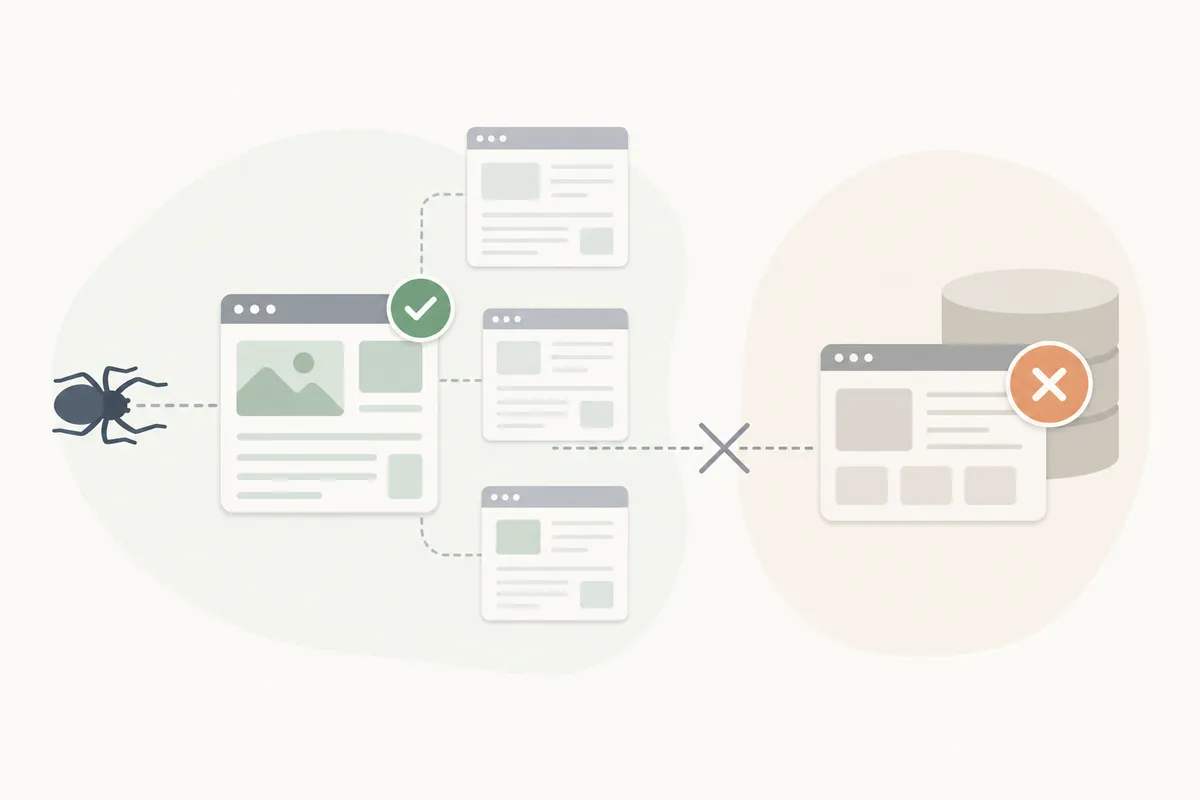
A sizable share of crawled currently not indexed pages don't need fixing at all. Google is right to leave them out. Review your list and sort the ones that don't matter from the ones that do.
| Page Type | Example | Why It's Fine Unindexed |
|---|---|---|
| Internal search results | /search?q=blue-shoes |
Near-duplicate content, no unique value for searchers |
| Faceted/filtered URLs | /products?color=red&size=m |
Variations of the same catalog page, wastes crawl budget if indexed |
| Thin tag or category archives | /tag/summer2022 |
Duplicates content already available elsewhere |
| Expired seasonal pages | /temp/new-year-sale-2023 |
No longer relevant once the event or promo ends |
| RSS feeds and sitemaps | /feed/latest-news, /sitemap.xml |
Built for syndication and discovery, not for search results |
If a page in this bucket is cluttering your reports, add a noindex tag. That stops it from appearing as an "issue" at all. That's a cleanup task, not an indexing fight.
Common Causes of Crawled Currently Not Indexed Pages
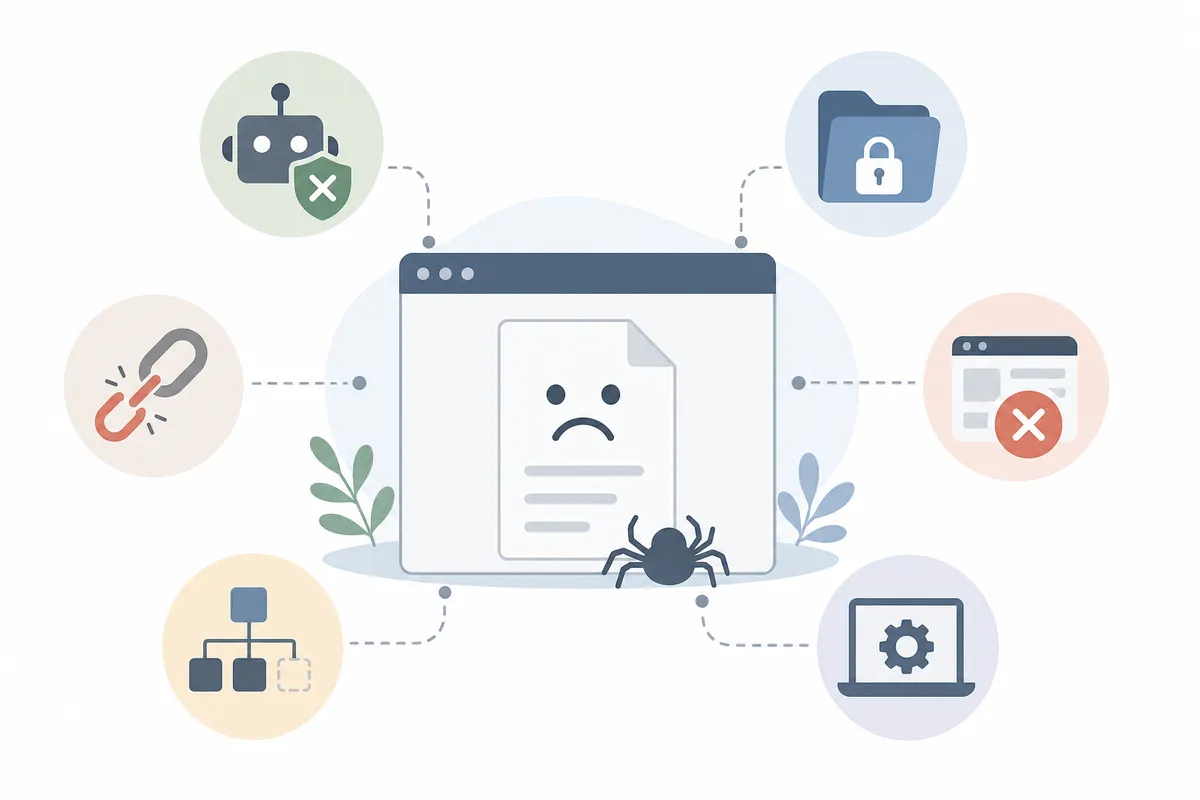
For pages that genuinely should rank but don't, the cause almost always falls into one of a handful of buckets. Work through them in order of how often they show up in real audits.
Thin or Low-Value Content
This is the single most common reason real pages get stuck as crawled but not indexed. Some audits flag anything under roughly 600 words as a thin-content risk. But word count alone isn't the real test. The question Google is asking is whether the page adds something a searcher can't already get from a dozen other results.
Auto-generated text and boilerplate product descriptions copied from a manufacturer feed fall into this category. So do pages that restate a title in three sentences. If you're publishing a high volume of pages to "cover more keywords," more volume without more substance is exactly what triggers this status. That pattern is covered in more depth in this breakdown of feedback-driven content strategy over sheer publishing volume.
Duplicate or Near-Duplicate Content
If the same paragraphs show up across multiple URLs, common with location pages, printer-friendly versions, or syndicated articles, Google indexes one version. It leaves the rest crawled but not indexed. That's expected behavior, not a penalty. It only works correctly if your canonical tags point to the version you actually want ranked.
Syndicating content elsewhere adds a related risk. If the republished copy outranks or gets indexed ahead of the original, the original can end up excluded. This guide to content syndication done without self-inflicted duplicate issues covers how to republish without hurting the source page's own indexing.
Weak or Missing Internal Links
Pages with no internal links pointing to them, orphan pages, send a weak signal about priority. Google can crawl a URL it found in a sitemap. But if nothing on your site links to it, there's little reason to treat it as important. Dense, logical internal linking is one of the more reliable levers for getting a stuck page reconsidered.
Crawl Budget and Site-Wide Quality Signals
On large sites, crawl budget is finite. Googlebot can render pages up to roughly 15 MB, but it won't spend unlimited time on a site full of low-value URLs. If your domain has thousands of thin or near-duplicate pages, Google may deprioritize crawling and indexing new ones until quality improves. Keyword cannibalization, multiple pages competing for the same query, adds to this. Google often excludes all the competing versions rather than guessing which one to rank.
Stale or Outdated Content
A page can be substantive and still look stale if nothing on it has changed in years. Content that was useful once but never gets revisited tends to drift toward this status. Fresher competitors take its place in the index. Keeping core pages updated, not rewritten, just kept current, is one of the more durable ways to avoid "currently not indexed" purgatory. That point is explored further in why evergreen content keeps compounding instead of fading after one traffic spike.
How to Fix Crawled – Currently Not Indexed Pages
Once you've confirmed a page genuinely belongs in the index and isolated the likely cause, work through fixes in priority order. Not every fix carries equal weight, so don't spend a week on internal links if the actual problem is thin content.
| Fix | What It Addresses | Typical Effort | Priority |
|---|---|---|---|
| Expand and strengthen content | Thin or low-value pages | Medium–high | High |
| Set correct canonical tags | Duplicate/near-duplicate content | Low | High |
| Add internal links from relevant pages | Orphan pages, weak signals | Low–medium | High |
| Fix robots.txt and meta robots tags | Accidental blocking or noindex | Low | High |
| Improve page speed and render reliability | Pages that time out or render incompletely | Medium | Medium |
| Consolidate near-duplicate pages | Keyword cannibalization | Medium | Medium |
| Build or earn external links to the page | Low perceived authority | High | Medium |
| Request indexing via URL Inspection | Nudging Google after a real fix | Low | Low |
Check for Technical Blockers First
Open the page's source and confirm there's no noindex meta tag or X-Robots-Tag header you didn't intend. Then run the URL through the robots.txt Tester in Search Console to make sure nothing in that file is blocking the path. These checks take minutes and rule out the simplest explanation before you assume the content is at fault.
Rewrite or Expand the Content
If the page is thin, don't pad it with filler. Add the specific information a searcher came for: pricing detail, a comparison, a worked example, or a real answer to the question. Pages built to satisfy search intent directly tend to clear this status faster than pages built to hit a word count. For product and category pages, see these ecommerce SEO practices built around what actually drives a sale rather than raw traffic. They cover the content gaps that most often keep listing pages stuck here.
Fix Internal Linking and Site Structure
Add contextual links from pages that already rank well and share the topic. A product page with zero internal links pointing to it, for example, is a textbook orphan. Adding it to a category page, a related-products block, or a relevant blog post gives Google a reason to index it.
Set Up Automated Monitoring Instead of Manual Resubmission
Repeatedly hitting "Request Indexing" in Search Console doesn't speed things up and can flag a URL for manual review if overused. A better approach is building a workflow that checks indexing status on a schedule and flags pages stuck past a reasonable window. This look at automation workflows that get fixes published in days rather than weeks covers how to structure ongoing monitoring like this. It replaces manual, one-off checks.
Treat This as an AI-Visibility Issue Too
A page that never gets indexed by Google also never gets a chance to be cited by AI answer engines. Most of those tools draw heavily on the same crawled, indexed web. If you're investing in content meant to be pulled into AI Overviews, Perplexity answers, or ChatGPT responses, getting past "crawled" matters. Reaching the index is the first gate, not an optional step. This guide to earning citations in Perplexity rather than just getting crawled is worth reading alongside your indexing fixes. That's especially true if AI visibility is part of the goal. The same logic applies to product pages feeding shopping-related AI answers. See this piece on getting ecommerce products cited instead of skipped by AI search.
How Long Does It Take to Get Indexed After a Fix?
There's no fixed timeline, but a realistic range is days to a few weeks. That's how long it takes Google to re-crawl and reconsider a page after a genuine quality fix. Larger or lower-authority sites tend toward the longer end. Google has stated that resubmitting a URL through Search Console isn't required and doesn't force indexing. It only adds the URL back to the crawl queue a little sooner, per Google's own Search Console Help documentation.
If a page stays crawled but not indexed for more than a month after a content and linking fix, that's a signal. The underlying problem wasn't fully solved, so don't just keep resubmitting.
Growth from fixing indexing issues tends to show up gradually across many pages rather than as one dramatic jump. That lines up with how organic growth compounds from a deliberate campaign rather than a single spike. Expecting a single resubmission to flip the switch sets the wrong expectation from the start.
Preventing This Status From Recurring
Fixing today's batch of excluded pages matters less than stopping the pattern that created them. A few habits keep the count from creeping back up:
- Publish fewer, stronger pages rather than flooding the site with thin ones to chase keyword volume.
- Audit internal linking quarterly so new pages never launch as orphans.
- Keep a standing content refresh schedule instead of letting older pages go stale and slide out of the index over time.
- Check the Page Indexing report monthly, not just when something looks wrong.
- Treat indexing health as one system, not a series of unrelated fire drills. That's the mindset covered in this framework for building SEO mastery as a repeatable system rather than chasing one-off tricks.
It's also worth remembering that indexing alone isn't the finish line. An indexed page that nobody clicks or cites still underperforms. This roadmap for winning citations in zero-click search environments instead of chasing clicks alone is a useful next read. Check it out once your indexing numbers stabilize.
When to Bring in Outside Help
Suppose you've checked content quality, canonical tags, robots.txt, meta tags, and internal links. Pages are still stuck as crawled currently not indexed after several weeks. The cause may be a site-wide trust or crawl-budget issue that's harder to diagnose page by page. Common culprits include a recent migration, a large influx of low-quality pages diluting the domain, or inconsistent technical signals across templates. That's usually when a fuller technical audit pays for itself. Run it with someone who can see the whole site rather than one URL at a time.
FAQs
Does "Crawled – currently not indexed" mean my page has an error?
No. It means Google successfully crawled the page and chose not to index it. That's usually a content quality or priority decision, not a technical error. A true error would typically show up as a 4xx, 5xx, or soft 404 status instead.
Should I resubmit the URL in Search Console every few days?
No. Google has said resubmitting doesn't speed up or force indexing. Doing it repeatedly on the same URL can flag it for manual review without helping. Fix the underlying cause first, request indexing once, then monitor.
Can a page move from crawled currently not indexed to fully indexed on its own?
Yes, sometimes. Google occasionally reconsiders a page over time as other signals on the site improve, even without a direct edit to that page. It's not reliable enough to count on, but it does happen.
Is thin content always under a specific word count?
Not strictly, word count is a rough proxy, not the actual rule. Some audits flag anything under 600 words, but a short page that fully answers a narrow question can still get indexed. A long page padded with filler can still get excluded.
Does having many pages in this status hurt my whole site's SEO?
A handful of intentionally unindexed utility pages won't hurt you. A large volume of genuinely low-quality pages stuck here can drag down how Google evaluates your site's overall quality and crawl priority. It's worth cleaning up rather than ignoring.
Get a Clear Read on Your Own Indexing Issues
Your Page Indexing report mixes pages that are fine to ignore with ones actually losing you traffic. Telling them apart takes more than a glance at the list. It takes checking content quality, links, and technical signals page by page. If you'd rather see that breakdown laid out for your own site, Talk to the team and get a sample report. It shows exactly what's holding pages back from moving past crawled currently not indexed.
## Resources / References

1. [Google's own Search Console Help documentation](https://support.google.com/webmasters/answer/7440203)

## Sources

- [How We Fix 'Crawled - currently not indexed' on Google ...](https://www.embarque.io/post/how-we-fix-crawled-currently-not-indexed-on-google-search-console)
- [Crawled – Currently Not Indexed in Google Search Console](https://seosly.com/blog/crawled-currently-not-indexed-in-google-search-console/)
- [Understanding and resolving 'Discovered - currently not ...](https://searchengineland.com/understanding-resolving-discovered-currently-not-indexed-392659)
- [Crawled - currently not indexed' mean and how do you fix it?](https://www.quora.com/In-Google-Search-Console-what-does-Excluded-Crawled-currently-not-indexed-mean-and-how-do-you-fix-it)
- [Crawled - Currently Not Indexed: Proven Ways to fix.](https://the7eagles.com/crawled-currently-not-indexed/)
About the author
SearchBlueprint researched, wrote and scored this article with the content pipeline our customers run on their own sites. The score in the byline is what our content engine gave this page before it published. Nothing here is reviewed by hand, which is the point: it is the product's output, published where anyone can check it.