Ahrefs Core Web Vitals: How to Read and Fix the Report
By Toy Wen Da, Co-Founder · Updated · 10 min read · scored 93/100
Ahrefs Core Web Vitals data appears inside Site Audit as a performance breakdown for every crawled URL, scored on Largest Contentful Paint, Interaction to Next Paint and Cumulative Layout Shift. If a page shows "Needs improvement" or "Poor," confirm it with a live test, then fix the metric dragging the score down.
Before you dig into Ahrefs, run the page through the free Website Speed Test. It returns Lighthouse-style lab scores for LCP, INP and CLS on that exact URL in a few seconds, so you know the problem is real before you spend time inside Site Audit.
What "Core Web Vitals" means inside Ahrefs
Core Web Vitals are three performance metrics Google uses to judge page experience: how fast the main content loads, how quickly the page responds to a tap or click, and how much the layout jumps around while it loads. Ahrefs pulls them into Site Audit so you can see them at the URL level instead of guessing.
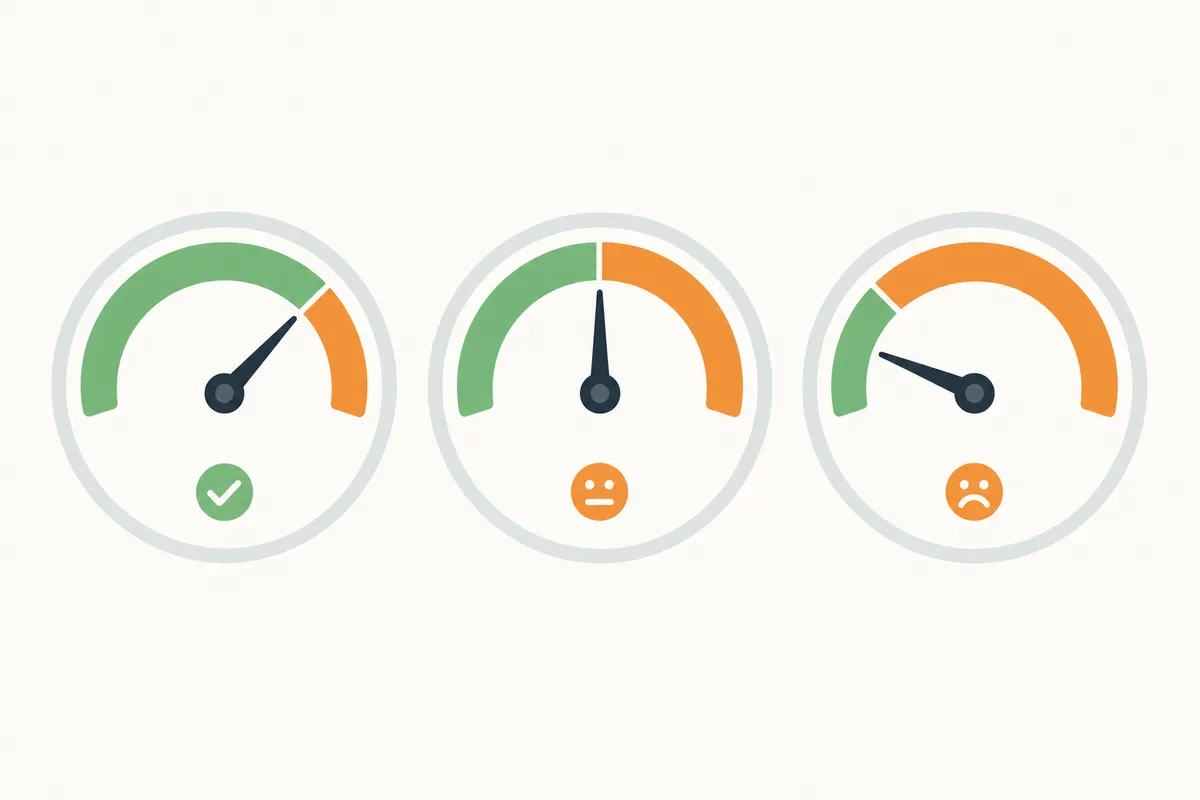
The three metrics and what "good" looks like
Each metric has its own pass/fail line. Google publishes these thresholds, and Ahrefs uses the same ones to label a page Good, Needs Improvement or Poor.
| Metric | What It Measures | Good | Needs Improvement | Poor |
|---|---|---|---|---|
| Largest Contentful Paint (LCP) | Time until the largest visible element loads | 2.5 seconds or less | 2.5–4 seconds | Over 4 seconds |
| Interaction to Next Paint (INP) | Delay between a user's tap or click and the screen updating | 200 milliseconds or less | 200–500 milliseconds | Over 500 milliseconds |
| Cumulative Layout Shift (CLS) | How much content shifts position while loading | 0.1 or less | 0.1–0.25 | Over 0.25 |
These ranges come from Google's performance documentation on web.dev, and Ahrefs applies them directly when it colors a URL red, yellow or green in its Core Web Vitals report.
Field data vs. lab data: why Ahrefs numbers can differ from PageSpeed Insights
Ahrefs' field data comes from the same source as Google Search Console's Core Web Vitals report: the Chrome User Experience Report, or CrUX. The dataset only includes real Chrome visits, and each reading covers a trailing 28-day window, a detail Google's own web.dev documentation spells out. Lab tools like Lighthouse simulate one visit under fixed conditions, which is why a page can look fine in a quick lab test and still fail in the field.
The same lag explains why a page can pass in Ahrefs one month and fail the next with no code changes: the report is catching up on four weeks of real visits and isn't reacting to today's traffic. If PageSpeed Insights or Search Console labels a page as failing while Ahrefs shows something different, read what a failed Core Web Vitals assessment actually means before you assume either tool is wrong.
Pricing matters here too, because Core Web Vitals monitoring is usually bundled into the same plan tier as Site Audit crawl limits. If you're deciding whether Ahrefs' tier structure fits your budget, the breakdown of the cost difference between Ahrefs and Semrush covers how the plans stack up feature for feature.
Finding the Core Web Vitals report in Ahrefs
Getting to the data takes a few steps, and the exact labels can shift between Ahrefs updates. The general path looks like this:
- Open Site Audit and pick the project crawling your domain, or set one up if you haven't yet.
- Wait for the crawl to finish, then open the audit overview and look for a performance summary that groups URLs by status for each Core Web Vitals metric.
- Open the issues list and filter it to the performance-related category. This surfaces specific problems such as oversized images, render-blocking scripts, slow server response or elements causing layout shift.
- Segment by URL pattern. Use a folder or regex filter to isolate one template, such as every product page or every blog post, so you aren't averaging good pages with bad ones.
- Export the filtered list to a spreadsheet and hand it to whoever owns the templates: a developer, your CMS admin or a freelancer.
Site Audit crawls run on a schedule you set, which helps you catch regressions before they pile up. If you're weighing whether a dedicated crawler covers more technical ground, the comparison of Ahrefs against Screaming Frog is worth a look, since Screaming Frog's crawl settings go deeper on some rendering checks.
Fixing each metric: what Ahrefs flags and what fixes it
Ahrefs tells you which metric failed and often names the element responsible. Turning that into a fix is a separate step, and it usually falls to a developer rather than whoever runs the audit.
| Metric | What Ahrefs Typically Flags | What Fixes It |
|---|---|---|
| LCP | Oversized hero image, slow server response time, render-blocking CSS or fonts | Compress and resize the hero image, serve it through a CDN, preload it, defer non-critical scripts |
| INP | Long JavaScript tasks on click or tap, heavy third-party scripts | Break up long tasks, load third-party scripts after the main content, move heavy work off the main thread |
| CLS | Images or ads with no set dimensions, web fonts causing text reflow, content injected above existing elements | Add explicit width and height (or aspect-ratio) to media, reserve space for ad slots, insert new elements below the fold |
Product and category pages tend to flag LCP and CLS issues more often than other templates, because they load image galleries, size charts and review widgets that compete for the same render time. If ranking those pages is the real goal behind the speed work, the guide to ranking product pages in Ahrefs covers the ecommerce-specific side.
Shopify stores get a particular version of this problem, since many apps inject their own scripts and widgets without warning. A rundown of Shopify apps built to address Core Web Vitals directly is a faster starting point than hand-coding a fix for every theme section.
When Ahrefs' Core Web Vitals tools are enough, and when they aren't
Ahrefs is a strong diagnostic tool but a poor substitute for continuous monitoring, and whether it's enough depends on what you're trying to do.

| Situation | Is Ahrefs Enough? | Why |
|---|---|---|
| Checking one page right before a client call | No | The free Website Speed Test returns results faster, with no login or crawl wait |
| Finding a pattern across dozens of product pages | Yes | Site Audit segments URLs by template, which single-page tools can't do |
| Watching for live regressions the moment they happen | No | Ahrefs' field data is CrUX-based and runs on a 28-day lag, not real-time monitoring |
| Tracking whether a fix improved scores over several weeks | Yes | Scheduled crawls plus historical data show the trend, not just a snapshot |
| An agency managing many client sites on a tight tool budget | Depends | Worth comparing cost against lighter options like Mangools or Ubersuggest if Site Audit's crawl limits are the only reason you're paying for Ahrefs |
Ahrefs earns its keep when you need Core Web Vitals across many URLs, grouped and tracked over time. For a single page right now, a free tool gives you the numbers faster.
Ahrefs vs. other ways to check Core Web Vitals
Several tools report Core Web Vitals, and each answers a slightly different question, so they aren't interchangeable.
| Tool | Data Type | Best For |
|---|---|---|
| Ahrefs Site Audit | Field data (CrUX) plus crawl-based diagnostics | Finding patterns across a whole site's URLs |
| Free Website Speed Test | Lab data (Lighthouse-style) | A quick, single-URL check before or after a fix |
| Google Search Console | Field data (CrUX), grouped by similar URLs | Confirming what Google itself sees for your indexed pages |
| PageSpeed Insights / Lighthouse | Both field and lab data for one URL | Getting specific, prioritized fix suggestions for a page |
None of these replaces a dedicated SEO suite's broader feature set. If Core Web Vitals checking is one line item in a bigger decision about which platform to run your SEO from, the comparisons built around that question show where the overlap and gaps actually are: Serpstat against Ahrefs, SpyFu against Ahrefs and SE Ranking against Ahrefs.
Common mistakes when reading Ahrefs Core Web Vitals data
A few habits lead people to misread the report.
- Treating the Performance score as a Lighthouse score. The two are related but not identical, and Ahrefs' field-based status can disagree with a Lighthouse lab score on the same URL.
- Expecting instant feedback after a fix ships. Field data runs on a trailing 28-day window, so a code change today won't fully show up in Ahrefs for weeks.
- Confusing a Core Web Vitals issue with a general on-page problem. Slow LCP and a missing meta description are both "issues" in Site Audit but need different fixes, and the guide to reading and fixing Ahrefs' on-page SEO checks draws that line clearly.
- Checking desktop only. CLS problems are often worse on mobile, where smaller screens make shifting elements more disruptive.
- Averaging the whole site instead of segmenting by template. One bad template, often the homepage or a single product layout, can drag down an otherwise healthy average and hide where the real problem is.
Why this is worth fixing
Core Web Vitals have been a Google ranking signal since 2021, and the business case for fixing them goes beyond rankings. Sistrix's analysis of that 2021 rollout found that sites passing all three thresholds gained about 3.7% more visibility in Google's search results than sites that failed.
Several companies have published their own before-and-after numbers in web.dev's collection of Core Web Vitals case studies:
- Vodafone reported an 8% increase in sales after improving Largest Contentful Paint.
- Yahoo! Japan News reported a 15% increase in page views after improving Cumulative Layout Shift.
- Renault reported a 13% increase in conversions tied to a one-second LCP improvement.
- Swappie reported a 42% increase in mobile revenue after improving its Core Web Vitals.
A widely cited industry benchmark puts the cost of inaction bluntly: a one-second delay in mobile page load can reduce conversions by up to 20%. The exact number will differ for your site, but every example points the same way, since faster and more stable pages convert better as well as rank better.
FAQs
Why does Ahrefs show different Core Web Vitals results than Google Search Console?
Both tools can draw on the same CrUX field dataset, but they group URLs differently and refresh on slightly different schedules. A page can land in a different URL group in each tool, which changes the status shown even though the data source is the same.
How often does Ahrefs update Core Web Vitals data?
Field data updates as often as the underlying CrUX dataset refreshes, but each reading is still a rolling 28-day average. A fix won't be fully reflected until roughly four weeks of new visits have accumulated.
Does Ahrefs show Core Web Vitals for pages with low traffic?
Field data requires a site or page to meet Google's traffic thresholds for the CrUX dataset. Low-traffic pages may have no field data in Ahrefs, Search Console or PageSpeed Insights, since CrUX has no sample to report.
Is Ahrefs' Core Web Vitals report the same as a Lighthouse audit?
No. Ahrefs' primary Core Web Vitals status is field-based and built from real visitor data, while Lighthouse runs a lab simulation of a single visit. They measure related things but aren't the same test, and their scores can diverge.
Can fixing Core Web Vitals alone improve my rankings?
Content relevance and quality still carry more weight than page experience signals. Core Web Vitals tend to act as a tiebreaker between pages of similar quality, and the measurable business impact on conversions and engagement is often the stronger reason to fix them.
Check your numbers today
Run the page in question through the free Website Speed Test to see where LCP, INP and CLS stand right now, then decide whether the fix is a quick image swap or a bigger template issue worth escalating. If you want a second set of eyes on what else is dragging down your Ahrefs Core Web Vitals scores and rankings together, talk to the team.
Resources / References
Sources
About the author
SearchBlueprint researched, wrote and scored this article with the content pipeline our customers run on their own sites. The score in the byline is what our content engine gave this page before it published. Nothing here is reviewed by hand, which is the point: it is the product's output, published where anyone can check it.