The Best AI Tools for Small Business in 2026 (Compared)
By Toy Wen Da, Co-Founder · Updated · 10 min read · scored 97/100
The best AI tools for small business in 2026 depend on what's eating your week. If you need more customers finding your site through Google and AI search, a platform like SearchBlueprint is the strongest starting point. If missed phone calls are costing you leads, an AI receptionist like Dialpad fits that job better.

This comparison draws on each product's website, pricing page and documentation. Nobody here ran hands-on tests, so treat it as a shortlist for your own research.
How we chose these AI tools for small business

Four things mattered, in this order. First came price fit: we favored tools with an entry-level plan sized for a handful of users over enterprise pricing from the first tier. Second was a free plan or trial, which matters more to a small business than to a large one with a procurement budget.
Third, each tool needed one clear job it does well. Fourth, we looked for real limits, such as a missing integration, a task it can't automate or the amount of oversight it needs, and we name them directly. Figures and plan details come from each company's own site, pricing page or published case studies, and we say so wherever a number is a company's own claim.
9 best AI tools for small business
1. SearchBlueprint: best for small businesses that want more traffic from Google and AI search
SearchBlueprint builds an SEO plan that maps each keyword your customers search to a page on your site, then runs technical, on-page and schema audits to find what's holding those pages back. It handles keyword research and competitor analysis, and it tracks your rankings alongside your visibility in AI search answers. Articles it writes publish automatically to WordPress, Shopify, Wix or Webflow once you approve them. It also refreshes aging content, suggests internal links and produces white-label reports for agencies managing client sites.
Starting price: free to start, with paid Base and Agency plans above that. See their pricing page for current rates, as of October 2026. Free plan: yes, plus 60+ free SEO tools and a free SEO Academy for learning the basics.
Pick it if your growth depends on people finding you through search and you want ongoing SEO work without hiring an in-house specialist. Skip it if you need an AI receptionist, social scheduler or CRM, because it focuses on search visibility and content. For SEO platforms built for professionals and agencies, see the best AI SEO tools for SEO professionals.
2. Dialpad: best for small businesses missing calls and after-hours messages
Dialpad's AI receptionist answers calls, routes them to the right person and can book appointments directly, so a customer gets a response even when nobody's at a desk. When a call needs a human, the handoff carries the conversation's context along, so the customer doesn't repeat themselves.
Dialpad reports that its customer WizeHire cut missed calls by 50% and started resolving issues 50% faster after adopting it. It also says LemonBrew increased call output by 57% with a third of the staff, and that RealtyNinja now handles 37% more support calls without adding an agent.
Starting price: see their pricing page. Free plan: check their pricing page for current trial and tier details.
Pick it if missed or after-hours calls are a real cost to your business. Skip it if your business runs mostly on email or chat.
3. Canva: best for small businesses that need design help without a designer
Canva's AI tools let someone with no design background build social graphics and presentations from a template. Its free tier covers much of what a small business needs day to day.
Starting price: see their pricing page. Free plan: yes.
Pick it if you need professional-looking graphics without hiring a designer. Skip it if you need strict commercial-use licensing for AI-generated images in paid ads, since tools built around licensed training data are a safer fit there.
4. Grammarly: best for small businesses whose emails and proposals represent the brand
Grammarly checks grammar, clarity and tone, and its AI features can rewrite or tighten a paragraph on request. It runs three plans, Free, Pro and Enterprise. The enterprise tier adds data loss prevention and granular permissions for larger teams.
Starting price: see their pricing page. Free plan: yes.
Pick it if client-facing writing such as proposals, emails and pitches needs a second set of eyes before it goes out. Skip it if you want a tool that generates marketing content from scratch, since Grammarly works on text you've already written.
5. ChatGPT: best for small businesses that want one assistant for many tasks
ChatGPT drafts content, answers questions, explains concepts and can reason through problems. Depending on the plan, it adds web browsing, file uploads, image generation and voice mode. A free version exists, which makes it a reasonable starting point before you commit to a dedicated tool for any one task.
Starting price: see their pricing page. Free plan: yes.
Pick it if you'd rather start with one flexible tool than several narrow ones. Skip it if you need a consistent brand voice across a team, because purpose-built content platforms handle that better. See the best AI content writing tools compared for options built for exactly that.
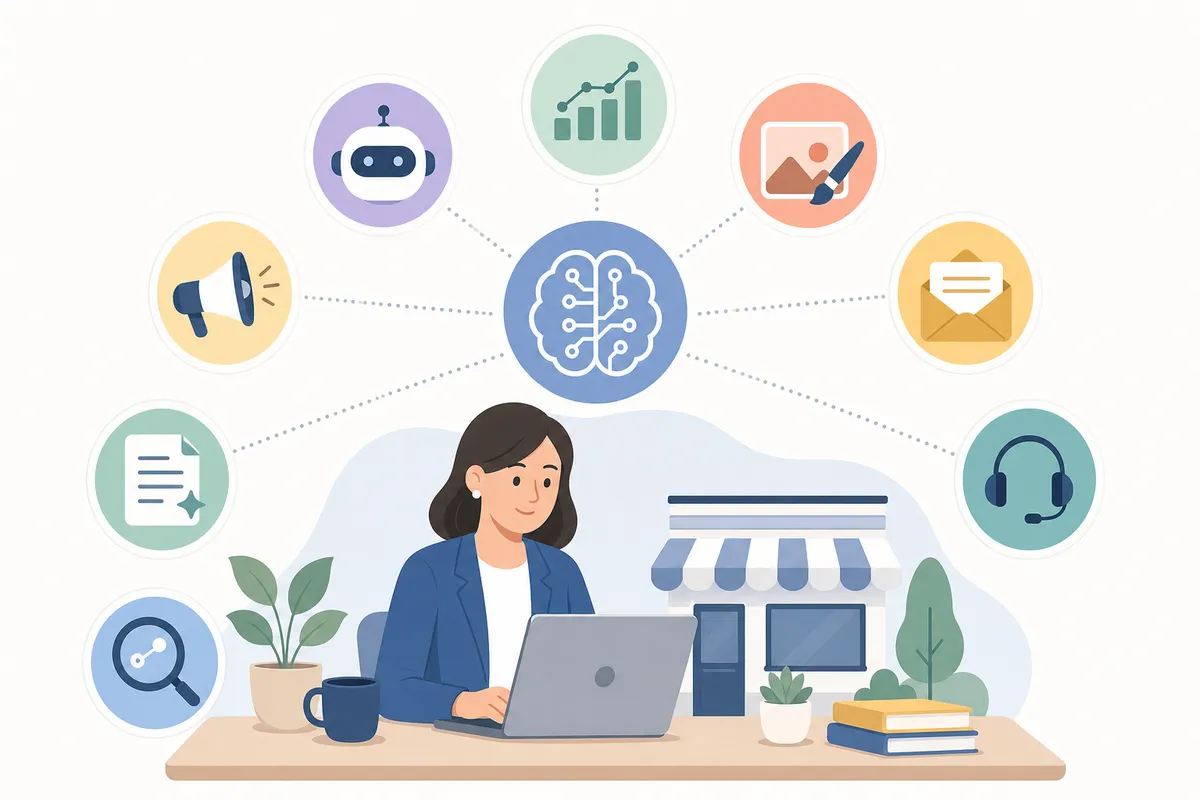
6. HubSpot AI: best for small businesses running marketing, sales and support in one place
HubSpot AI generates blog posts, social content, websites and sales emails. Its reporting assistant builds and customizes dashboards from your sales and marketing data. Because it's built into HubSpot's CRM, marketing, sales and support data live in one system instead of being scattered across tools.
Starting price: see their pricing page. Free plan: check their pricing page.
Pick it if you already use or are considering a CRM and want AI features built in. Skip it if you only need a lightweight writing tool, since this is a fuller platform commitment. For a broader set of options across marketing, see the best AI marketing tools compared.
7. Zendesk AI: best for small businesses that need automated customer support
Zendesk AI says it can automatically resolve 80% or more of customer and employee interactions across any channel, with no technical setup required. It offers two copilot modes: one suggests replies for human agents, and the other handles routine tasks with minimal oversight.
Starting price: see their pricing page. Free plan: check their pricing page; Zendesk is typically trial-based rather than permanently free.
Pick it if support volume has outgrown what one or two people can answer by hand. Skip it if volume is still low enough for a shared inbox.
8. Apollo.io: best for small sales teams with more leads than time
Apollo.io uses AI to flag which accounts are actively researching a solution or visiting your site, even before they've filled out a form. A small sales team can then spend its limited hours on the leads most likely to convert.
Starting price: see their pricing page. Free plan: check their pricing page.
Pick it if you have a real sales pipeline and a small team covering it. Skip it if you have no dedicated salesperson, because the value depends on someone acting on the signals it surfaces.
9. Flick: best for small businesses managing Instagram, Facebook, TikTok and LinkedIn
Flick bundles hashtag research, scheduling and analytics for those four platforms, plus a built-in AI assistant for caption ideas. It's narrower than some social tools by design and covers only the platforms it focuses on.
Starting price: see their pricing page. Free plan: check their pricing page.
Pick it if your social presence lives mainly on those four platforms. Skip it if you also need X, Pinterest or YouTube, where a broader scheduler fits better.
Comparison table: best AI tools for small business

| Tool | Best For | Free Plan | Starting Price | Main Limit |
|---|---|---|---|---|
| SearchBlueprint | Organic and AI search visibility | Yes, plus 60+ free tools | Free to start; see pricing page | No customer support, social or CRM features |
| Dialpad | Answering and routing calls | See pricing page | See pricing page | Doesn't cover email or chat workflows |
| Canva | Design without a designer | Yes | See pricing page | Commercial-use licensing can be limited |
| Grammarly | Polishing client-facing writing | Yes | See pricing page | Only edits existing text |
| ChatGPT | One flexible general assistant | Yes | See pricing page | No single brand voice for a team |
| HubSpot AI | Marketing, sales and support together | See pricing page | See pricing page | Bigger platform commitment than a single tool |
| Zendesk AI | Automated customer support | See pricing page | See pricing page | Built for support volume, so little help with marketing or SEO |
| Apollo.io | Prioritizing sales leads | See pricing page | See pricing page | Needs someone to act on the signals it finds |
| Flick | Scheduling four social platforms | See pricing page | See pricing page | Doesn't cover X, Pinterest or YouTube |
How we compared
We read each vendor's public pricing and feature pages and cross-checked the claims against the review sites listed in Sources. We did not open paid accounts or test any of these tools ourselves. Where a result such as a call-handling gain comes from a vendor, it is the vendor's claim, and the pricing pages remain the place to confirm current rates.
When the free option is enough, and when it isn't
A free plan is usually enough when you're testing whether a tool fits your workflow before committing budget, or when your volume is genuinely low, such as a handful of social posts a week or occasional design work. Canva's free tier and Grammarly's free plan both cover a lot of ordinary use without an upgrade.
Free stops being enough once a task becomes a daily bottleneck. If missed calls cost you leads every week, a free trial won't fix that for long and you need the paid capability behind it. SEO works the same way: free tools can check one page at a time, but an ongoing plan with audits, tracked rankings and weekly content needs a paid subscription to run continuously.
To decide, track what the task costs you now for a couple of weeks, whether that's missed calls, hours spent writing or leads going cold. Then compare that cost to the paid plan's price. If the tool saves more than it costs, upgrade; if it doesn't, the free tier was already doing its job.
Government digitalization efforts, including Singapore's IMDA, track how widely small firms adopt digital and AI tools as part of broader productivity pushes, which suggests this shift isn't limited to one market. For US-based owners, the Small Business Administration and industry groups report similar patterns of growing AI adoption among small firms, though specific figures vary by survey and source.

FAQs
What are the best AI tools for a small business just starting out?
Start with whatever free tool solves your biggest current bottleneck: Canva for design, ChatGPT for drafting, or a free SEO tool suite if your website isn't getting found yet. Add a paid tool once a free plan's limits start costing you more than its price would.
Do small businesses really need AI tools, or is this hype?
Not every business needs every tool on this list. But answering calls after hours, drafting routine content and finding which leads to prioritize are measurable time costs, and AI tools built for those jobs tend to save real hours.
How much do AI tools for small business typically cost?
Pricing varies by tool and is usually billed per user or by usage, such as email volume or connected channels. Many offer an entry-level plan sized for small teams, while advanced tiers and custom setups cost more or are priced by quote. Check the vendor's own pricing page for current rates.
Can one AI tool cover everything a small business needs?
Generally no. Most small businesses combine two or three tools, for example one for communications, one for content or SEO and one for sales or support.
Is it worth building a new website with AI tools, or just adding AI to an existing site?
If your site already ranks and converts reasonably well, layering SEO and content tools onto it is usually faster than a rebuild. If you're starting from scratch, compare AI website builders by budget before you add other tools.
Pick one tool, then measure it
Don't try to adopt every tool on this list at once. Pick the single task costing you the most time or leads right now, test a free plan or trial against it for a few weeks and track the before and after. If search visibility is that bottleneck, talk to the team at SearchBlueprint and see what a sample SEO report for your site looks like before you commit to anything. That's how this list of the best AI tools for small business turns into results instead of another set of open tabs.
Related reading: Artificial Intelligence Ranking: What Tops the Charts in 2026.
Sources
About the author
SearchBlueprint researched, wrote and scored this article with the content pipeline our customers run on their own sites. The score in the byline is what our content engine gave this page before it published. Nothing here is reviewed by hand, which is the point: it is the product's output, published where anyone can check it.