SEO Editor Role in WordPress: Grant Access Without Admin
By Toy Wen Da, Co-Founder · Updated · 7 min read · scored 94/100
An SEO editor role in WordPress is a custom permission set that lets someone edit titles, meta descriptions, redirects and schema without becoming a full Administrator. WordPress doesn't ship with one. You create it with a free plugin or through your SEO plugin's own role manager, then assign it to the person who needs access.

Why WordPress has no default SEO editor role
WordPress's six roles were designed around content workflows. WordPress.org's own Roles and Capabilities documentation shows the mismatch: an Editor can publish and delete anyone's posts, manage categories and moderate comments, which is a much bigger grant than "let this person fix title tags," while an Author can only touch their own posts. Neither role was built with SEO permissions in mind, so site owners end up either over-granting with full admin or under-granting with nothing at all.
| Role | Default Capabilities | SEO Access Out of the Box | Fits Who |
|---|---|---|---|
| Administrator | Full site control | Yes, everything | Owner or developer only |
| Editor | Edit/publish any post or page | Per-post SEO fields, no global settings | Content manager |
| Author | Edit/publish own posts | Per-post SEO fields on their own posts | Staff writer |
| Contributor | Draft own posts, no publish | Limited until a post is live | Guest or junior writer |
| Subscriber | Comment and manage own profile | None | Site visitor |
Editors and Authors already see the per-post SEO fields in Yoast SEO or Rank Math for posts they can edit, because that access rides on the standard edit_posts capability. What they can't touch is the plugin's global settings: sitewide title templates, redirects, schema types and the robots.txt editor. A custom SEO editor role closes that gap.

How to build an SEO editor role, step by step
Option 1: use your SEO plugin's built-in role manager
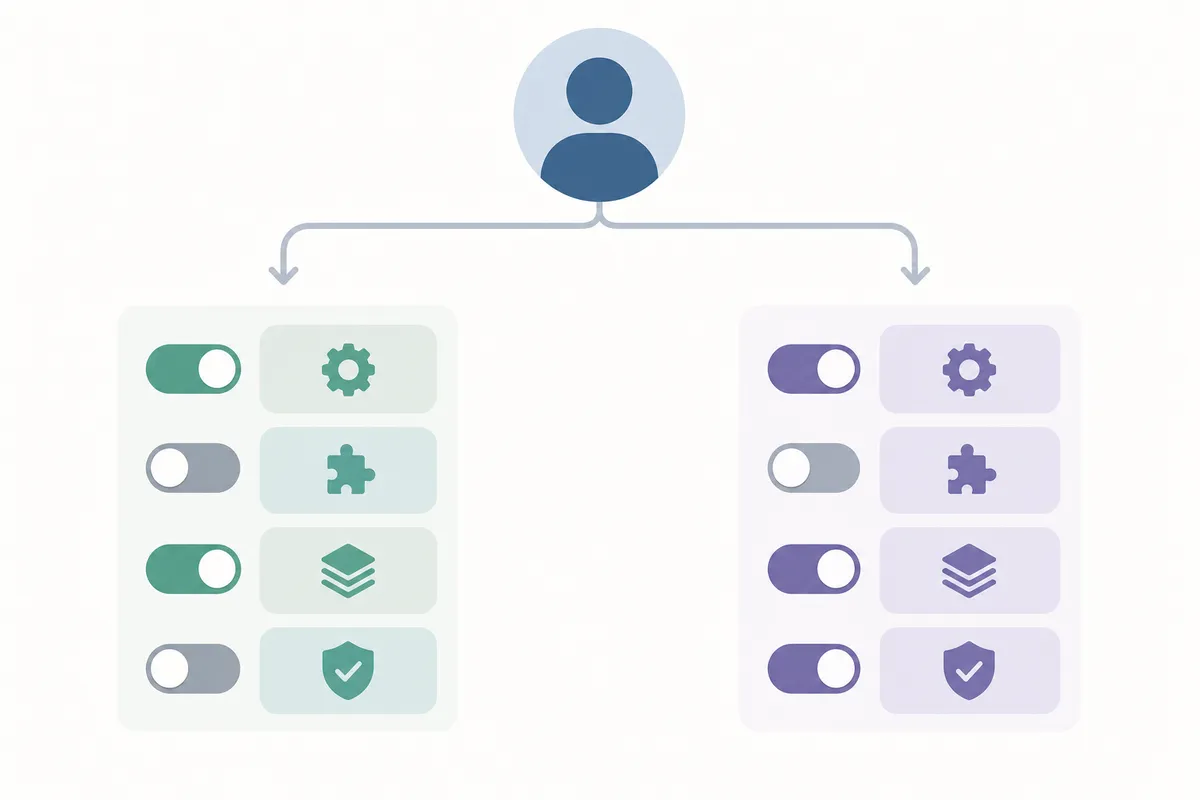
Rank Math includes this natively. Go to Rank Math → General Settings → Role Manager, pick a role or create one, toggle the Rank Math modules it can access (general settings, schema, redirections, the 404 monitor), then click Save Changes. No separate plugin is required.
Option 2: use a capability editor plugin
If your SEO plugin has no manager of its own, or you want one role that controls both WordPress and plugin capabilities, use this route:
- Install and activate User Role Editor from Plugins → Add New.
- Go to Users → User Role Editor.
- Click Add Role, name it something clear like "SEO Editor," and optionally base it on the existing Editor role as a starting point.
- With the new role selected, check the capabilities it needs. Typically that means
edit_postsandedit_others_postsso it can fix fields across the site, plus any plugin-specific capability your SEO plugin registers (Yoast registerswpseo_manage_options; Rank Math registers its own set). Leavemanage_optionsunchecked, because that capability keeps the role out of full site settings. - Click Update to save the role.
- Go to Users → All Users, open the person's profile, change their Role dropdown to your new SEO editor role, and click Update User.
A plugin reviewer on WordPress.org called a capability editor "essential" for agencies that need to "restrict client access safely without breaking site functionality," which is the case for a dedicated role over a blanket admin grant.
Option 3: edit capabilities with code
Developers can add or remove capabilities with add_cap() and remove_cap() in a small functions-file snippet. This avoids an extra plugin but calls for testing on staging first, since a mistyped capability name silently does nothing instead of throwing an error.
When WordPress's own tools are enough
Not every situation needs a new role, so weigh scope and frequency before you build one.
| Situation | Free Default Tools Enough? | Why |
|---|---|---|
| Fixing one page's title tag, once | Yes | Any Editor or Author can already edit their own post's SEO fields |
| Ongoing access for a hired freelancer | No | A dedicated role avoids re-granting admin every time |
| Agency managing several client sites | No | A repeatable, documented role is easier to audit than ad-hoc access |
| VA handling only redirects or schema | No | Default roles bundle too much or too little capability |
For a single page and a single fix, edit it yourself or have the existing Editor do it. If the same person will be back next month, build the role once.
Common mistakes to avoid
- Making someone a full Administrator just so they can edit a meta description hands over plugin installs, user management and theme files too.
- Assuming "Editor" means "SEO Editor" overlooks that WordPress's Editor role is built for content work and has no say over SEO settings.
- Skipping a test login means missing capabilities surface only after handoff, so log in as the new role once before handing over real credentials.
- Leaving a plugin's preset role unreviewed is risky because some SEO plugins ship a default "SEO Manager" preset that's broader than you'd expect.
- Forgetting multisite catches people out: a role created on one subsite doesn't automatically carry across the network.
If your business runs on WordPress.com rather than self-hosted WordPress, role and capability management works differently, and the WordPress.com SEO guide explains how access and publishing are handled on that platform.
Google's own Search Essentials guidance stresses that pages need consistent, accurate titles and descriptions to be indexed correctly, which is one more reason to tighten loose, unaudited SEO access.
FAQs
Does WordPress have a built-in SEO editor role?
No. WordPress ships with six default roles (Administrator, Editor, Author, Contributor, Subscriber, and Super Admin on multisite), and none of them is scoped to SEO settings. You create an SEO editor role yourself using a plugin or custom code.
What's the difference between an Editor and a custom SEO editor role?
An Editor can publish, edit and delete any post or page on the site. A custom SEO editor role is narrower by design: it typically grants access to meta fields, redirects and schema settings without the broader content-management power an Editor has.
Can I give someone SEO access without making them an admin?
Yes. A dedicated role grants the specific capabilities needed for SEO settings while withholding manage_options and other admin-level capabilities.
Do Yoast SEO and Rank Math have their own permission systems?
Rank Math includes a built-in Role Manager under its General Settings. Yoast SEO ties most per-post access to standard WordPress capabilities and restricts its own global settings to users with the wpseo_manage_options capability, which a plugin like User Role Editor can grant separately.
Will creating a custom role break anything on my site?
Not if you test it first. Create the role, assign it to a test account, log in as that account and confirm it reaches what it needs and nothing more before you hand the real login to anyone.
Set up access before you hand over a login
Build the role before you hand anyone a password, because a properly scoped SEO editor role in WordPress is what keeps that handoff safe. If you want a clearer picture of which SEO settings on your site are worth protecting, and which pages need attention first, talk to the team for a sample report built from your own site's data.
Resources / References
Sources
About the author
SearchBlueprint researched, wrote and scored this article with the content pipeline our customers run on their own sites. The score in the byline is what our content engine gave this page before it published. Nothing here is reviewed by hand, which is the point: it is the product's output, published where anyone can check it.