Rank Math Sitemap 404 Error: The Fast WordPress Fix
By Toy Wen Da, Co-Founder · Updated · 6 min read · scored 93/100
A rank math sitemap 404 error usually means your permalink settings are out of sync with the sitemap, or a cache is serving an old, broken version of the page. Resave permalinks under Settings > Permalinks, then reload the sitemap URL in a private window to check.

Confirm it's really a 404 first
Open your sitemap URL, typically yourdomain.com/sitemap_index.xml, in a private or incognito window before changing anything. A stale browser cache or a CDN edge node can show you a 404 that no longer exists for a fresh visitor.
SearchBlueprint's free Redirect Checker helps here. Paste in the sitemap URL and it traces every hop the request takes, so you can see whether the sitemap redirects into a loop, lands on your homepage or genuinely returns a 404 status instead of XML. The answer decides which fix you need.

What causes a Rank Math sitemap 404

A handful of causes account for nearly every case.
Permalink structure out of sync
WordPress generates sitemap rewrite rules from your permalink settings. If you changed your permalink structure, migrated hosts or restored a backup, those rules can go stale and the sitemap route stops resolving.
Caching serving an old response
Page caches and CDNs like Cloudflare sometimes store a 404 response and keep serving it after the sitemap starts working again. Server-level caching can do the same.
Sitemap module turned off
Rank Math's sitemap feature is a toggle. If it was switched off during a plugin update or a settings import, the sitemap URL simply stops existing.
Plugin or theme conflict
Another SEO plugin, a security plugin blocking XML requests or a theme with its own rewrite rules can intercept the request before Rank Math gets to serve it.
| Likely cause | How to spot it | Fix |
|---|---|---|
| Permalinks out of sync | Sitemap 404s on every URL, including the index | Resave permalinks in Settings > Permalinks |
| Stale cache | Works in incognito or on a different device, fails elsewhere | Clear page cache and CDN cache |
| Sitemap module disabled | Rank Math settings show the sitemap toggle off | Turn the General Sitemap Settings toggle on |
| Plugin conflict | Error appears after installing or updating a plugin | Deactivate plugins one by one and retest |
| Security rule blocking XML | .xml requests blocked site-wide, not just sitemaps | Whitelist sitemap URLs in the security plugin |
Fix it inside WordPress, step by step
Work through these in order. Most cases resolve by step three.
- Go to Settings > Permalinks and click Save Changes without altering anything. This forces WordPress to regenerate its rewrite rules.
- Open Rank Math > General Settings > Sitemap Settings and confirm the sitemap toggle is on. If it already is, switch it off, save, switch it back on and save again.
- Clear every cache layer: your caching plugin, your host's server cache and any CDN like Cloudflare. Each one should have a "Purge Cache" or "Clear Cache" button.
- Reload the sitemap URL in a private browser window. Try both
/sitemap_index.xmland the specific sitemap, like/post-sitemap.xml. - Deactivate other SEO or security plugins temporarily and test the sitemap again.
- If you're on Apache hosting, check your .htaccess file. A corrupted or missing rewrite block can silently break sitemap URLs even after permalinks are resaved.
If you're new to how Rank Math structures its sitemap feature, this overview of what Rank Math is and how the free WordPress SEO plugin works walks through the settings these steps touch.
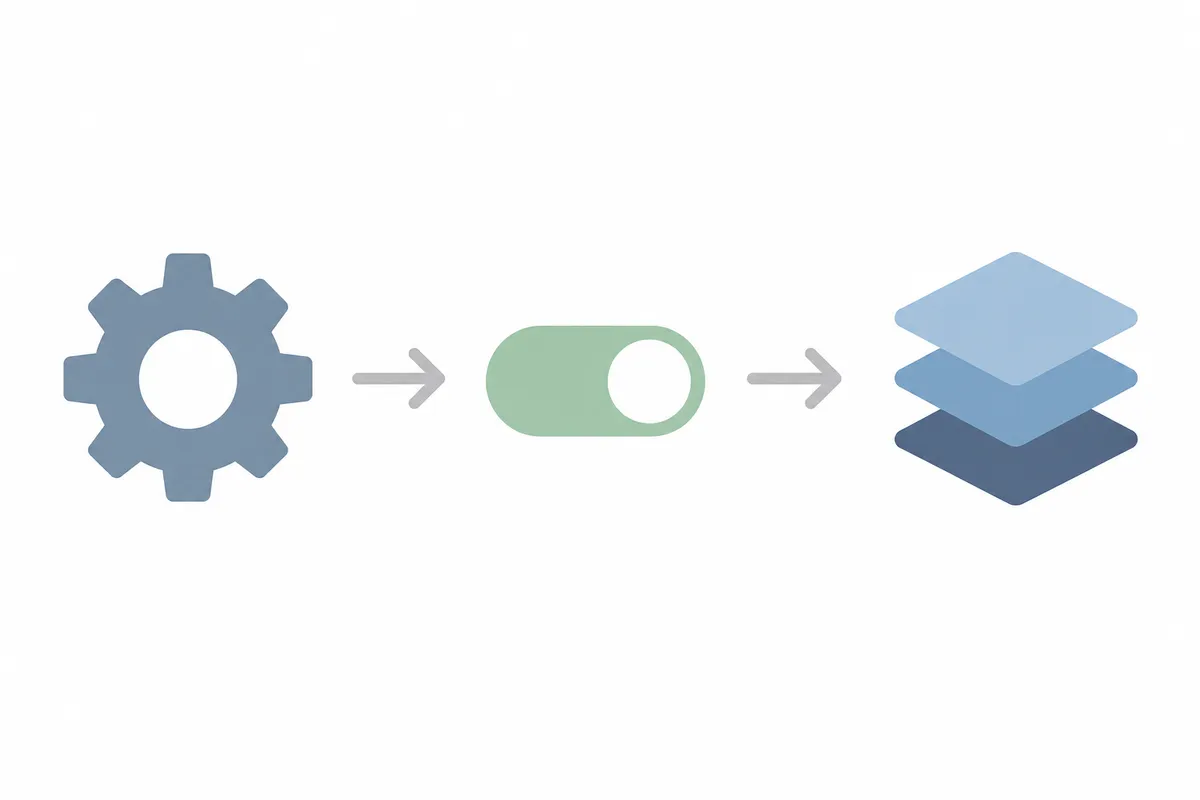
When WordPress's own tools are enough, and when they aren't
WordPress's built-in tools are enough when:
- Only the sitemap URL itself returns a 404 and the pages it lists load fine.
- The problem is a one-off tied to a recent change such as a permalink edit, a plugin update or a migration, and resaving permalinks and clearing cache fixes it on the first try.
You need to look further when:
- The sitemap loads, but individual URLs inside it still return 404s when clicked.
- The problem comes back after you fix it, which points to a recurring cache or cron issue, or several sitemap types (posts, pages, categories) break at once, which points to a server-level or hosting issue rather than a Rank Math setting.
A recurring, sitewide pattern is also the moment to ask whether your current plugin is the right fit. This comparison of Rank Math against Yoast covers how each handles sitemap generation and redirects differently.
Common mistakes to avoid
- Assuming Google caused it. A rank math sitemap 404 almost always comes from the server or your settings, and Google Search Console doesn't trigger it.
- Fixing the sitemap but leaving the underlying cache alone. Other visitors keep seeing the same 404 until every cache layer is cleared.
- Deleting and recreating the sitemap feature repeatedly. Toggling it off and on once is diagnostic, and doing it five times only adds confusion.
- Ignoring soft 404s. Sometimes the sitemap URL loads with a 200 status while showing error content, and only the raw response reveals it.
- Overlooking server-level 404 overrides. Some security configurations block
.xmlfile types outright, which looks identical to a Rank Math bug.
For the mechanics behind why search engines care about any of this, Google's own documentation on building and submitting a sitemap is worth a read.
FAQs
Why does my Rank Math sitemap show a 404 even after I turned the sitemap setting back on?
This is almost always a caching issue. Toggling the setting regenerates the sitemap, but a cached 404 response can still be served until you clear your page cache, server cache and any CDN cache.
Will a rank math sitemap 404 hurt my Google rankings?
Not directly, but it can slow down how quickly new or updated pages get crawled, since Google uses the sitemap to discover URLs efficiently. A short-lived 404 rarely does lasting harm. A sitemap that has been broken for weeks deserves a prompt fix.
Do I need to resubmit my sitemap to Google Search Console after fixing it?
It's good practice. Once the sitemap loads correctly, resubmit it in Search Console under Sitemaps so Google re-crawls it sooner than its next scheduled pass.
Can a security plugin cause a Rank Math sitemap 404?
Yes. Some security plugins or server firewall rules block requests to .xml files by default, which produces the same symptom as a Rank Math misconfiguration.
What's the difference between a sitemap 404 and a soft 404 on the sitemap?
A hard 404 returns an actual 404 status code for the sitemap URL. A soft 404 returns a 200 status but shows error-like content instead of valid XML. Check the raw server response rather than what loads in the browser to tell which one you have.
Check the rest of your site's technical health
Fixing one rank math sitemap 404 is a good start, but sitemap issues often point to broader gaps in redirects, crawl errors and indexing settings. Talk to the team and get a sample report showing exactly where your site stands.
Resources / References
- permalink settings
- Google's own documentation on building and submitting a sitemap
- Search Console under Sitemaps
Sources
About the author
SearchBlueprint researched, wrote and scored this article with the content pipeline our customers run on their own sites. The score in the byline is what our content engine gave this page before it published. Nothing here is reviewed by hand, which is the point: it is the product's output, published where anyone can check it.