Navigation SEO: Site Structure Mistakes That Cost Rankings
SearchBlueprint · · 9 min read · scored 90/100

Navigation SEO is the practice of structuring a site's menus, links, and URL hierarchy. The goal is letting search engines crawl every page and understand how those pages relate to each other. Get it right, and Google indexes more of your site. Get it wrong, and whole sections stay invisible in search results.
What Navigation SEO Actually Means
Website navigation is the set of links connecting your pages, whether that's the top menu, a sidebar, breadcrumbs, or the footer. Its first job is helping visitors find what they need without digging through layers of pages.
Its second job is helping search engines do the same thing. Google's crawlers rely on links to discover new pages, the same way a visitor does. According to Google's own Search Essentials guidance, most pages in Google's index are found because a crawler followed a link to them. They aren't found because someone manually submitted the URL.
That's the core of navigation SEO: your menu and internal links aren't just a UX layer sitting on top of your content. They're the map a search engine uses to find, understand, and rank your pages.

A common myth is that navigation SEO means stuffing keywords into every menu label. It doesn't. It means building a structure that's logical for a human first. Then you make sure that structure is fully visible to crawlers, with no dead ends and no pages that only exist off in a corner with nothing linking to them.
How Navigation SEO Affects Crawling and Indexing
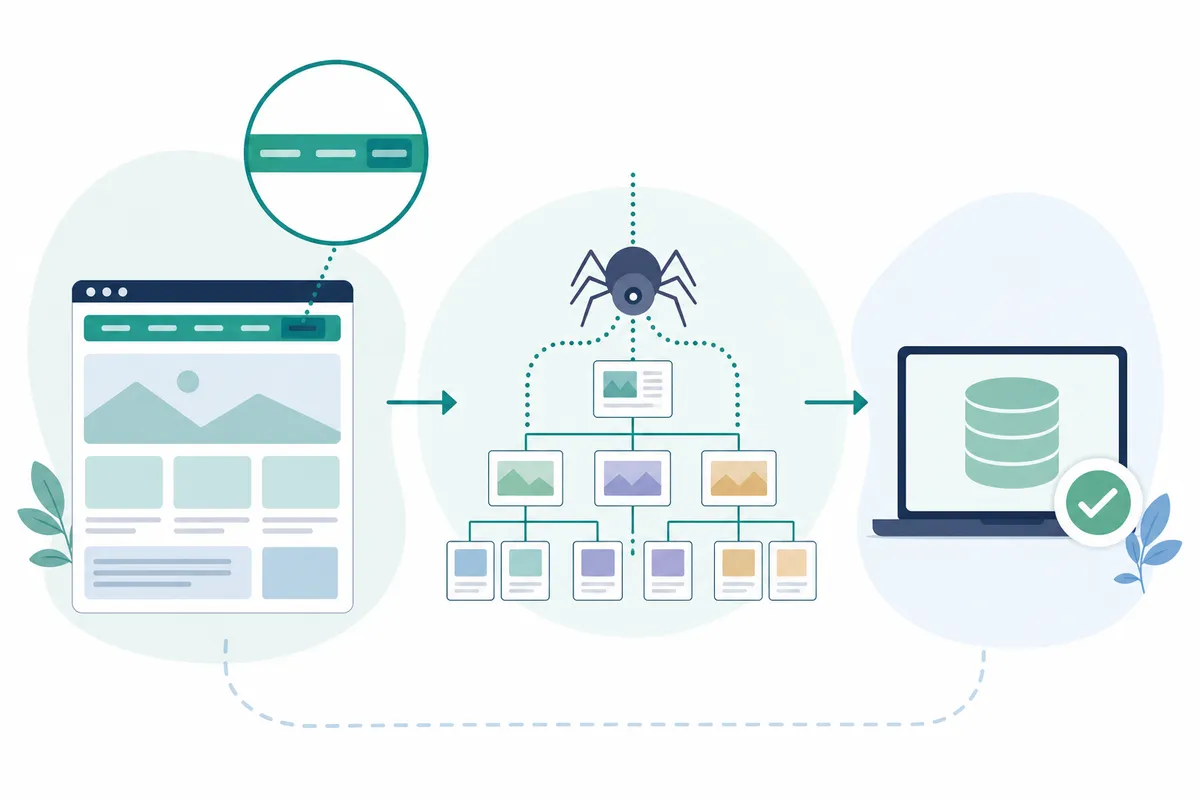
Search engines crawl your site the way a visitor would, by following one link to the next. If your homepage links to a category page, and that category page links to individual products or articles, a crawler can trace that same path.
Grouping related content into clear sections, rather than scattering it randomly across the URL structure, also helps. Google has noted that organizing content into topical directories lets it learn how often different sections change. It can then crawl those sections accordingly. A blog that publishes weekly gets crawled differently than a static "About" page that rarely changes.
Before restructuring anything, check what Google has actually indexed. Run your XML file through a free sitemap checker to see which URLs are actually listed. That's also how you catch pages that silently dropped out.
Content Silos and Crawl Budget
Categorizing your site into hierarchies, sometimes called content silos, helps pages rank for both broad head terms and specific long-tail phrases. But silos have a downside: content buried too deep in a hierarchy, with no links crossing between sections, can get isolated. It loses out on the traffic and links the rest of the site earns.
The fix is horizontal linking. Every page on your site technically belongs to the same domain. So linking a blog post to a relevant product or service page, and back again, is never off-topic. It just needs to happen deliberately, not by accident.
JavaScript Navigation Can Hide Your Links
Some sites build menus entirely in JavaScript, with no real href attribute behind the link. Google has gotten better at rendering JavaScript over the past several years. Still, SEO practitioners report inconsistent results. Most other search engines have far weaker JavaScript support than Google does.
The safest approach is simple: every navigation link should still resolve to a real, crawlable URL. That holds true even if JavaScript also handles the click animation or dropdown behavior.
Primary Types of Website Navigation Explained

Most sites combine several navigation types, and each one plays a different role in both usability and crawlability.
| Navigation Type | What It Does | SEO Role | Common Pitfall |
|---|---|---|---|
| Primary (top) navigation | The main menu shown on every page | Passes the most link value to your priority pages | Too many items dilutes that value across everything |
| Breadcrumb navigation | Shows a page's place in the site hierarchy | Reinforces structure and can appear as a rich result in search | Missing on deep pages, or mismatched with the actual URL path |
| Footer navigation | Secondary links repeated at the bottom of every page | Gives crawlers another route to policies, contact details, and older content | Turned into a dumping ground of unrelated keyword links |
| Sidebar or faceted navigation | Filters and category links, common on stores and blogs | Helps users narrow results by attribute | Every filter combination generating a new indexable URL |
| Mega menu | A large dropdown showing many categories at once | Surfaces deep pages higher in click depth | Becomes a wall of links with no clear grouping |
Common Navigation SEO Mistakes That Hurt Rankings
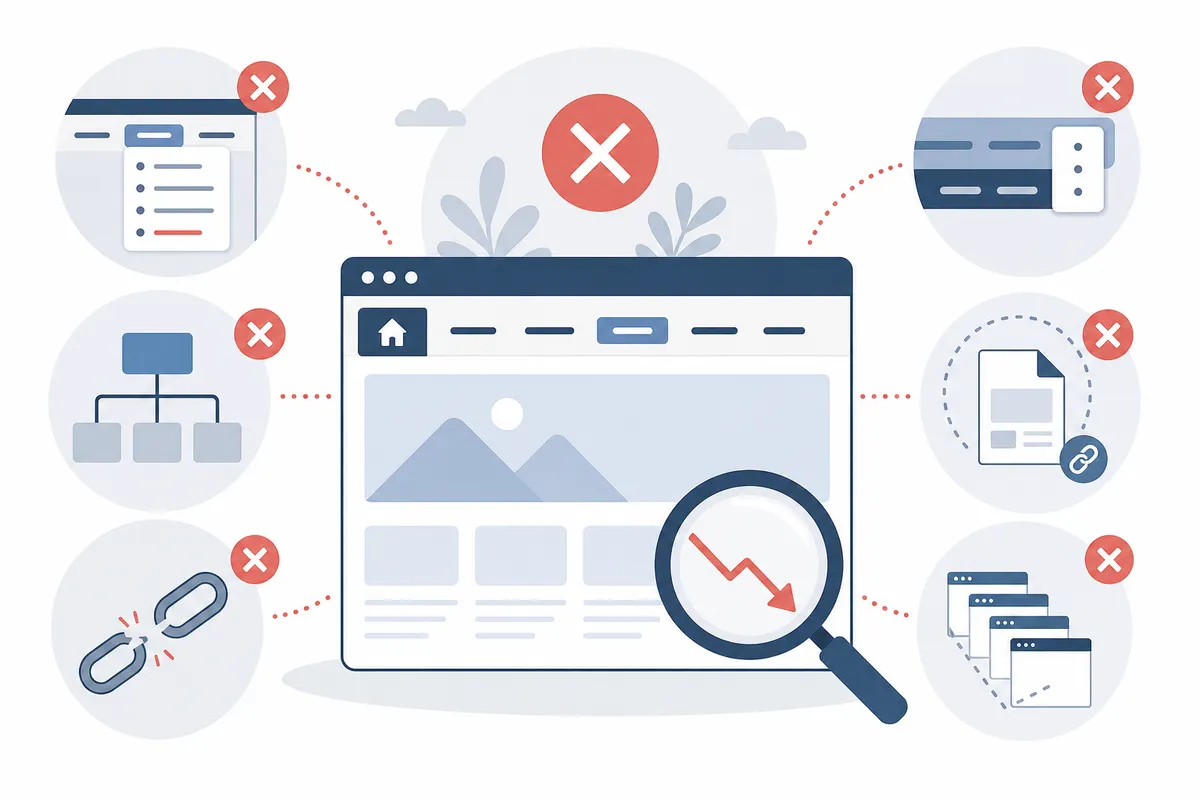
Most navigation problems fall into a handful of repeatable patterns. Here's what shows up most often.
Too Many Menu Items
A menu with a dozen top-level categories asks visitors to make a harder decision than one with five or six clear groupings. It also spreads whatever link authority your homepage passes down across too many destinations at once. Keep top-level items to the categories that actually matter, and push the rest one level down.
Orphaned and Deep Pages
A page with no internal link pointing to it, sometimes called an orphan page, is hard for both users and crawlers to find. Pages buried three or four clicks from the homepage get crawled less often. They rank worse too, even when the content itself is strong. Consistent internal linking, not just a tidy top menu, is what keeps pages reachable. This guide to internal linking, step by step walks through how to find and fix orphaned pages on an existing site.
Duplicate Content from Tracking Parameters
Many sites add tracking parameters to internal links, for example to measure which menu item gets clicked most. That practice can quietly create dozens of URLs that all show identical content. Search engines then have to sort through all of it. A self-referencing canonical tag on every page limits the damage. The cleaner fix is tracking clicks with JavaScript event handlers instead of appending parameters to the URL itself.
The "First Link Priority" Myth
Search Engine Journal contributor Benj Arriola documented a long-running theory in the SEO community. When a page contains two links to the same URL, the theory goes, search engines only count the first one and ignore the second. The idea was discussed in forums and tested informally back in 2008, including by Moz founder Rand Fishkin. In 2014, Google's then-head of search spam, Matt Cutts, said this was no longer how Google's systems worked. It's worth knowing the theory exists. That way you don't waste time engineering around it based on outdated advice.
Best Practices for SEO-Friendly Navigation
Once you know where the mistakes usually happen, the fixes are fairly mechanical.
Use Descriptive, Specific Labels
A tab labeled "Services" tells a visitor, and a search engine, almost nothing. A tab labeled "Employment Law Services" tells both exactly what's behind it. Specific labels improve relevance signals and make the menu easier to scan at a glance.
Add Breadcrumbs
Breadcrumbs give users a way to jump back up the hierarchy without hitting the browser's back button repeatedly. They also give search engines a second, explicit signal about how a page fits into your site structure. Adding BreadcrumbList structured data, using the vocabulary Schema.org defines, can help that trail show up directly in search results.
Let Internal Links Do What the Menu Can't
Not every page belongs in the main menu, and that's fine. A blog post can link to a related service page in the body of the content. That link carries real SEO weight even though it never appears in a dropdown. A tool that maps internal links straight from your own site crawl makes it far easier to spot which pages are under-linked, rather than guessing.
Design for Mobile First
Most traffic now arrives on a phone, and a menu that works on desktop can fail entirely on a small screen. Hamburger menus and sticky navigation bars keep the main structure accessible without eating up screen space. Consistent placement of navigation across pages, and offering more than one way to find content, are also accessibility requirements under the W3C's Web Content Accessibility Guidelines. They happen to be good SEO practice too.
Can You Fix Your Own Navigation, or Do You Need Help?
For a small site, a lot of this is genuinely DIY work. Renaming vague menu labels and adding breadcrumbs can usually be done in an afternoon with no developer involved. The same goes for linking a handful of orphaned blog posts back into your site.
Larger sites are a different story. Ecommerce catalogs with faceted filtering, sites built on JavaScript frameworks, or domains with years of accumulated, disconnected content usually need a structured audit rather than a spot fix. SearchBlueprint's own internal linking overhaul is a real example. It shows what a systematic pass at site structure, rather than piecemeal edits, can do for a site's traffic.
If you're not sure which camp your site falls into, that's usually the first thing worth finding out. Figure that out before you start moving menus around.
FAQs
What is navigation SEO?
Navigation SEO is the practice of structuring a website's menus, internal links, and URL hierarchy. The goal is letting both visitors and search engine crawlers find and understand every page. It covers the main menu, breadcrumbs, footer links, and the internal links inside your content.
How many items should a main menu have?
There's no fixed number. Most usable menus stick to a handful of clear, logical top-level categories rather than a long list. If a menu needs a scrollbar or forces visitors to hunt, it's too long. It's also spreading link value more thinly than it needs to.
Does breadcrumb navigation help SEO?
Yes. Breadcrumbs reinforce your site's hierarchy for both users and crawlers. Adding BreadcrumbList structured data can make that trail appear directly in Google's search results.
Can JavaScript menus hurt my rankings?
They can, if the links behind them have no real href attribute for a crawler to follow. Google renders JavaScript with reasonable success, but results are inconsistent. Most other search engines handle it far worse. Using real anchor tags underneath any JavaScript behavior is the safer approach.
Should every page be in the main menu?
No. Only your most important categories need a spot in the top-level menu. Everything else can stay reachable through internal links in your content, your footer, or a well-organized sidebar. That keeps the primary navigation from getting cluttered.
See What Your Own Site's Navigation Is Actually Doing
A menu that looks clean to a visitor can still be quietly hiding pages from Google. The only way to know for sure is to check. Talk to the team and look through a sample SEO report to see exactly what a navigation SEO and crawlability review turns up on a real site.
Sources
About the author
SearchBlueprint researched, wrote and scored this article with the content pipeline our customers run on their own sites. The score in the byline is what our content engine gave this page before it published. Nothing here is reviewed by hand, which is the point: it is the product's output, published where anyone can check it.