Internal Linking: How It Works and Why It Drives Rankings
SearchBlueprint · · 12 min read · scored 95/100

Internal linking is the practice of connecting pages on your own website with hyperlinks, so visitors and search engines can move between related content. Done well, it spreads ranking power to weaker pages, helps Google find new content faster, and keeps readers on your site longer.
Key Takeaways
- Internal links pass ranking strength from your strongest pages to weaker ones that need it.
- Search engines mostly discover new pages by following links from pages they already know. A page with no internal links pointing to it is nearly invisible to Google.
- Descriptive, varied anchor text, five words or fewer, tells both crawlers and AI systems what the linked page covers.
- A common working minimum is two to three internal links pointing to every new page you publish.
- AI search tools follow the same structural cues, so a clear link strategy also improves your odds of being cited by AI Overviews and chat-based search.
What Internal Links Actually Are
An internal link is any hyperlink that points from one page on your site to another page on the same domain. When a reader clicks a link in your blog post that leads to your services page, they never leave your site. They just move to a different room in the same house.
Search engines read these links the same way. Google's crawlers follow every internal link they find, which is how they discover new pages, understand which topics belong together, and decide which pages matter most. A page with no internal links pointing to it is called an orphan page, and Google may never find it at all.
Google's own SEO Starter Guide backs this up. It recommends organizing your site with a clear hierarchy and consistent internal linking, so both crawlers and visitors can follow the structure you've built.
Internal Links vs. External Links
| Factor | Internal Links | External Links |
|---|---|---|
| Where they point | Another page on your own domain | A page on a different website |
| Main job | Navigation, crawlability, and spreading ranking power across your site | Credibility, citing sources, and referral traffic |
| Who controls it | You, entirely | The site you're linking to |
| SEO effect | Distributes link equity to pages that need it most | Builds trust when you cite reputable, relevant sources |
The Four Types of Internal Links
Most internal links fall into four categories, and each one carries different weight.
| Link Type | Where It Appears | SEO Weight | Example |
|---|---|---|---|
| Navigational | Main menu or header | Signals which pages are permanent and important | "Home," "Services," or "Blog" in the top menu |
| Contextual | Inside body content | Carries the most weight; shows real topical relevance | A mention of "keyword research" linking to a guide on the topic |
| Footer | Site footer | Helps crawlability; carries little ranking weight | Links to a privacy policy, sitemap, or contact page |
| Sidebar | Next to main content | Reduces the clicks needed to find more content | A "Related Posts" or "Popular Articles" list |
Contextual links do the heaviest lifting for SEO, since they connect topics your readers are already interested in. Navigational and footer links matter more for crawlability than rankings.

How Internal Linking Affects Rankings and Crawlability
Internal linking works through three separate mechanisms: crawlability, link equity, and topical signals. Knowing each one tells you where to focus first.
Crawlability and Indexing
Google can't rank a page it hasn't found. Its crawlers discover new content mostly by following links from pages they already know. Publish a new article and link to it from your homepage or a high-traffic post, and Google often finds it within days. Leave it unlinked, and it can sit undiscovered for weeks, even if it's already in your sitemap.
This matters more on larger sites. A site with thousands of pages has a limited crawl budget, meaning Google won't crawl every page on every visit. Consistent linking directs that limited attention toward the pages you actually want indexed and ranked.
Passing Link Equity to Weaker Pages
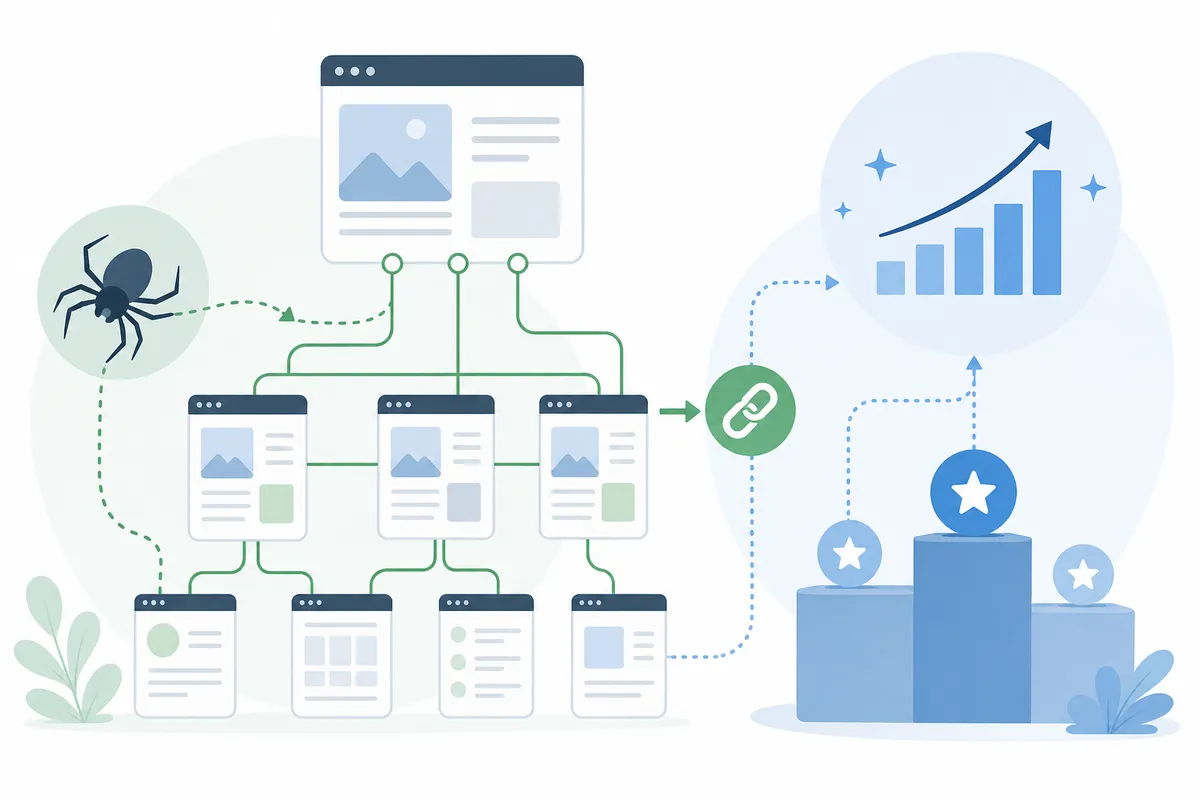
Link equity, sometimes called "link juice," is the ranking value a page earns mostly from backlinks pointing to it. Your homepage usually holds the most equity, since it collects the most external links. Every internal link from a strong page passes some of that value to the page it points to.
This is why a smart linking strategy deliberately connects high-authority pages to newer or weaker ones. A brand-new page starts with zero backlinks of its own. Two or three links from your best-performing content can help it start ranking months faster than waiting on backlinks alone.
Signaling Site Structure and Topical Authority
The way your pages connect to each other tells Google what your site is actually about. If ten pages all point back to one central guide using similar language, Google reads that as a strong signal: this page is the authority on the topic.
Google's Search Advocate John Mueller has described this as one of the most effective things a site owner can do, calling it "one of the biggest things that you can do on a website to guide Google and guide visitors to the pages that you think are important."
This structure is often called hub-and-spoke: one comprehensive page, the hub, links out to several narrower pages, the spokes, and each spoke links back. Search engines and readers both use that pattern to understand depth and hierarchy. Running through an on-page SEO checklist before you publish is one of the simplest ways to catch a missing link before it ships.
Building a Strong Internal Link Strategy, Step by Step
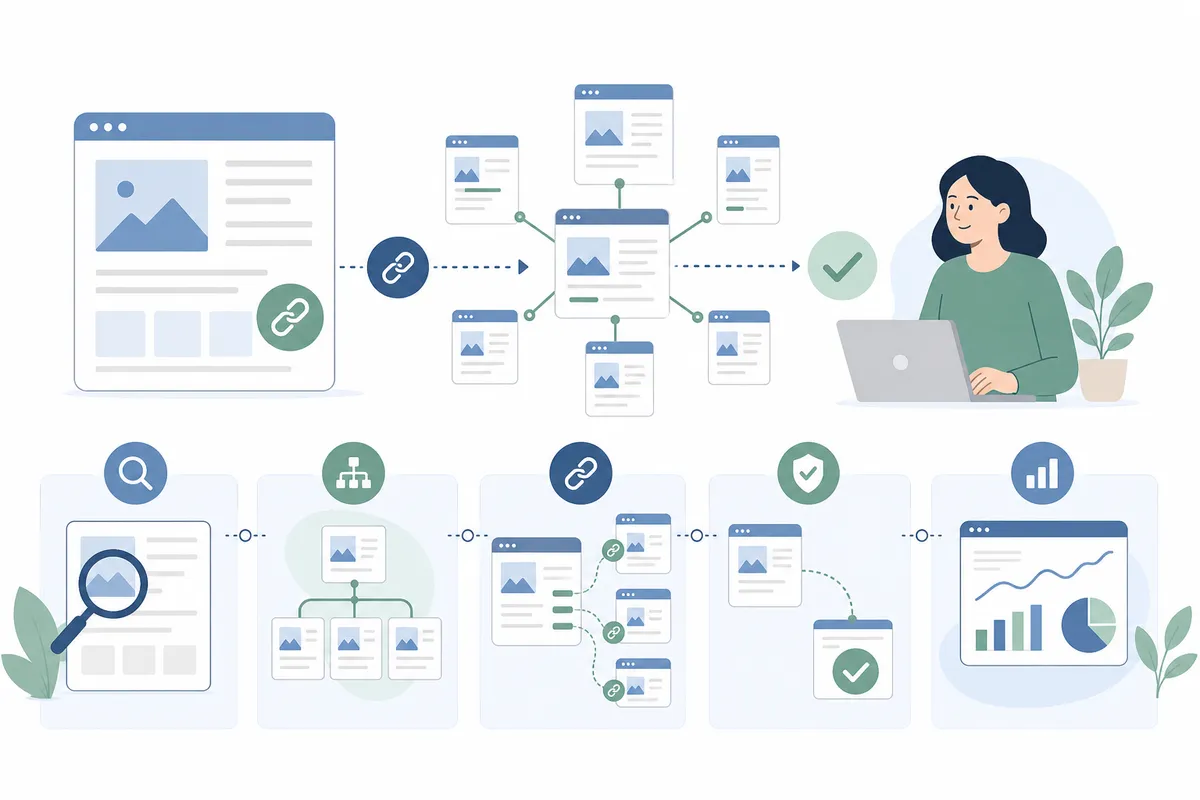
A working strategy has six parts. You don't need to tackle them all in one sitting, but skipping one usually shows up later as a ranking plateau you can't explain.
Step 1: Map Your Site Like a Pyramid
Sketch your site as a hierarchy: homepage at the top, main categories in the middle, individual pages at the bottom. Keep your most important pages within two or three clicks of the homepage. A page buried five levels deep gets crawled less often, and it usually ranks worse for it.
This is the hub-and-spoke model in practice. Your homepage or a pillar page acts as the hub. Category and cluster pages sit underneath as spokes, each one linking back up to reinforce the relationship.
Step 2: Identify Your Pillar and High-Authority Pages
A pillar page is a comprehensive resource on a broad topic, built to link out to narrower supporting pages. Look at which of your existing pages already attract the most traffic or the most backlinks. Those are your high-authority pages, and they should be doing the heavy lifting of linking out to weaker content.
If you don't already know which pages carry the most weight on your site, a full SEO audit checklist will walk you through finding them.
Step 3: Build Topic Clusters with Contextual Links
Group related content together and link it back to its pillar page. A pillar on email marketing might cluster with spokes on subject lines, send times, and list segmentation, each one linking back to the pillar and sideways to its closest neighbors.
This clustering does double duty. It helps search engines see topical depth, and it helps AI search tools identify which page holds the most complete answer when a query gets broken into smaller sub-questions, something the industry has started calling query fan-out.
Step 4: Choose Anchor Text That Describes the Page
Anchor text is the clickable phrase in a link. Keep it under about five words, and make it describe the destination, not a vague phrase like "click here" or "learn more." Vary the wording across different links to the same page. Repeating the exact same phrase everywhere can look manipulative to search engines, and it tells readers less than a natural, varied description would.
Step 5: Support New Content the Day You Publish It
New pages start with zero internal links and zero backlinks. Fixing the first half is entirely in your control. A common working minimum is two to three links pointing to any new page, added from your most relevant existing content on the day it goes live, not months later.
The 12 essential on-page SEO steps are worth running through before you hit publish, since linking works best as part of your pre-publish routine, not an afterthought.
Step 6: Audit Your Links at Least Twice a Year
Sites change. Pages get deleted, URLs get restructured, and links that made sense a year ago start pointing at dead pages or outdated content. A regular audit catches broken links, orphan pages, and pages that are over-linked while others go ignored.
Manually tracing every link on a site with hundreds of pages isn't realistic. Internal linking tools built from a crawl of your own site can surface orphan pages and broken links automatically, turning a multi-day manual audit into something you can review in an afternoon.
Common Internal Link Mistakes (and How to Fix Them)
Most linking problems fall into a handful of repeat offenders. Here's what to check first.
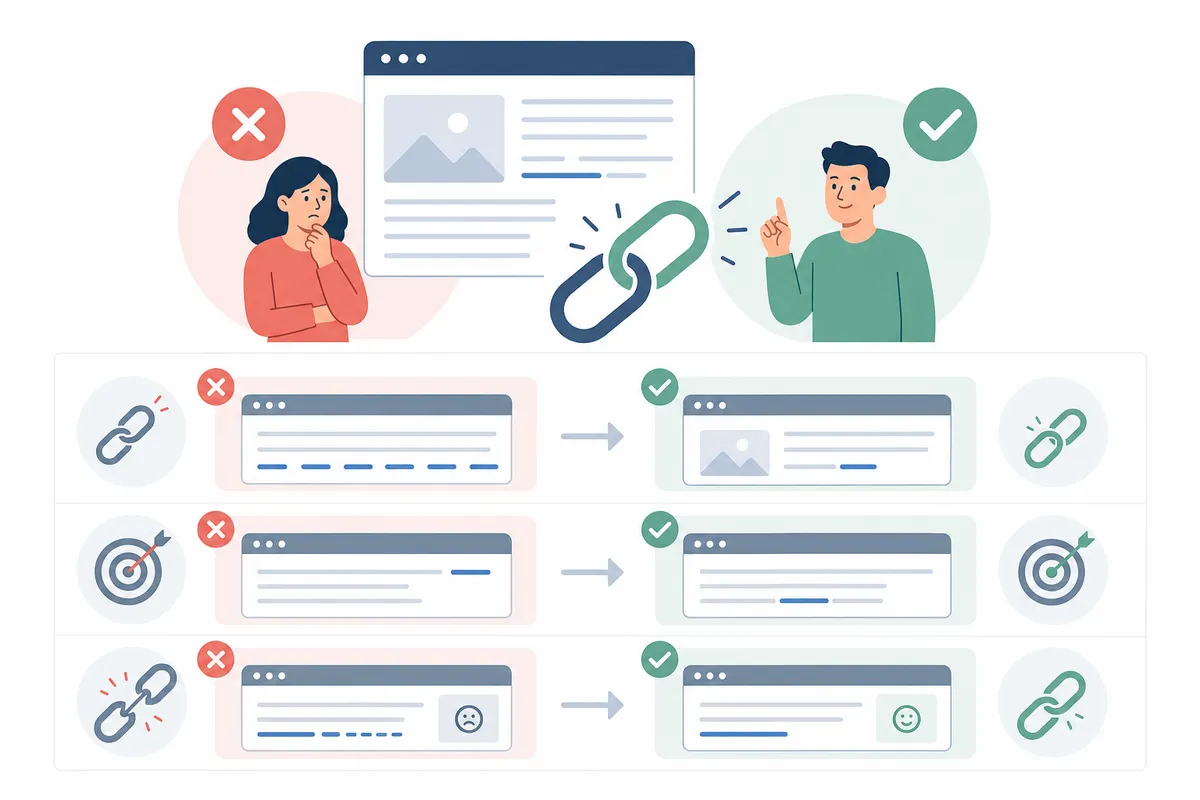
| Mistake | Why It Hurts | How to Fix It |
|---|---|---|
| Orphan pages with no internal links | Google may never find or index the page | Add two to three contextual links from related, high-traffic pages |
| Same exact-match anchor text everywhere | Looks manipulative and confuses which page should rank for what | Vary the wording across links, keeping each one descriptive |
| Broken internal links | Wastes crawl budget and damages user trust | Run a link audit and update or remove dead links |
| Key pages buried five-plus clicks deep | Lowers crawl frequency and ranking potential for pages that matter most | Restructure navigation so priority pages sit two to three clicks from home |
| Automated, unreviewed link insertion | Can create spammy clusters of exact-match anchors overnight | Add links manually, or review automated suggestions before they publish |
Linking mistakes rarely show up alone. They tend to travel with the same problems covered in 16 common SEO mistakes to avoid, like thin content and missing meta descriptions, so it's worth checking your links at the same time you run through a broader website SEO checklist.
How Many Internal Links Is Too Many?
There's no fixed ceiling. Backlinko's own hub pages reportedly carry more than 200 internal links each, according to the site's founder, with no ranking penalty. What matters more than the count is relevance. Every link should genuinely help the reader find something useful, not just pad a number. If you're adding a link and can't explain why a reader would want to click it, leave it out.
Internal Linking Also Shapes How AI Search Cites You
Internal linking isn't just a ranking factor for traditional search anymore. AI systems like Google's AI Overviews, ChatGPT, and Perplexity retrieve and cite specific passages, not whole pages. When several of your pages consistently link to one comprehensive page on a topic, that page becomes the most likely candidate to get pulled into an AI-generated answer.
This works because AI search tools often break a single question into several smaller sub-questions before searching. A pillar page surrounded by well-connected supporting content signals, more clearly than an isolated page ever could, which page holds the deepest coverage of a topic.
Two things make a page more citable in this environment:
- Self-contained passages. Each section should make sense if it were lifted out and quoted on its own, without needing the rest of the page for context.
- Consistent linking signals. If your cluster pages link to your pillar using varied but topically consistent anchor text, you reinforce the same signal an AI system uses to judge relevance.
None of this replaces good linking fundamentals. It raises the stakes on them. A site with orphan pages and broken links was already going to struggle in traditional search. Now it also risks staying invisible to the AI tools a growing share of searchers use instead of a standard results page.
Can You Fix This Yourself, or Should You Bring In Help?
Most internal linking work is genuinely DIY-friendly. Adding two or three contextual links to a new post, fixing a handful of broken links, or rewriting vague anchor text like "click here" doesn't require special tools or technical skill. If your site has fewer than a couple hundred pages, you can likely map its structure and fix the obvious gaps in an afternoon.
Where it gets harder is scale and ongoing maintenance. A site with thousands of pages, multiple content authors, or a CMS that generates URLs automatically will accumulate orphan pages and broken links faster than any one person can track by hand. That's when a free audit checklist you can run yourself is a good starting point, paired with a fast, focused audit rather than trying to inspect every page by hand.
There's also a judgment call involved that tools alone can't make. Deciding which pages deserve to be pillars, which anchor text best serves a reader, and which links genuinely add value takes editorial sense. Software can find the gaps. A person, or a service that combines both, still has to decide what goes in them.
If you're trying to grow overall organic visibility while you sort out your link structure, these eight steps for improving website SEO cover the broader picture that internal linking fits into.
FAQs
What is internal linking in SEO?
Internal linking is the practice of connecting pages within the same website using hyperlinks. It helps search engines discover and index your content, spreads ranking power across your site, and helps visitors find related information without leaving your domain.
How many internal links should a page have?
There's no universal number, but a common working minimum is two to three links pointing to every new page you publish. Some comprehensive hub pages carry well over 100 internal links without being penalized, as long as every link is genuinely relevant to the reader.
What's the difference between internal and external links?
Internal links point to another page on your own domain and help with navigation, crawlability, and distributing ranking power. External links point to a different website and mainly build credibility by citing outside sources or earning referral traffic.
Can too many internal links hurt my SEO?
Volume alone rarely causes a problem. What hurts is irrelevance: stuffing links onto a page that don't genuinely help the reader, or repeating the exact same anchor text for two different pages, which can confuse search engines about what each page is really about.
Do internal links help with orphan pages?
Yes. An orphan page has no internal links pointing to it, which makes it hard for search engines to find and often keeps it out of the index entirely. Adding two or three contextual links from related, well-trafficked pages usually resolves the problem within a few weeks.
See Where Your Own Site's Links Are Falling Short
Most sites don't have a total absence of internal linking. They have a handful of orphan pages, a pillar page nobody points to anymore, and anchor text that says "click here" a few too many times. Fixing those specific gaps does more for rankings than a full rebuild. Look at a sample SEO report to see how a link audit gets laid out, then talk to the team about running one against your own site.
Resources / References
Sources
- The ultimate guide to internal linking for SEO and GEO
- Please explain Internal Linking like I am 5 years old.
- Internal links: ultimate guide + strategies
- Internal Links SEO Best Practices
- Internal Linking for SEO: The Complete Guide
Disclaimer: This article is general information about rules and figures that applied when it was written, not personalised financial, tax or investment advice. It does not take account of your income, obligations, risk tolerance or goals, and rates and thresholds change. Verify the current position with the relevant authority, and speak to a licensed adviser or a qualified accountant before acting.
About the author
SearchBlueprint researched, wrote and scored this article with the content pipeline our customers run on their own sites. The score in the byline is what our content engine gave this page before it published. Nothing here is reviewed by hand, which is the point: it is the product's output, published where anyone can check it.