How to Improve Website SEO for Higher Organic Traffic in 8 Steps
SearchBlueprint · · 10 min read · scored 92/100

If you are working out how to improve website SEO for higher organic traffic, start with the pages you already have: give each one a single target keyword, match what the searcher actually wants, fix titles and technical blockers, then add internal links and measure results in Google Search Console. New content comes after that foundation, not before.
The order matters. Most sites do not have a content shortage. They have pages competing with each other, titles nobody clicks, and technical problems quietly filtering them out of results. Work through the eight steps below in sequence, and each one makes the next cheaper.
Key Takeaways
- Give every page exactly one primary keyword. Two pages chasing the same term split your ranking signal, and neither wins.
- Match search intent before you write. The format Google already ranks for a query tells you what to build.
- Technical health is a pass/fail filter, not a bonus. A page Google cannot crawl or render cannot rank, however good the writing is.
- Published SEO guides consistently put the first visible results at three to six months, with impressions rising before clicks do.
Step 1: Benchmark your organic traffic first
You cannot tell whether anything worked without a starting line. Open Google Search Console, which is free, and record four numbers for the last three months: total impressions, total clicks, average position, and your top ten queries.
Then take an inventory of your pages in three buckets. Pages that earn organic traffic today. Pages that are indexed but earn nothing. Pages Google has not indexed at all. The middle bucket is usually the largest, and it is where most of your gains will come from.
Finally, search your five most important keywords and note who holds the top five spots. Those pages are your real competition, and you will study them in step 3.
Set your expectations now, not later. SEO guidance published by universities and agencies alike tells readers to expect impressions to begin rising after four to six months, with clicks following in the months after. Anyone promising page one in three weeks is selling something else.

Step 2: Give every page one keyword job

A single page can rank for several very similar phrases. It almost never ranks for two unrelated ones. "Emergency plumber" and "24 hour plumber" can live on one page. "Emergency plumber" and "water heater installation" need two, because Google treats them as different questions with different best answers.
Assign one primary term per page
Go through your inventory from step 1 and write one primary keyword next to every page that matters. Where two pages share a keyword, pick a winner and plan to merge or repoint the loser. This single exercise fixes more stalled sites than any amount of new blogging, because it stops your own pages from splitting clicks and links between them.
Favor phrases you can actually win
Early on, skip the broadest terms. Longer, more specific phrases carry less search volume but far clearer intent, and the person typing them is closer to acting. A five-page local service site will not outrank national brands for a one-word head term this quarter, and pretending otherwise wastes months. If you want a practical method for judging which terms are realistic, this guide to picking keywords you can actually win walks through the difficulty call step by step.
Step 3: Match search intent before you write
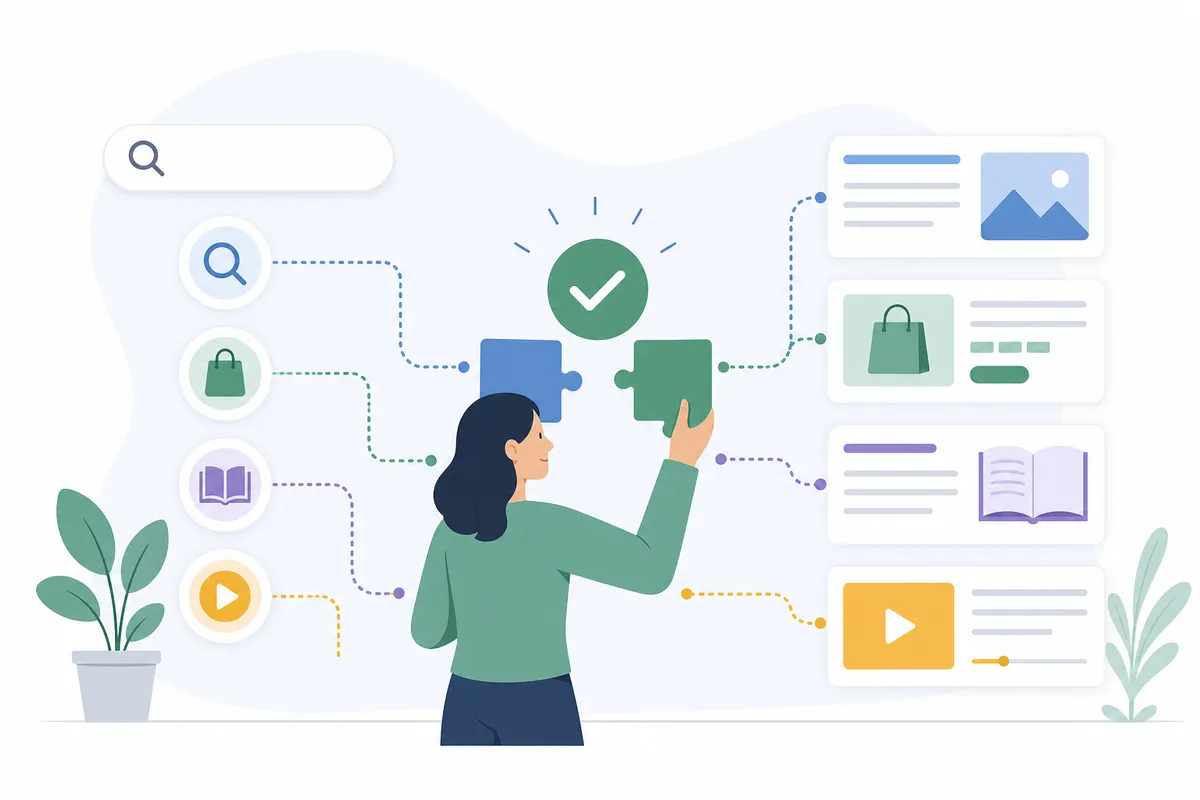
Search intent is the reason behind the query, and it decides the page format before you type a word. Google has already told you what it considers the right answer: whatever fills page one now. If the results for your keyword are all how-to guides, a product page will not break in, no matter how well you optimize it.
| Intent type | What the searcher wants | Page that matches | Example query |
|---|---|---|---|
| Informational | An answer or explanation, no purchase in mind | Blog post, guide, or FAQ page | "how does drip irrigation work" |
| Commercial investigation | A comparison before choosing what to buy | Comparison page, review, or case study | "best crm for small teams" |
| Transactional | To buy, book, or sign up right now | Product, service, or pricing page | "buy standing desk" |
| Navigational | One specific website or page | Your homepage or a branded page | "gmail login" |
Before writing anything, search your target phrase and classify the top five results against this table. Build the format that dominates, then make yours more complete than any single result.
One trend worth planning for: conversational, question-phrased searches keep growing. Marketing guides tracking the shift cite forecasts putting the speech and voice recognition market at about $17 billion in 2023, heading toward roughly $83 billion by 2032. Headings written as natural questions serve those searchers, and they give AI answer engines a clean passage to quote. If intent classification is new to you, start with this beginner's guide to keyword research, which covers sorting terms by intent in more depth.
Step 4: Fix the on-page SEO signals searchers see first
On-page work is where most sites leave the easiest gains. It costs nothing but attention.
Titles and meta descriptions
Your title tag is the headline in the search result, and it does two jobs: it tells Google the topic and it earns the click. Keep it around 50 to 60 characters so it displays in full, put the primary keyword near the front, and make a specific promise rather than restating the phrase. A meta description of roughly 150 to 160 characters is not a direct ranking factor, but it is your window display, and a flat one hands the click to the result below you. There is a full method for this in how to write SEO titles that rank and earn the click.
Headings, body, and images
Use one H1 that states the topic, then H2 and H3 headings that break the page into scannable sections. Common on-page guidance is to work the keyword into the opening and closing paragraphs and a handful of times through the body, and to stop there. Forcing it further reads badly to people and to spam filters alike.
Give every image descriptive alt text. It makes the page accessible to screen readers, and it is how image search understands what you published. Keep URLs short and descriptive too, with the keyword where it fits naturally.

Step 5: Clear technical blockers
Technical SEO rarely wins rankings on its own. Its job is to stop you losing rankings you deserve. Four checks cover most of the damage:
| Check | How to test it | What good looks like | Why it matters |
|---|---|---|---|
| Core Web Vitals (LCP, INP, CLS) | Run key pages through PageSpeed Insights | "Good" on all three metrics for mobile | Loading speed, responsiveness, and visual stability are part of Google's page experience signals, and slow pages lose visitors before they read |
| Mobile rendering | Open your key pages on a real phone | No horizontal scrolling, readable text, tappable buttons | Google indexes the mobile version of your site first, so the phone view is the one being judged |
| Crawlability and indexing | Read the Pages report in Search Console | Important pages indexed, no surprises in the excluded list | A page Google cannot crawl or chooses not to index earns zero organic traffic regardless of quality |
| Structured data | Validate pages with a rich results test | Valid Schema.org markup with no errors | Correct markup makes pages eligible for rich results such as star ratings and FAQ dropdowns, which lift click-through |
Structured data deserves more respect than it gets. Michigan Technological University's web team reports that adding Schema.org markup, especially published and modified dates, improved how often their content was crawled and how it appeared in results. That is a university publishing team, not a vendor with something to sell.
When any guide, including this one, disagrees with Google, follow Google. The documentation at Google Search Central explains its ranking systems and technical requirements in plain language, and it is the primary source everything else paraphrases.
Step 6: Build internal links, then earn backlinks
Internal links are the cheapest authority you will ever get, because you control every one of them. They help Google discover pages, they pass ranking strength from strong pages to new ones, and they keep readers on your site longer.
Two rules make them work. First, use descriptive anchor text. "Click here" tells Google nothing; a phrase describing the destination strengthens both pages and helps screen reader users. Second, organize around clusters: one comprehensive hub page for a topic, linked to and from the deeper pages that cover each subtopic. For a worked example of that structure applied to a single term, see this walkthrough of taking one keyword from research to rank.
Backlinks from other sites still matter, and quality beats count every time. A handful of links from respected, relevant sites outweighs hundreds from directories nobody reads, and spammy paid links can actively hurt you under the spam policies in Google Search Essentials. The reliable way to earn links is unglamorous: publish something genuinely worth citing, then put it in front of the people who write about your field.
Step 7: Refresh old content for higher organic traffic
Updating an existing page that already has some history is usually faster than ranking a new one from zero. Search engines treat regularly maintained content as a relevance signal, and readers trust a current date more than a stale one.
Put your content on an audit schedule, twice a year at minimum. For each page in that middle bucket from step 1, indexed but earning little, do four things. Update any dated facts and figures. Add the sections that Search Console queries show people wanted and did not find. Merge near-duplicate pages into one stronger page, with redirects from the retired URLs. Delete pages that serve nobody, because near-identical thin pages split signals and can keep both versions out of results.
Add visuals while you are in there. Content marketing guides widely cite that articles with images get 94% more total views than those without, and a diagram or annotated screenshot also gives you an image search presence text alone never earns. Before republishing anything, run it through this 27-point pre-publish checklist so a refreshed page does not ship with an old mistake intact.
Step 8: Measure, then push pages that almost rank
Return to your step 1 baseline every month. Impressions move first, then positions, then clicks. SEO service guides typically tell clients to expect measurable impact within three to six months, so judge trends quarterly, not weekly.
The highest-return report in Search Console is the queries list filtered to positions 11 through 20. Those are your page-two keywords: Google already considers the page relevant, and a content refresh, a few internal links, or a stronger title is often all it takes to cross onto page one. That crossing is where clicks actually live.
Watch click-through rate too. A page with high impressions and few clicks has a title problem, not a ranking problem, and rewriting the title and description is a twenty-minute fix. When you are ready to turn these single fixes into a repeatable system, fold them into an organic SEO strategy that compounds quarter over quarter.
FAQs
How long does it take to improve website SEO enough to see traffic change?
Published guidance is consistent: expect impressions to start rising after four to six months, with clicks following, and measurable business impact typically inside three to six months. Sites with existing authority move faster than brand-new domains, and refreshed pages move faster than new ones.
Can you do SEO yourself, or do you need to hire someone?
Most of this list is genuinely DIY: keyword mapping, titles, intent matching, internal links, and content refreshes need attention rather than expertise. Bring in a professional for site migrations, persistent indexing problems, structured data at scale, or when Search Console shows issues you cannot diagnose after a real attempt.
How many keywords should one page target?
One primary keyword per page, plus its close variants. A page can rank for "emergency plumber" and "24 hour plumber" together because they mean the same thing to the searcher. Give unrelated terms their own pages, or they will compete with each other and both underperform.
Do backlinks still matter for organic traffic?
Yes, but quality decides everything. A few links from relevant, respected sites in your field do more than hundreds of low-grade directory links, and manipulative link schemes violate Google's spam policies and can cost you rankings. Content worth citing remains the only link strategy that compounds.
What is the fastest SEO win on an existing website?
Pull the Search Console queries sitting at positions 11 to 20 and improve those pages: refresh the content, add internal links from stronger pages, and rewrite weak titles. Page-two keywords already have relevance in Google's eyes, so small pushes there beat new content for speed almost every time.
Talk to the team
Pull your Search Console baseline today; it takes twenty minutes, and every decision after it gets easier. If you would rather see the gaps on your own site before committing the hours, browse a sample SEO report and talk to the team about running one on your domain. It is the fastest way to see how to improve website SEO for higher organic traffic on the pages you already own.
Resources / References
Related reading: On-Page SEO: A Practical Guide to Optimizing Every Page.
Sources
About the author
SearchBlueprint researched, wrote and scored this article with the content pipeline our customers run on their own sites. The score in the byline is what our content engine gave this page before it published. Nothing here is reviewed by hand, which is the point: it is the product's output, published where anyone can check it.