How to Write SEO Titles That Rank and Earn the Click
SearchBlueprint · · 12 min read · scored 92/100

To write SEO titles that rank, lead with one primary keyword, stay inside roughly 60 characters, match the searcher's intent, and give one concrete reason to click. That is the whole of how to write SEO titles; the rest of this guide turns each part into a repeatable step.
The stakes are higher than most on-page work. Screaming Frog's page title guide reports that search engines use the title tag as the clickable headline in results more than 80% of the time, so the title you write is usually the exact text a searcher judges you by. This guide is for business owners, marketers, and agency teams who want a process they can repeat on every page, not a one-off rewrite.
What an SEO title is and why it carries weight
An SEO title, also called the title tag, page title, or meta title, is an HTML element in the head of a web page: <title>Your Title Here</title>. Searchers see it as the headline of your listing in results, at the top of a browser tab, and as the default headline when your page is shared on social networks without Open Graph tags set.

It has two jobs, and both matter. First, it helps you rank: the words inside a title tag carry more weight than ordinary body text, and industry surveys cited by Screaming Frog place the title among the strongest on-page ranking signals a page has. Second, it wins the click. Yoast's guidance is blunt about that half of the job: if a page ranks well but few people click it, the title probably is not resonating with searchers, and improving it can lift clicks over time. Whether click-through rate feeds rankings directly is still debated across the industry. You do not need to settle that debate. More clicks from the same position is worth having either way.
A title is not your H1, though the two should make the same promise. The H1 is the visible headline on the page; the title tag lives in the head and speaks to people who have not visited yet.
How long should an SEO title be?
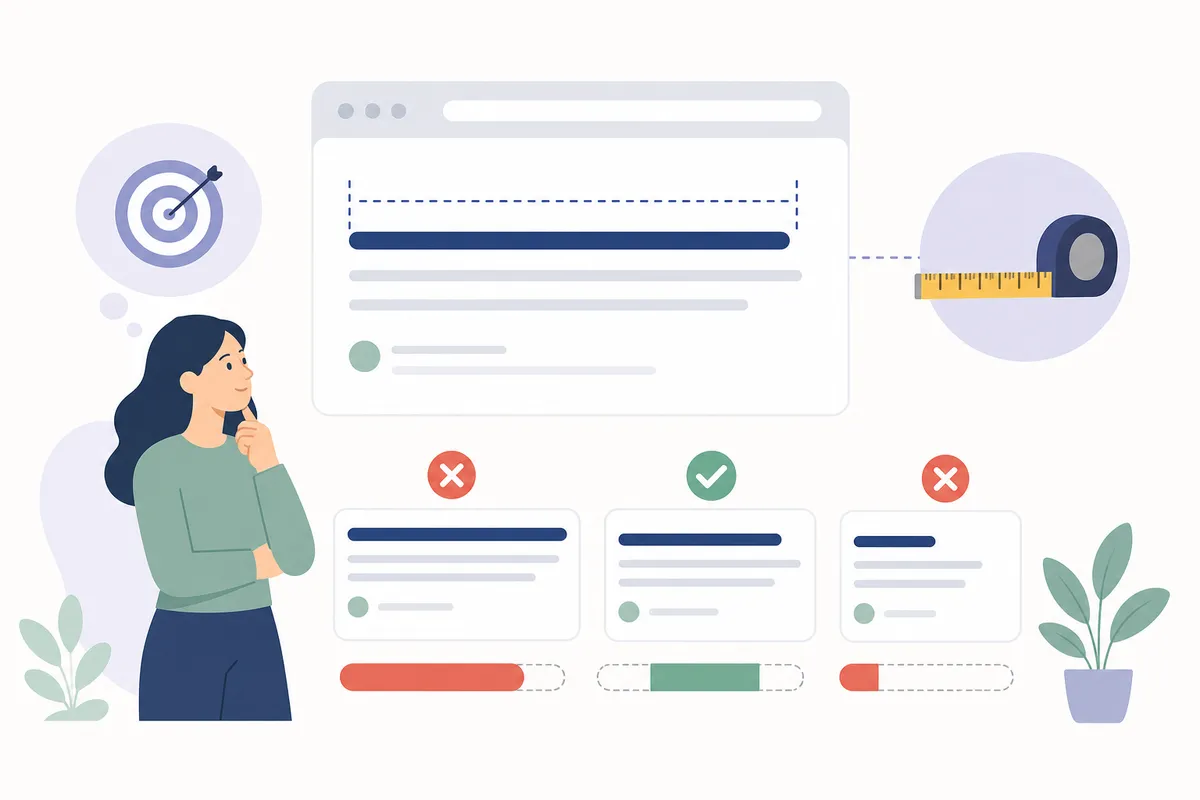
Work to 30 to 60 characters. Shorter than 30 wastes the space; longer than 60 risks being cut off mid-thought with an ellipsis, which usually costs you the part that made someone want to click.
Pixels decide, not characters
Google truncates titles by pixel width, not by counting letters. Screaming Frog pegs the desktop cutoff around 580 pixels and the mobile cutoff around 485 pixels at a smaller font, which is why mobile often fits more characters, not fewer. A title full of wide letters like W and M runs out of room sooner than one full of narrow letters. That is why the safe habit is planning against the desktop limit as your worst case. Moz research suggests that roughly 90% of titles display in full when kept inside these thresholds.
The numbers to work to, engine by engine
The figures below come from Screaming Frog's page title guide.
| Search engine | Length to work to | How it cuts off | Practical note |
|---|---|---|---|
| Google desktop | 50 to 60 characters | Truncates at about 580 pixels, ending on a whole word with an ellipsis | Treat 60 characters as the ceiling; wide letters use the pixel budget faster |
| Google mobile | Often slightly more than desktop | Truncates at about 485 pixels in a smaller font | Extra room exists, but a title sized for desktop displays safely on both |
| Bing and Yahoo | Up to 65 characters | Character-based guidance | A title written for Google's limit shows in full here |
| Yandex and Baidu | 70 to 80 characters | Longer display window than Google | You gain room on these engines, but a Google-sized title still works everywhere |
Truncation is only one part of how your pages behave on a phone. If mobile results are where your customers live, it is worth knowing what Google checks for mobile-friendliness beyond the title.
How to write SEO titles in seven steps
The process below works for a five-page local site and a five-thousand-page store. The steps are ordered on purpose: keyword before intent, intent before wording, wording before length.

1. Pick one primary keyword per page
Every title starts with a decision about which single search the page exists to win. Use a keyword research tool such as Google Keyword Planner to find the phrases people actually type, group them into topics, and map one primary keyword to one page. Two of your pages chasing the same term compete with each other, and Google tends to rank neither well. If you have never done that mapping, start with building an SEO strategy from scratch before you touch a single title.
2. Match the intent before the words
Search the keyword yourself and look at what ranks. If the results are guides, Google has decided the query is informational, and a sales page titled for it will struggle no matter how well the title reads. Choose relevance over raw search volume: a smaller keyword that matches what your page actually offers beats a bigger one that does not. Reading intent correctly is the core skill behind an SEO marketing strategy that actually pays, and titles are where it shows first.
3. Front-load the keyword
Words near the start of a title carry more visual weight for scanners and survive truncation. Put the keyword, or as much of it as reads naturally, in the first half. Readability wins every tie: a short function word before the keyphrase is fine, and Yoast's analysis explicitly allows it. When every competitor opens with the same keyword, one or two words in front of yours can make your listing stand out in a column of near-identical results.
4. Add one differentiator
The keyword gets you considered; the differentiator gets you chosen. Screaming Frog recommends pairing the primary keyword with a modifier or a call to action: words like "guide", "quotes", or "online", or verbs like "buy", "download", and "trial". Numbers, cost framing, and outcomes work the same way. "Office Cleaning Services" describes a category. "What Office Cleaning Costs in 2026" answers the question the searcher is actually holding.
5. Fit the pixel budget
Now trim. Cut filler words, keep one separator style, and never repeat the keyword in variations to fill space; search engines understand synonyms, so "Flights to New York | Cheap New York Flights" can collapse into one clear phrase and free room for a reason to click. Put your brand at the end, not the start, on every page except the homepage.
6. Make every title unique
Every indexable page needs its own title. Duplicates usually creep in through templates: paginated archives, filtered category pages, and location pages that only swap a city name. Vague labels are the same failure in a smaller font. "Home", "Services", and "Blog" tell searchers and search engines nothing about what the page covers.
7. Preview, ship, and revisit
Preview the title at desktop and mobile widths before publishing, then let it collect data. Titles are not carved in stone. Yoast notes that changing a title after publication can significantly improve click-through rate, which makes your title inventory an ongoing asset, not a launch-day checkbox.
Title formulas that earn the click
Formulas are scaffolding, not scripts. Each one below works because it makes a specific promise the searcher can weigh before clicking, which is exactly what a bare keyword fails to do.
| Formula | Example | Best for | Why it earns the click |
|---|---|---|---|
| Keyword + concrete outcome | SEO for Electricians: How to Book More Jobs From Google | Service and industry pages | Names the reader and the result they are buying, not just the topic |
| Question + honest answer | How Long Does SEO Take to Show Results? An Honest Timeline | Informational queries | Mirrors the exact words in the search box and promises a straight answer |
| Number + list | 7 Ways to Scale an Agency Without Hiring | Process and how-to content | Sets a concrete, scannable expectation of what is inside |
| This vs. that comparison | DIY vs Professional Marble Polishing: Which Pays Off? | Decision-stage searches | Does the searcher's weighing for them before they click |
| Cost or rates angle | What Office Cleaning Costs in 2026 | Buyers comparing providers | People researching a purchase click the number before anything else |
Local businesses get the most from the outcome and location patterns, because "near me" searchers are close to spending money. You can see the outcome formula carried through a whole industry playbook in this guide to SEO for electricians, and the same logic applied to a very different trade in how veterinary clinics win "vet near me" searches. Include your region in the title when you serve a defined area; it filters out clicks you could never convert anyway.

Why Google rewrites your title (and how to keep control)
Google generates the headline it displays, called the title link, and does not always use your title tag word for word. The documentation at Google Search Central explains that Google may draw on other prominent text, such as headings or anchor text, when the title tag does not describe the page well. Since titles are still used as written the large majority of the time, a rewrite is usually feedback, not bad luck.
The common triggers are predictable:
- Too long. Google shortens or replaces titles that blow past the display limit.
- Stuffed. Repeated keywords and pipe-separated variant lists get cleaned up for you.
- Boilerplate. The same title across many pages tells Google the tag is not describing each page.
- Mismatch. A title that promises something the page does not deliver gets replaced with text that does describe it.
Keeping control is the same discipline this whole guide teaches: one accurate, concise, unique title per page that matches the visible H1 and content. Do that and a rewrite becomes rare enough to treat as a bug report worth investigating.
Common SEO title mistakes to avoid
Most weak titles fail in one of a few repeatable ways, and every one of them has a mechanical fix.
- Keyword stuffing. "Plumber | Emergency Plumber | Best Plumber" reads like spam because it is. Pick one phrasing; engines understand the synonyms.
- Duplicate titles. Template pages sharing one title dilute all of them. Crawl the site and give each page its own.
- Vague labels. "Home" and "Services" say nothing. Describe what the page is about in plain words.
- Brand first everywhere. Your brand belongs at the end of the title on every page except the homepage; the front slot is for the keyword.
- Overpromising. A title that writes a check the page cannot cash trains searchers to skip you and sends the quick-bounce signals no page wants.
- Inconsistent separators and casing. Switching between hyphens, pipes, and arrows across a site looks careless in a results column. Pick one style and apply it everywhere.
- Letting titles rot. Years, prices, and counts go stale, and a visibly outdated title loses clicks to fresher ones above and below it.
At agency scale these mistakes almost always live at the template level, so review templates rather than pages one at a time. Systematizing that review is one of the levers covered in how to scale an SEO agency without hiring.
Tools that check your titles before Google does
You do not need a big stack. One writing-time checker, one crawler, and one measurement source cover the whole workflow.
| Tool | Type | What it checks | Worth knowing |
|---|---|---|---|
| Yoast SEO | WordPress and Shopify plugin | Title width with live feedback, mobile and desktop result previews, keyphrase-in-title check | Free core plugin; Premium, listed at $118.80 a year ex VAT, adds AI title suggestions. Yoast's site reports a 4.8 out of 5 rating from 27,819 users |
| Screaming Frog SEO Spider | Desktop crawler | Every page's title, length, duplicates, and missing titles in one Page Titles tab | The fastest way to surface sitewide duplicate and truncated titles in bulk |
| Google Keyword Planner | Free research tool | Which phrases people actually search, so titles target real demand | Group keywords into topics first, then map one primary keyword per page |
| Google Search Console | Free measurement tool | Impressions, clicks, and click-through rate per page and per query | The only direct evidence of whether a title change moved clicks |
How to tell whether a new title worked
Change one thing at a time and write down the date. If you rewrite the title, the description, and the H1 in the same week, you will never know which change moved the needle.
Then measure in Google Search Console: filter to the page, compare clicks and click-through rate across similar windows before and after the change, and check that the average position held steady. A CTR lift at a stable position is the title doing its job. A CTR drop with stable impressions means the old title was better, and reverting is a legitimate outcome, not a failure.
Titles are one of the faster feedback loops in SEO because important pages get re-crawled often, but "faster" still means weeks, not days. Before you judge a rewrite on seven days of data, read an honest timeline for SEO results and give the test room to breathe. And if the reporting side feels opaque, this walkthrough of how to read an SEO report without a technical background shows where title and CTR numbers live and what they mean.
FAQs
How long should an SEO title be?
Keep it between 30 and 60 characters. Google truncates by pixel width, around 580 pixels on desktop per Screaming Frog's guide, and Moz research suggests roughly 90% of titles inside that band display in full.
Does the keyword have to be at the very start of the title?
No, but early placement helps, since front words carry more weight and survive truncation. A short function word before the keyphrase is fine. A sentence bent out of shape to force the keyword first is not.
Why does Google show a different title than the one I wrote?
Google generates the displayed headline and may replace a title that is too long, stuffed, boilerplate, or a poor match for the page, sometimes drawing on your headings instead. Accurate, concise, unique titles are used as written the large majority of the time.
Is the SEO title the same as my H1?
No. The title tag sits in the page's head and appears in search results and browser tabs, while the H1 is the visible headline on the page. They can differ slightly, but they should make the same promise, and each page should carry only one H1.
Do SEO titles actually affect rankings?
Yes. Words in the title tag carry more weight than ordinary body text, and industry surveys cited by Screaming Frog rank the title among the strongest on-page signals. Whether click-through rate itself influences rankings is debated, but more clicks from the same position is a win regardless.
Fix your ten most important titles this week
Pick the ten pages that earn, or should earn, the most traffic, and rewrite each title with the seven steps above: one keyword, front-loaded, under 60 characters, one clear reason to click. Knowing how to write SEO titles only pays off once you know which pages need them, and you can see how titles and headings get graded in this sample SEO report to spot the gaps on a real site. When you want the same audit run on your own pages, talk to the team.
Resources / References
Sources
About the author
SearchBlueprint researched, wrote and scored this article with the content pipeline our customers run on their own sites. The score in the byline is what our content engine gave this page before it published. Nothing here is reviewed by hand, which is the point: it is the product's output, published where anyone can check it.