Internal linking how-to: the step-by-step guide to more traffic
SearchBlueprint · · 14 min read · scored 95/100

This internal linking how-to comes down to one move: map every page into a hub-and-spoke structure. Then add contextual links from your strongest pages to your newest and weakest ones, using varied anchor text. Done well, it lifts rankings you already have without writing anything new.
What internal linking actually means
An internal link is any hyperlink that points from one page on your site to another page on that same site. Click one, and you never leave the domain. That is the whole idea: internal linking builds the connective tissue between your pages. It lets both visitors and crawlers move through your site with a clear sense of what matters most.
Compare that to an external link, which points to a different domain entirely. A backlink is an external link pointing the other way, from someone else's site into yours. All three matter, but they do different jobs. Internal links organize and distribute value inside your site. External links and backlinks build credibility and demonstrate that outside sources trust you.
Internal links vs. external links
The two get confused constantly, so it helps to see them side by side.
| Attribute | Internal links | External links |
|---|---|---|
| Domain | Same domain as the source page | A different domain entirely |
| Main purpose | Navigation, crawl discovery, distributing authority | Citing sources, building credibility |
| Who controls it | You, completely | The linked site, not you |
| SEO effect | Spreads link equity across your own pages | Signals trust when you cite reputable sources |
You are working on how to improve website SEO for higher organic traffic in eight steps. Internal linking is one of those eight steps, not a side project. It touches navigation, content strategy, and technical crawlability all at once.
The four types of internal links
Not every internal link does the same work. Most sites end up using some mix of all four.
| Link type | Where you'll find it | Main job | Typical SEO weight |
|---|---|---|---|
| Navigational | Main menu, header | Site-wide structure, signals hierarchy to crawlers | Moderate, repeated on every page |
| Contextual | Inside body copy | Connects related topics, passes topical relevance | Highest, most editorial value |
| Footer | Page footer | Legal and utility pages, baseline crawlability | Low |
| Sidebar or related-posts | Widgets beside the main content | Surfaces related or popular pages | Moderate |
Contextual links carry the most weight because they sit inside content that already establishes relevance. A link from a paragraph about running shoes to a page about foot injuries tells a search engine far more. The same link sitting in a footer could never say as much.
Why internal linking wins more traffic than new content

Writing another article feels productive. But if your existing pages already rank on page two, adding internal links is often faster and cheaper than starting from zero. Google's own John Mueller has described internal linking as one of the biggest things a site owner can do. It guides both crawlers and visitors toward the pages that matter most.
There are three separate reasons this works.
First, discovery. Search engines find new pages primarily by following links from pages they already know. Google's documentation on crawlable links is explicit that it relies on standard href links to move from page to page. A page with zero internal links pointing to it can sit unindexed indefinitely, no matter how good the content is.
Second, authority distribution. Pages that earn backlinks from other sites accumulate more ranking strength. When that strong page links internally to a weaker one, some of that strength flows along with it. This is why a single well-linked blog post can lift the ranking of five other pages it points to.
Third, relevance signaling. Every contextual link tells a search engine "these two pages are related, and this one probably knows more." Stack enough of those signals around one pillar page and you build what most guides call topical authority. That is a reputation, in the algorithm's eyes, as the most complete answer on a subject.
Your traffic may have stalled even though you keep publishing. It is worth reading how to build an SEO strategy from scratch before you write anything else. Internal linking usually belongs earlier in that process than most people put it.
Audit your current internal linking structure first
Before you add a single new link, find out what is already broken. Most sites accumulate the same handful of problems over time. Pages nobody links to anymore and links that point to pages that no longer exist are common. So are important pages buried five or six clicks from the homepage.
Find your orphaned pages
An orphaned page has no internal links pointing to it at all. It might still be in your sitemap. But if nothing on the site links to it, a crawler has to stumble onto it through the sitemap alone. Users have no path to it whatsoever.
To find them, crawl your own site and compare the list of URLs you can reach by clicking links. Match that against the full list of URLs that actually exist. Your sitemap and your crawl should mostly agree. Where they do not, you have found an orphan. Google Search Console's Links report is a second, faster way to spot the same gap. It shows which pages already have internal links and which do not.
Check crawl depth and broken links
Crawl depth is how many clicks a page sits from your homepage. Several SEO guides recommend keeping your most important pages within about three clicks. Past that, search engines start treating a page as lower priority, even if the content on it is strong.
Broken internal links create a second, related problem. A link pointing to a deleted or renamed page returns a 404, which wastes the value that link was supposed to pass along. It also frustrates anyone who clicks it. Redirect chains happen when a link points to a page that redirects to another page, which redirects again. That causes a milder version of the same waste: each hop burns crawl budget and slows the page down for no benefit.
Run a full pass with the SEO audit checklist. Or, if you want something you can do yourself in an afternoon, a website audit checklist with 25 free checks covers exactly this ground. Either way, you want a list of orphaned pages, broken links, and redirect chains before you move to building anything new.

For a broader technical pass that goes past just links, the 46-check SEO checklist for websites is a reasonable companion. Internal linking issues rarely show up alone. They tend to travel with thin content, missing metadata, and slow pages.
Build your internal linking strategy step by step
Once the audit is done, this internal linking how-to comes down to five moves, roughly in this order.
Step 1: map a hub-and-spoke site structure
Sketch your site as a pyramid. The homepage sits at the top. Broad pillar pages sit just below it. Specific, narrow content sits at the bottom. This is usually called a hub-and-spoke structure. The pillar is the hub, and the supporting pages are the spokes that link back up to it.
The goal is simple. Keep your most important, revenue-driving pages as few clicks as possible from the homepage. Group everything else into clear, related topics instead of scattering it across unrelated categories.
Step 2: build pillar pages and topic clusters
A pillar page gives a broad, comprehensive overview of one topic. A topic cluster is the group of narrower, related pages that support it. Each one links back to the pillar and, where relevant, to each other. If you run an online store selling kitchen gear, your pillar might cover "choosing a blender." Cluster pages could cover cleaning one, comparing wattage, or fixing a blender that will not start.
Every cluster page should link back to the pillar with a clear signal that the pillar is the primary resource on the topic. That reciprocal linking is what turns a pile of related pages into a structure search engines actually recognize as a cluster.
Step 3: use high-authority pages to lift weaker ones
Identify the pages on your site that already carry the most authority. These are usually the ones with the most backlinks or the most organic traffic. Then add links from those pages to newer or underperforming ones that cover a genuinely related topic.
This is the fastest way to give a struggling page a boost without writing anything new. A single link from your best-performing page can do more for a buried article than another 800 words ever will.
Step 4: link to every new page before you hit publish
New pages start with zero internal links and zero backlinks, so they need help getting discovered. Several SEO guides suggest adding at least two or three contextual links from existing, relevant pages the moment you publish anything new. Skip this step and a new page can sit invisible for weeks.
This is also the point to run the 27-point on-page SEO checklist before publishing. A page with no internal links pointing to it usually has a handful of other pre-publish issues too. Things like a missing meta description or a thin first section are common.
Step 5: choose anchor text that earns its click
Anchor text is the clickable phrase inside a link. Good anchor text is short, generally five words or fewer, descriptive of the page it points to, and varied across your site. Never repeat one exact-match phrase everywhere. That reads as manipulation to search engines and feels robotic to actual readers. Instead, describe the same target page a few different natural ways: "our full audit checklist," "the checklist we run before publishing," "this pre-publish checklist."
Avoid vague phrases like "click here" or "read more" entirely. They tell a reader nothing about where they are headed, and they tell a search engine even less.
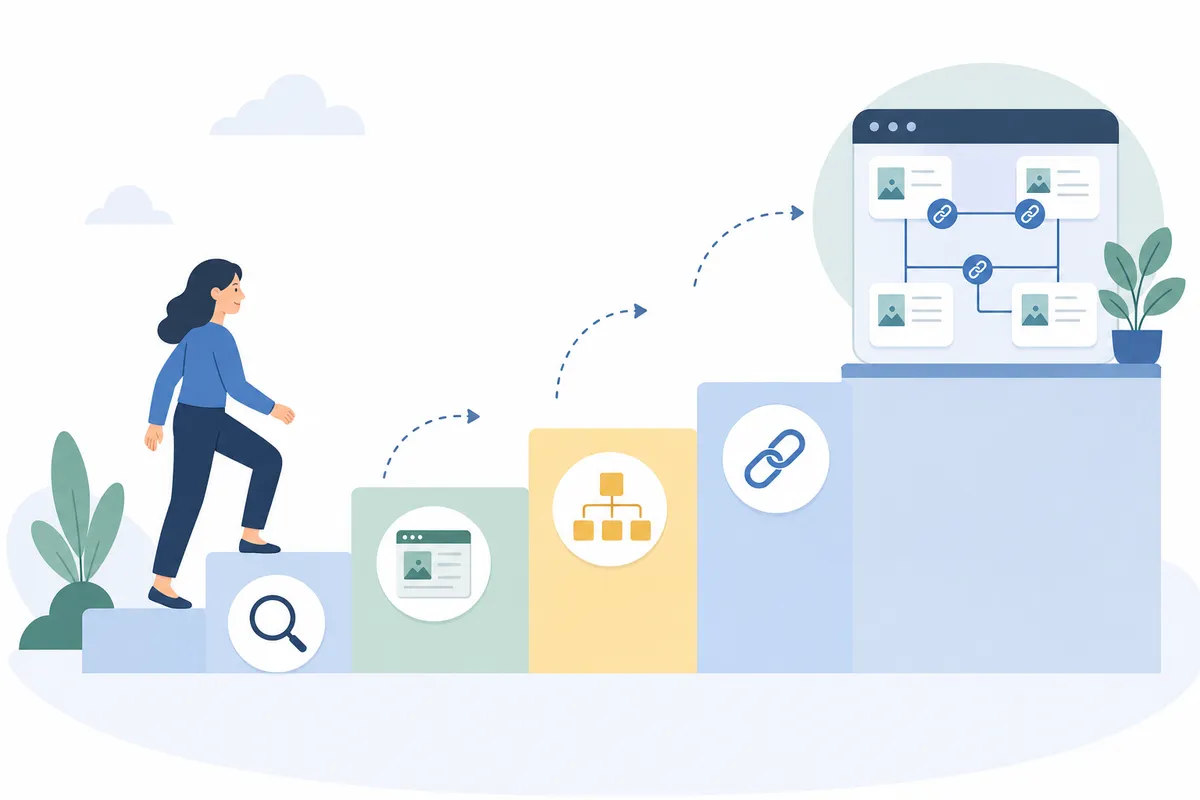
If manual audits feel slow, a tool that pulls internal links drawn from your own site's crawl can surface link opportunities automatically. It matches related pages the way you would by hand, just faster and continuously.
Common internal linking mistakes that quietly hurt rankings
Most internal linking problems are not dramatic. They are small, easy to miss, and they compound over months.
| Mistake | Why it hurts rankings | Fast fix | Effort to fix |
|---|---|---|---|
| Orphaned pages | Crawlers mostly find pages by following links, so an unlinked page can stay unindexed | Add two or three contextual links from related, established pages | Low |
| Over-linking a single page | Too many links on one page dilute the weight each one carries | Trim down to only genuinely relevant links | Medium |
| Repeating one exact-match anchor everywhere | Reads as manipulation to search engines and as robotic to readers | Vary the phrasing across several natural anchors | Low |
| Redirect chains inside links | Each extra hop wastes crawl budget and slows the page | Point the link straight at the final URL, not an intermediate one | Medium |
| Burying key pages deep in the structure | Pages several clicks from the homepage read as lower priority | Add a shortcut link from a high-traffic page | Medium |
Any one of these is common enough that most sites have several running at once. If you want the fuller list of what tends to go wrong across a site, not just with links, there is more to read. 16 common SEO mistakes and how to fix each one walks through the rest.
DIY audit or hire help: what actually makes sense
Whether you run this internal linking how-to yourself or bring in help comes down to site size and how often you publish.
| Approach | Best for | Time needed | What you actually get |
|---|---|---|---|
| Manual audit with a spreadsheet | Small sites, under roughly 50 pages | A few hours | Full control, but it is easy to miss orphaned pages by hand |
| Automated crawler or linking tool | Any site that publishes on a regular schedule | Minutes to set up, then ongoing | Continuous orphan and broken-link detection, without re-crawling by hand each time |
| Hiring an SEO professional or agency | Large or complex sites with limited in-house time | Days to weeks for the first pass | A prioritized plan, not just a list of problems |
A small site with a dozen pages can genuinely handle this by hand once a quarter. A site publishing several times a week cannot keep up manually. That is where an ongoing crawl-based tool or a professional review earns its cost. There is no wrong answer here, as long as someone is actually checking on a schedule. Do not just assume the links from two years ago still make sense today.
How internal linking feeds AI search and answer engines
AI search tools, including Google's AI Overviews, ChatGPT, and Perplexity, retrieve and cite specific passages, not whole pages. When every cluster page in a topic consistently links back to one pillar, that pillar stands out. It becomes the page an AI system treats as the authoritative source on the topic. That makes it the page most likely to get cited when the system answers a related question.
This works the same way a query fan-out does for a person searching. When a system breaks a broad question into smaller sub-questions, a clear pillar-and-cluster structure helps. It signals which single page holds the deepest, most complete coverage of the topic. Scattered coverage across ten thin pages with no clear hub gives an AI system nothing obvious to point to.
The practical upshot is simple. The same internal linking work that helps traditional rankings also improves your odds of being the page an AI assistant cites by name. You are not building two separate structures. It is one structure, doing two jobs.
Monitor, test, and refine your links over time
Internal linking is not a project you finish once. Pages get added, old ones get retired, and priorities shift. A structure that made sense a year ago can quietly stop matching what actually drives revenue today.
Set a recurring check, quarterly is reasonable for most sites, to re-run your orphan and broken-link audit. Watch which pages gain the most internal links over time and confirm those are still the pages you want ranking. If a page you consider a priority still sits five clicks from the homepage, fix that first. Do it before you write anything new for that topic.
The 12 essential steps for your on-page SEO checklist is a useful recurring reference here too. A periodic on-page review tends to surface fresh internal linking opportunities that did not exist when a page first went live.
FAQs
How many internal links should a single page have?
There is no universal number, but Moz's SEO guide puts a practical ceiling around 100 links on any one page. Several guides also recommend at least two or three contextual links pointing to any brand-new page. The right count depends on how much genuinely related content you actually have.
What is the difference between internal links and external links?
An internal link points to another page on your own domain and keeps the visitor on your site. An external link points to a different domain entirely, usually to cite a source or add credibility. Both matter, but internal linking is the one you have complete control over.
Do internal links actually improve SEO rankings?
Yes. They help search engines discover new pages by crawling from page to page, and they distribute authority from strong pages to weaker ones. They also signal topical relevance between related content. Google's own John Mueller has called it one of the most effective things a site owner can control directly.
How do I find orphaned pages on my website?
Crawl your site and compare the pages you can reach by clicking links against your full sitemap. Any page that exists in the sitemap but cannot be reached through a link is orphaned. Google Search Console's Links report shows the same gap without a full manual crawl.
What anchor text works best for internal links?
Short, descriptive, and varied. Aim for five words or fewer, and describe what the reader will find on the linked page. Use a few different natural phrasings for the same destination rather than one repeated exact-match phrase.
Start with your five most-visited pages
Open your five most-visited pages right now. Add one contextual link from each to a page that needs more authority: an older post, a service page, or something new with no incoming links yet. That single habit, repeated every time you publish, is the internal linking how-to that actually works. It turns internal linking from a one-time cleanup into a compounding source of traffic. When you want a clear picture of exactly where your own link structure stands today, talk to the team at SearchBlueprint for a sample SEO report.
Resources / References
Sources
- Internal links: ultimate guide + strategies
- The ultimate guide to internal linking for SEO and GEO
- Internal Links SEO Best Practices
- A Guide To Internal Linking
- Your Internal Linking Blueprint For Better SEO
Disclaimer: This article is general information about rules and figures that applied when it was written, not personalised financial, tax or investment advice. It does not take account of your income, obligations, risk tolerance or goals, and rates and thresholds change. Verify the current position with the relevant authority, and speak to a licensed adviser or a qualified accountant before acting.
About the author
SearchBlueprint researched, wrote and scored this article with the content pipeline our customers run on their own sites. The score in the byline is what our content engine gave this page before it published. Nothing here is reviewed by hand, which is the point: it is the product's output, published where anyone can check it.