How to Rank on Google Maps (Without Paying for Ads)
By Toy Wen Da, Co-Founder · · 8 min read · scored 93/100
You rank on Google Maps by optimizing your Google Business Profile for relevance, distance, and prominence, the three signals Google uses to decide which local businesses appear in the map pack. That means picking the right category, filling out every field, earning real customer reviews, and building local links back to your website. None of it requires an ad budget.

This matters more than most business owners realize. Industry estimates suggest roughly 46% of all Google searches carry local intent, and more than half of those searchers click straight into the Google Map Pack, the block of three listings with pins that sits above the regular organic results. If you're not in that block, you're invisible to a huge share of people actively looking to buy.
What Actually Determines Your Google Maps Ranking

Google documents local ranking as a combination of three signals: relevance, distance, and prominence (Google Search Central). Understanding which ones you can influence changes how you prioritize your time.
| Ranking Factor | What It Measures | Can You Control It? | How to Improve It |
|---|---|---|---|
| Relevance | How well your profile matches the search term | Yes | Pick the correct category, write a clear business description, list accurate services |
| Distance | How far your business is from the searcher | Partially | Use a real, staffed address inside your target city limits |
| Prominence | How well-known and trusted your business is | Yes | Earn reviews, build backlinks, maintain an active, updated profile |
Distance is the uncomfortable one. Google generally favors businesses physically closer to the person searching, which is why your ranking can look great a mile from your storefront and fall apart five miles out. That's a separate problem worth understanding on its own, which we'll cover below.
How to Rank on Google Maps: Step by Step
These are the concrete actions that move a listing from page two of the map results into the top three. Work through them in order, each one builds on the last.
Claim and fully verify your Google Business Profile
An unverified or unclaimed profile almost never ranks well. Claim yours, complete Google's verification process, and make sure you're the only one with edit access. From there, fill in every available field: hours, phone number, website, service area, and a short description of what you do.
Choose the right primary category
Your primary category is one of the strongest relevance signals Google has. A landscaper listed as "lawn care service" and one listed as "landscaper" can rank very differently for the same searches. Look at the categories used by businesses already ranking at the top for your target terms, and match the one that fits closest, don't just pick the broadest option.
Write a keyword-rich, honest business description
Use your description to tell Google exactly what you do and where you do it. Name your core services and the neighborhoods or cities you serve. Keep your business name as it actually appears on your signage and paperwork, Google's guidelines prohibit stuffing keywords into the name field, even though it's tempting when you see competitors doing it.
Add real photos, and geo-tag them if you can
Photos of your storefront, team, and completed work signal that you're an active, legitimate business. Geo-tagging images to your service area before upload can help reinforce where you actually operate, which supports your relevance for nearby searches.
Collect and respond to reviews consistently
Reviews are one of the most decisive local ranking inputs, and they're also the clearest trust signal to a human reading your listing. According to the Local Consumer Review Survey, 82% of consumers check online reviews before making a purchase from a local business. Google also weighs the content of reviews, not just the star average, so a steady flow of detailed, recent reviews outperforms a pile of old five-star ratings with no comments. Ask every customer directly, send a text or email with a direct review link, or put a QR code at the point of sale.
Build local backlinks and citations
Links from other businesses and organizations in your area tell Google you're a real, connected part of the local community. Partner with businesses you already work with, sponsor a local event, or offer a testimonial in exchange for a link. The same groundwork that earns these links also supports your broader rankings, if you haven't mapped out a full plan for that yet, a step-by-step plan for ranking higher on Google covers how local and organic signals reinforce each other.
Optimize the website your profile links to
The homepage or landing page linked from your Google Business Profile gets evaluated too. Include your city or service area in the title tag and page content, embed a Google Map, and keep your name, address, and phone number consistent with your profile. If your on-page basics need a refresh, six steps that still move a page toward Google's first page is a solid checklist to work through alongside your Maps optimization.

Why You Might Rank Well in One Neighborhood and Not Another
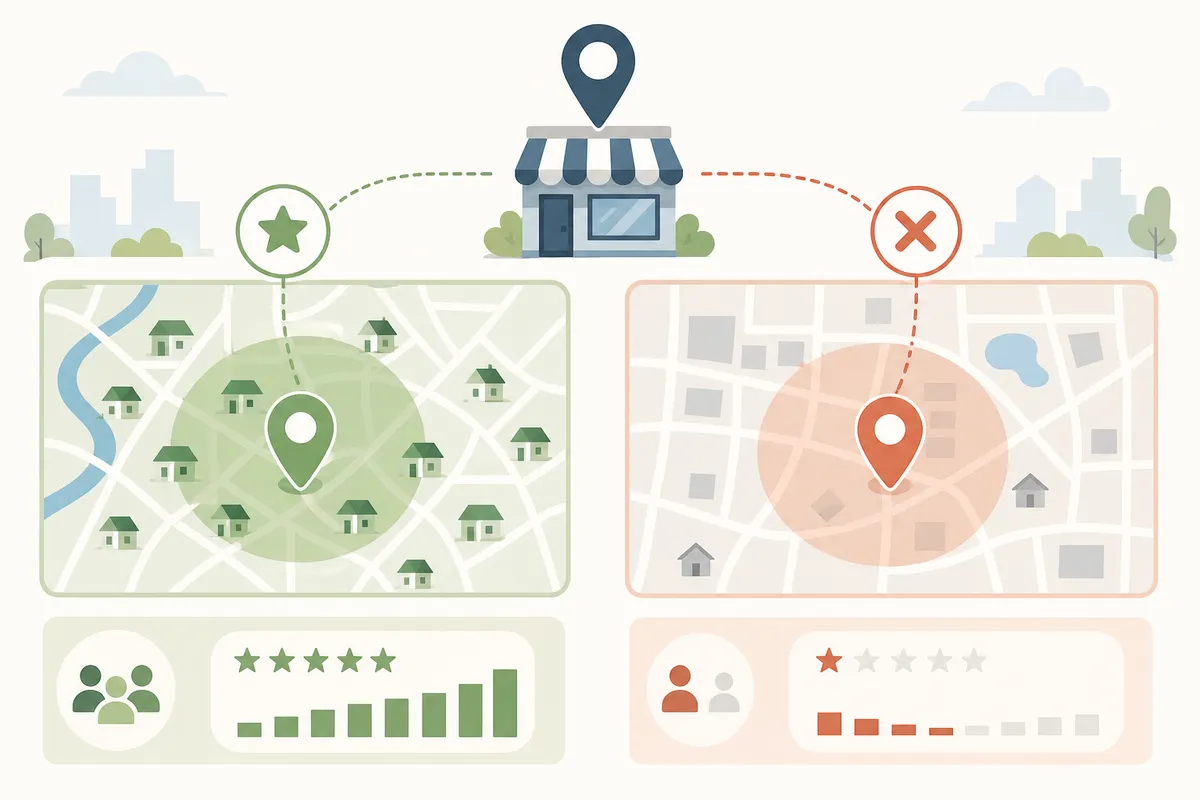
This surprises a lot of business owners: your Google Maps ranking isn't one fixed position. It shifts depending on exactly where the person searching is standing, because distance is a core ranking input.
A single incognito search only shows you one data point, your ranking from the center of the city, or wherever your IP address places you. It won't show you how you rank in a neighborhood six miles away where you still take plenty of jobs.
One real-world example: a Phoenix-area plumbing business checked its ranking manually for over a year and consistently saw itself in the top three. When it ran a grid-based check across its full service area, the picture changed. It ranked in the top three only within about a 4-mile radius of its address. In 60% of its stated service area, the suburbs where it took most of its actual jobs, it didn't show up in the map pack at all.
| Checking Method | What It Shows You | Main Limitation |
|---|---|---|
| Incognito manual search | Your ranking from one location | Misses every other part of your service area |
| Google Search Console | A blended average position | Hides neighborhood-by-neighborhood gaps |
| Grid-based rank tracking | Your position across dozens of points on a map | Requires a dedicated tool to run |
If you serve a city rather than a single block, checking from one spot and calling it done will give you a false sense of security. This is also where organic visibility and map visibility start to overlap, a stronger citywide content footprint, like the kind covered in this guide to getting on page one in your own city without ads, tends to lift prominence across your whole service area, not just near your office.
How Long It Takes to Rank on Google Maps

There's no fixed timeline, and anyone promising one is guessing. A brand-new, unverified listing with zero reviews typically takes longer to climb than an established profile that just needed cleanup. Verification itself can take anywhere from a few days to a few weeks depending on the method Google offers your business. After that, review velocity, category accuracy, and local link-building all compound over weeks and months rather than producing overnight jumps.
If you're also building out a new website alongside your Google Business Profile, it helps to know what realistic timelines look like more broadly, real data on how long a new site takes to rank on Google is useful context so you're not judging your Maps progress against an unrealistic organic-search benchmark.
Common Mistakes That Keep Businesses Out of the Map Pack
- Leaving the profile half-filled out. Missing hours, no description, or no services listed all weaken relevance.
- Picking the broadest category instead of the most accurate one. "Restaurant" instead of "Italian restaurant" costs you specificity.
- Ignoring reviews after the first few. Prominence rewards a steady, ongoing flow, not a one-time push.
- Using a P.O. box or an address outside your actual service area. Google generally won't rank a listing far from where it's physically located.
- Treating paid Google Maps ads as a ranking fix. Promoted pins and standard PPC listings buy placement, but they don't change your organic position once the budget runs out.
Many of the answers customers look for before choosing a local business, pricing ranges, service details, hours, also show up directly in Google's AI-powered results now. If your website content answers those questions clearly, it has a better shot at being pulled into those featured spots. This playbook on earning featured snippets walks through how to structure that content so it gets picked up.
FAQs
How long does it take to rank on Google Maps?
There's no set timeline. Profile verification can take days to a few weeks, and visible ranking improvements from reviews, category fixes, and local links usually build up over weeks to months rather than overnight.
Do Google Maps ads help my organic ranking?
No. Promoted pins and standard PPC ads buy a paid placement above or alongside the organic map pack, but they don't influence your actual organic position once you stop paying.
How many reviews do I need to rank on Google Maps?
There's no magic number. Google weighs the content, recency, and consistency of reviews alongside the total count, so a steady stream of detailed recent reviews outperforms a large batch of old ones.
Why do I rank well near my office but not across the rest of my city?
Distance from the searcher is a core ranking factor, so your position naturally varies by location. A single search only shows your ranking from one spot, it won't reveal gaps elsewhere in your service area.
Does my website matter for Google Maps ranking?
Yes. The site linked from your Google Business Profile gets evaluated for relevance and authority, so keeping your location, services, and contact details consistent across both helps your prominence.
Put This Into Action This Week
Start with the one thing most businesses skip: pull up your own profile in an incognito window and check every field against this list. Fix the category if it's wrong, add the photos you've been meaning to upload, and send three customers a direct review link today. If you want a clearer picture of where your site and listing actually stand before you spend more time guessing, talk to the team and get a sample report built around your own business.
Related reading: Google Business Profile Categories: The Fast Way to Fix Yours.
Related reading: Google Business Profile Photo Size: The Complete 2026 Specs.
Related reading: How to Get Your Google Review Link in Under 2 Minutes.
Sources
About the author
SearchBlueprint researched, wrote and scored this article with the content pipeline our customers run on their own sites. The score in the byline is what our content engine gave this page before it published. Nothing here is reviewed by hand, which is the point: it is the product's output, published where anyone can check it.