How to Change Your Domain Name Without Losing SEO Rankings
By Toy Wen Da, Co-Founder · Updated · 8 min read · scored 92/100
Changing your domain name for SEO means moving a site's rankings and backlinks to a new URL without Google treating it as brand-new. The core steps are 301 redirects mapped one-to-one, updated internal links and a Search Console signal. Done right, most sites recover within weeks.

This guide walks through the exact sequence, the mistakes that cause the worst traffic drops, and what to expect week by week.
What happens to SEO when you change your domain name
Search engines rank domains on accumulated trust. Backlinks, age, click history and crawl history all attach to that specific domain, and when you change it none of that history transfers automatically. Google has to rediscover every page, re-evaluate the redirect chain and decide how much of the old domain's authority to pass through.
Domain migration SEO is really a trust-transfer problem, and the copy-paste part is the easy bit. If the redirects are set up properly, Google generally passes most of the ranking signal to the new URLs. If they're sloppy, you're effectively asking Google to index a new site from scratch.

Why rankings dip even when you do everything right
Even a textbook-perfect migration causes some wobble, because Google needs to crawl and re-index your new domain's pages and reprocesses backlinks more slowly than it reprocesses your own site. Rank tracking tools will show noisy, inconsistent positions for the first couple of weeks, which is normal and doesn't mean something broke.
How long does domain migration SEO recovery take
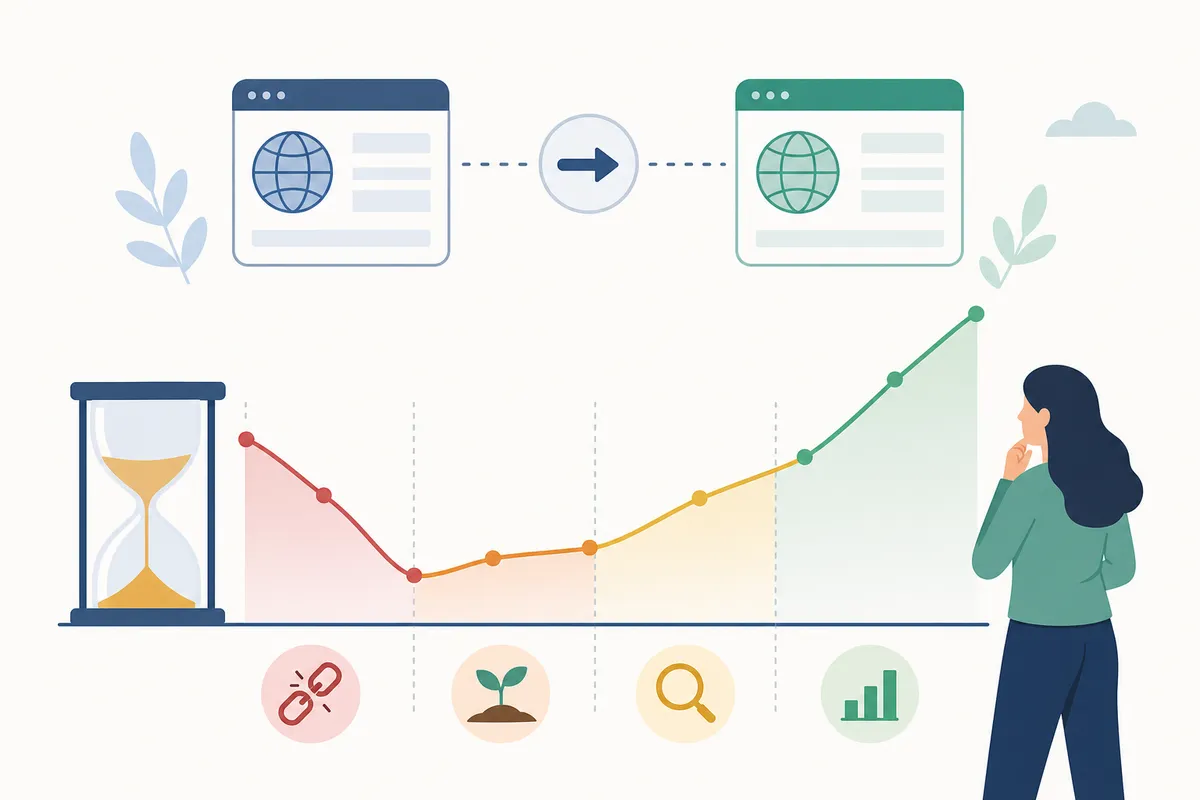
There's no fixed number, but a reasonable pattern shows up across most migrations:
| Timeframe | What typically happens | What to do |
|---|---|---|
| Day 1–3 | Traffic and rankings dip as crawlers discover the new domain | Confirm every redirect resolves with a 301, not a 302 |
| Week 1–2 | Search Console shows a mix of old and new URLs indexed | Submit the new sitemap, check Coverage reports daily |
| Week 3–4 | Most core pages re-index on the new domain | Watch for pages stuck as "Discovered, not indexed" |
| Month 2–3 | Rankings stabilize close to pre-migration levels | Compare rank tracking data week over week, not day over day |
If rankings haven't recovered by month three, something in the redirect mapping or canonical setup is usually still wrong.
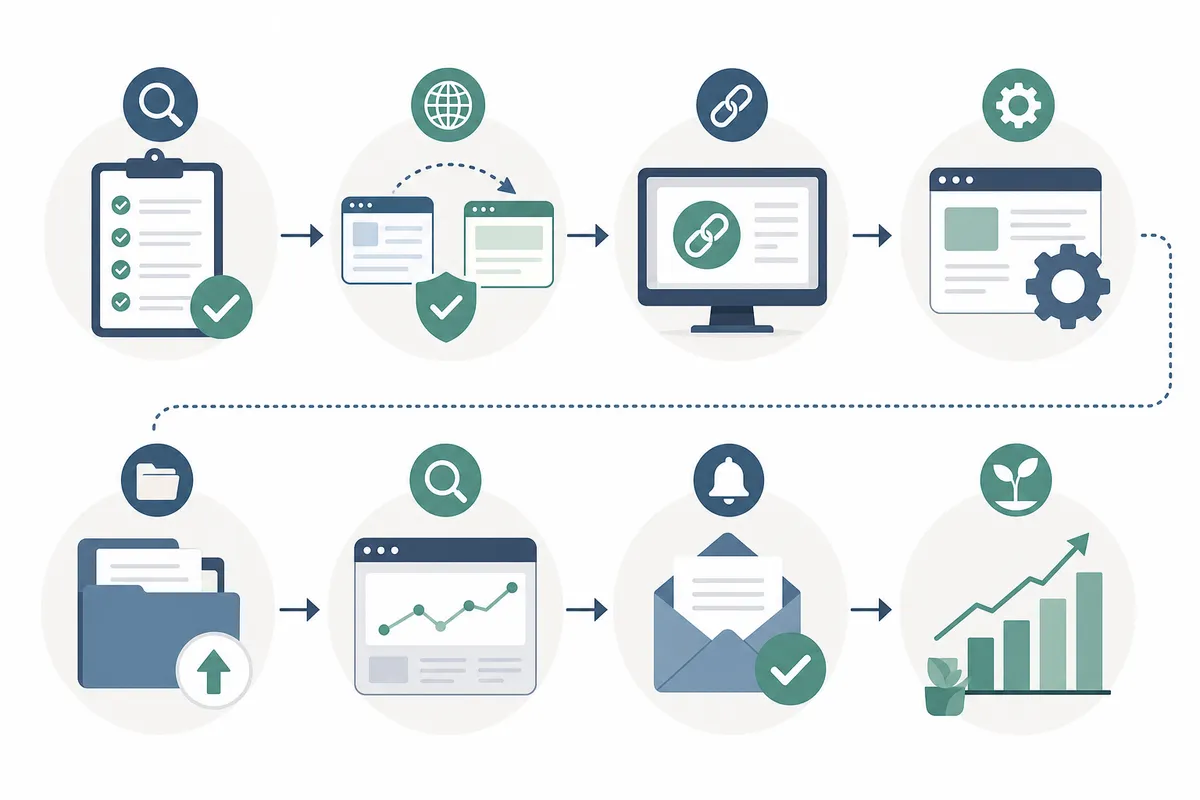
Step-by-step: how to change domain name SEO the right way
1. Audit your current site before you touch anything
Crawl your existing site and export a full list of indexed URLs, their current rankings and backlink targets. You can't redirect what you haven't mapped, so this list becomes your redirect spreadsheet.
2. Set up 301 redirects for every URL
Each old URL needs to point to its direct equivalent on the new domain. A blog post redirected to the homepage loses most of its ranking value, since Google can't match the content to a destination. Google's own guidance on 301 redirects and Moz's redirection guide both confirm permanent redirects are the correct method here. This one-to-one mapping is the single biggest factor in a smooth domain change.
3. Update Google Search Console and Bing Webmaster Tools
Verify the new domain as a property in Search Console, then use the Change of Address tool to tell Google you've moved. Do the equivalent in Bing Webmaster Tools, per its own guidelines on site moves. Skipping this step doesn't break the migration, but it slows down how fast Google trusts the new domain.
4. Update internal links and canonical tags
Every internal link still pointing to the old domain forces an extra redirect hop, which dilutes link equity and slows crawling. Update canonical tags, hreflang tags if you run multiple language versions, and any hardcoded links in your templates, footer and navigation.
5. Monitor rankings and traffic weekly
Pull rank and traffic data weekly rather than daily, since daily swings during a migration are mostly noise. A dedicated rank tracking setup makes it easier to see whether specific keyword groups are lagging behind the rest of the recovery.
Common mistakes that tank rankings during a domain change
Most failed migrations trace back to a handful of repeatable errors:
| Mistake | Why it hurts rankings | Fix |
|---|---|---|
| Redirecting everything to the homepage | Google can't match old content to new destination | Map every URL individually |
| Using 302 (temporary) instead of 301 redirects | Search engines don't pass full authority through temporary redirects | Set all redirects as permanent (301) |
| Leaving the old domain unredirected after cancellation | Years of backlinks point to a dead domain | Keep the old domain registered and redirecting for at least 12 months |
| Changing domain and redesigning the site at the same time | Impossible to tell which change caused a ranking drop | Migrate the domain first, redesign later |
| Forgetting to resubmit the XML sitemap | Crawlers rely on the sitemap to find new URLs quickly | Submit the updated sitemap the day you launch |
If you're running a technical audit alongside the move, a technical SEO audit with fixes already prioritized saves you from chasing issues one at a time after traffic has already dropped.
Platform-specific notes: Shopify, Wix and WordPress domain changes
The platform changes some mechanics, but the underlying principles of redirects, Search Console and internal links stay the same everywhere.
Shopify handles primary domain changes through its admin panel, but owners still need to verify that collection and product URLs redirect cleanly, because Shopify's automatic redirects don't always cover every URL pattern. Review the Shopify SEO settings in order before and after the switch.
Wix generates redirects automatically when you connect a new domain, but older Wix sites with custom URL structures sometimes leave orphaned pages. Check the Wix SEO settings to confirm indexing settings carried over correctly.
WordPress gives the most control and also the most room for error. Redirects typically depend on a plugin or server-level .htaccess rules rather than a built-in tool. Walk through the WordPress SEO settings to make sure permalinks, canonical tags and the sitemap all reference the new domain.
Should you change your domain at all? When it's worth the risk
Changing domains is rarely the first choice. It's usually a response to a rebrand, a merger or a domain that has become a liability through expired trust, a penalty history or a name that no longer fits the business. If your current domain is performing fine, a change introduces risk without upside.
The calculation differs if you run multiple sites and are considering consolidating them under one domain, a decision with its own tradeoffs. See this breakdown of when running multiple domains helps or hurts your SEO.
When to bring in a professional
A single small site with a few dozen pages is manageable to migrate yourself if you're comfortable with redirects and Search Console. A large site with thousands of URLs, multiple subdomains or international versions carries a different scale of risk, because one missed redirect rule can silently drop a whole section from the index. At that size, have someone audit the redirect map before launch rather than discovering gaps after rankings have dropped.
FAQs
Does changing your domain name hurt SEO permanently?
No, not if it's done with proper 301 redirects and updated Search Console settings. Most sites see a temporary dip for a few weeks, then rankings recover to near-prior levels within two to three months.
How do I tell Google I changed my domain name?
Use the Change of Address tool inside Google Search Console, available once you've verified ownership of the new domain. This tells Google to prioritize re-crawling and associate your migration history. See Google Search Central's guidance on site moves for details.
Should I redirect my old domain to my new one forever?
Keep the redirect active for at least 12 months, longer if the old domain still has backlinks pointing to it. Letting the redirect lapse means those backlinks stop passing any value.
Will I lose my backlinks when I change domain name for SEO reasons?
Backlinks pointing to old URLs will still work through the 301 redirect, so the link equity largely transfers. You won't gain new backlinks automatically, though, and reaching out to major linking sites to update the URL directly is still worth doing for your highest-value links.
Can I change my domain and redesign my site at the same time?
It's possible but not advisable, since doing both at once makes it impossible to diagnose whether a ranking change came from the domain move or the design change. Migrate the domain first, confirm rankings have stabilized, then redesign.
Get your redirect map checked before you flip the switch
The gap between a smooth domain migration and a six-month ranking recovery usually comes down to a missed redirect rule or a canonical tag nobody checked. Before you point your DNS at the new domain, run your redirect map and current rankings past a second set of eyes. To change domain name SEO without losing ground, talk to the team for a sample report showing what a migration audit catches.
Resources / References
- 301 redirects
- redirection guide
- Change of Address tool
- Bing Webmaster Tools
- Google Search Central's guidance on site moves
Disclaimer: This article is general information about rules and figures that applied when it was written, not personalised financial, tax or investment advice. It does not take account of your income, obligations, risk tolerance or goals, and rates and thresholds change. Verify the current position with the relevant authority, and speak to a licensed adviser or a qualified accountant before acting.
About the author
SearchBlueprint researched, wrote and scored this article with the content pipeline our customers run on their own sites. The score in the byline is what our content engine gave this page before it published. Nothing here is reviewed by hand, which is the point: it is the product's output, published where anyone can check it.