Website Taxonomy: Fix Your Site Structure Before It Costs You Rankings
By Toy Wen Da, Co-Founder · · 8 min read · scored 94/100
Website taxonomy is the system of categories, tags, and URL folders that groups your pages by topic so search engines and visitors can tell how your site fits together. Fix it by mapping every page to one clear category, trimming overlapping tags, and checking your sitemap for duplicate or orphaned URLs first.

Before you touch any menus, run your domain through the free Sitemap checker. It pulls your XML sitemap and shows you every URL it finds, which pages return errors, and which ones look orphaned or duplicated, exactly the mess that a broken website taxonomy usually leaves behind.
What Website Taxonomy Actually Means
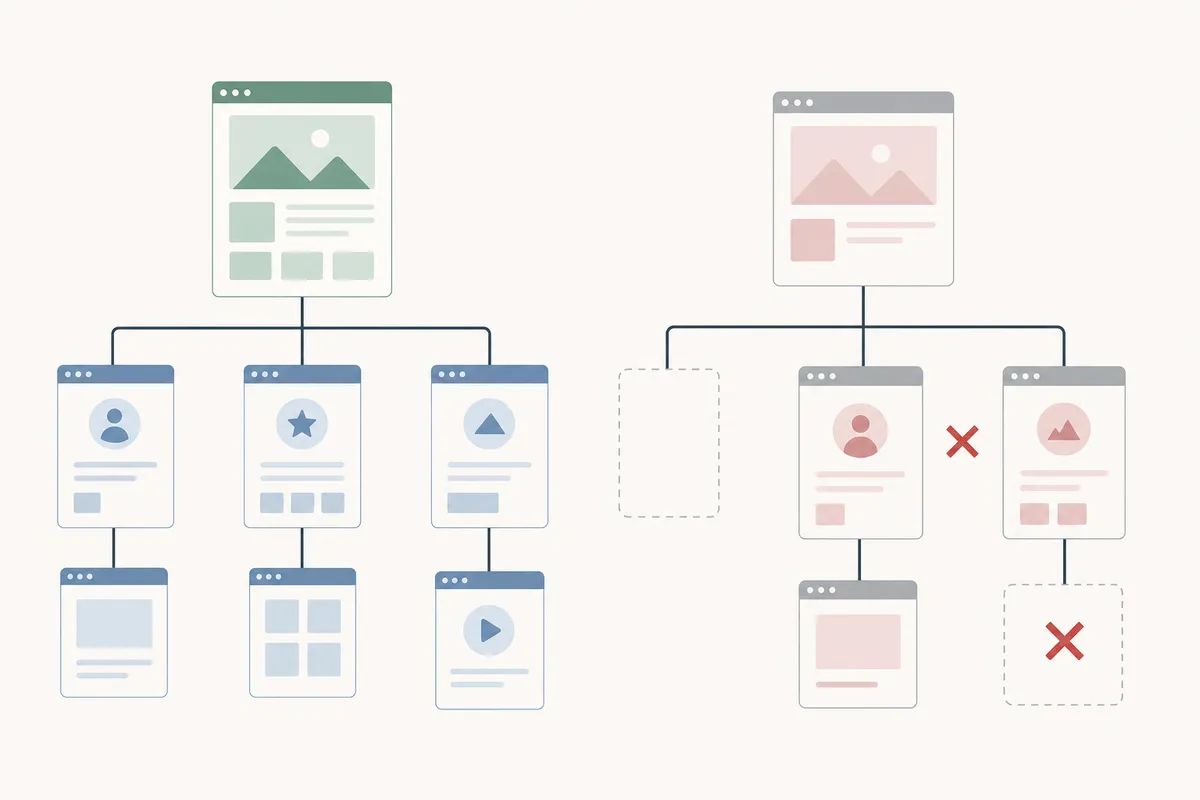
Think of taxonomy as your site's filing system. Every page needs a home: a category that says what it's broadly about, and optionally a few tags for secondary topics it touches. Done well, a visitor can land on any page and guess, just from the URL or breadcrumb, where else to look. Search engines read the same signal, a clean website taxonomy tells crawlers which pages are closely related, which should rank for which terms, and where the thin or duplicate content is hiding.
Most taxonomy problems aren't dramatic. They build up slowly: a new category added for one post, a tag used once and never again, two categories that overlap so much neither one ranks well. None of that looks urgent until you check your sitemap and see 40 category pages for a site with 60 posts.

Categories vs. Tags: What Each One Does
| Attribute | Categories | Tags |
|---|---|---|
| Purpose | Primary topic grouping for a page | Secondary, cross-cutting labels |
| How many per page | One, ideally | A handful, used sparingly |
| Shows up in URL | Often, as part of the folder path | Rarely |
| SEO risk | Low, when the hierarchy stays clean | High, if every tag generates its own indexable page |
If you're also deciding where the actual words people search for should live inside this structure, the guide on where to place keywords on a website walks through titles, headers, and category names side by side.
How to Audit Your Current Taxonomy
Start With the Sitemap, Not the Menu
Your navigation menu shows what you intended to build. Your sitemap shows what actually exists. Run the domain through the free Sitemap checker and look for three things: pages missing from the sitemap entirely, URLs that return errors, and categories with only one or two pages in them. Cross-reference that with Google Search Console's coverage report if you have access, it will flag indexed pages that don't match your intended structure.
Map Every Page to One Category
Pull your full URL list and sort it into topic clusters by hand, or in a spreadsheet. Every page should fit cleanly into exactly one primary category. If a page genuinely straddles two topics, that's usually a sign the categories themselves are too broad or too narrow, not that the page needs two homes.
Look for Orphans and Duplicates
An orphan page has no internal links pointing to it from your category or navigation structure, it exists, but nothing on your site leads a visitor there. Duplicates happen when the same topic gets a category page and a tag page that both try to rank for the same term. Both problems show up clearly once you've got the sitemap and the category map side by side.
Fixing Website Taxonomy Inside Your CMS

Once you know what's broken, the fix usually happens in settings you already have.
- List every URL. Export your sitemap or crawl the site to get a full inventory.
- Group pages into clusters. Sort by topic, not by when the page was published.
- Assign one primary category per page. In WordPress this lives under the Categories setting on each post; in Shopify it's the collection assigned under Online Store navigation; in Webflow it's the CMS collection a page belongs to.
- Use tags as secondary labels only, and stop creating a new tag for every post. Reuse existing ones wherever the topic genuinely repeats.
- Rename vague category names so they match the topic a visitor would expect, not internal shorthand.
- Update your menus and internal links to reflect the cleaned-up hierarchy.
- Set up redirects for any URL that changes, then resubmit your sitemap in Search Console.
A psychology practice's site, for example, often starts with a flat list of blog posts and no category structure at all; grouping posts into clusters like therapy types, insurance, and client resources, the kind of restructuring covered in this breakdown of website fixes for psychologists, tends to surface which pages are actually competing with each other for the same search terms. The same pattern shows up for local service businesses: a painting contractor's site usually needs city and service pages grouped under one clear hierarchy, which this guide on website fixes for painters walks through in more detail.
When Your Website's Own Tools Are Enough
This is the honest part: free, built-in tools solve some taxonomy problems completely and only get you partway on others.
| Situation | Free tools enough? | What you'll see | Next step |
|---|---|---|---|
| One page sits in the wrong category | Yes | Page missing from the right sitemap section | Edit the category in your CMS, resubmit sitemap |
| New site launch, a few dozen pages | Yes, as a starting point | Sitemap checker shows the full page list and status codes | Map pages into clusters before publishing more |
| Orphan pages keep appearing after every new post | Partial | Same gap repeats each time you publish | Fix the publishing template or workflow, not just each page |
| Site-wide overhaul across hundreds of URLs | Usually not | Multiple overlapping sitemaps, broken breadcrumbs, mixed hierarchies | Bring in a professional SEO review before you touch anything |
A single mistagged post is a five-minute fix. A taxonomy problem that keeps recurring, or one that spans hundreds of URLs with tangled redirects, is where a DIY pass risks making things worse, that's the point to get a second set of eyes on the structure rather than guessing.
Common Mistakes With Website Taxonomy
- Too many categories. If you have more categories than five pages each, the hierarchy isn't doing its job.
- Tags that duplicate categories. A tag and a category covering the same ground split ranking signals between two URLs instead of one.
- No hierarchy at all. A flat list of 200 pages with no grouping tells search engines nothing about how topics relate.
- Keyword-stuffed category names. A category slug jammed with search terms reads as manipulative rather than descriptive.
- Skipping redirects after a rename. Changing a category URL without a redirect turns a fix into a new batch of broken links. After any restructuring, it's worth running a quick website speed test too, since redirect chains and bloated menus can slow a page down even when the taxonomy itself is now correct.
Google's own Search Essentials guidance is consistent on this point: organize a site so related pages link to each other in a way that makes sense to a reader first. A taxonomy built for crawlers but confusing to humans tends to underperform both.
FAQs
What's the difference between website taxonomy and site structure?
They overlap heavily. Site structure usually refers to the overall hierarchy of pages, home, category, subcategory, page. Website taxonomy is the labeling system (categories and tags) that defines how pages get grouped inside that structure.
How many categories should a website have?
There's no fixed number, but each category should have enough pages to justify its own page, generally more than two or three. If a category only holds one post, it's probably better as a tag or merged into a broader category.
Do tags hurt SEO?
Tags themselves don't hurt SEO, but tag pages that duplicate a category page's content can. The usual fix is to either noindex thin tag pages or stop creating a new tag for every post.
Can I change my taxonomy without losing rankings?
Yes, if you redirect every changed URL from the old address to the new one and update internal links to match. Skipping redirects is what causes ranking losses during a restructure, not the restructure itself.
How often should I review my website taxonomy?
Most sites benefit from a review every few months, or any time the content volume roughly doubles. A taxonomy that worked for 50 pages often breaks down at 200.
Fix the Structure That's Quietly Costing You Rankings
Pick one section of your site with the most pages, your blog is the usual suspect, and run it through the free Sitemap checker today. If the results show orphaned pages, duplicate URLs, or categories with a single post sitting in them, you've found exactly where your website taxonomy needs attention. When you want a full read on how that structure is affecting your rankings, talk to the team through a sample SEO report.
Resources / References
- Google Search Console's coverage report
- Set up redirects
- Search Essentials guidance
- duplicate a category page's content
- noindex thin tag pages
Disclaimer: This article is general information about rules and figures that applied when it was written, not personalised financial, tax or investment advice. It does not take account of your income, obligations, risk tolerance or goals, and rates and thresholds change. Verify the current position with the relevant authority, and speak to a licensed adviser or a qualified accountant before acting.
About the author
SearchBlueprint researched, wrote and scored this article with the content pipeline our customers run on their own sites. The score in the byline is what our content engine gave this page before it published. Nothing here is reviewed by hand, which is the point: it is the product's output, published where anyone can check it.