SERP Features: What They Are and How to Win Each One
By Toy Wen Da, Co-Founder · · 7 min read · scored 94/100
A SERP feature is any result on Google's results page that isn't a plain blue link, featured snippets, People Also Ask boxes, local packs, image carousels, and AI Overviews are all SERP features. The first move is checking which ones already appear for your target keyword, then building the page elements each one actually rewards.
What Counts as a SERP Feature?

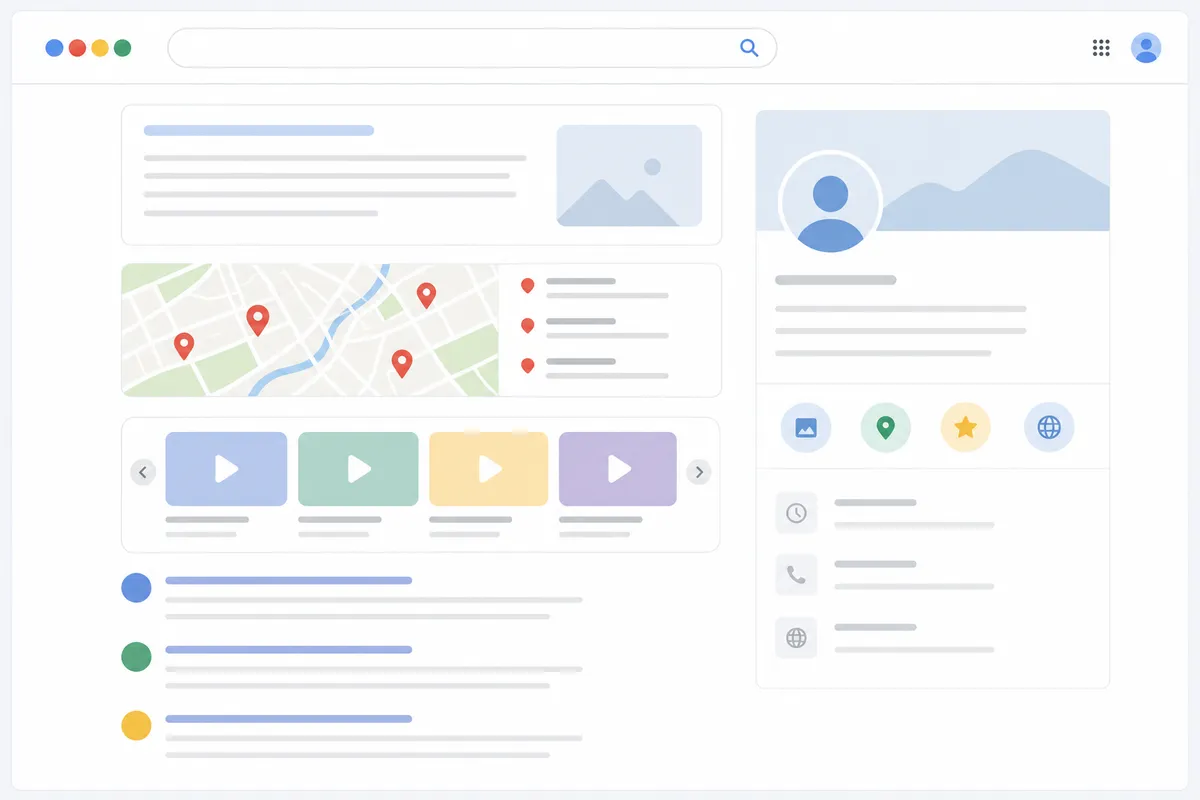
A SERP feature is any element on Google's results page beyond the standard blue links and ads, snippets, local packs, image rows, AI Overviews, and more. Google's results page used to be ten blue links and an ad or two. Now a single query can trigger five or six different elements before you reach the first organic listing. Each one behaves differently, and each rewards a different kind of content.
The Main Feature Types
| SERP feature | What it looks like | What usually wins it | Typical trigger |
|---|---|---|---|
| Featured snippet | Boxed answer above organic results | A direct, concise answer near the top of the page, often in a list or short paragraph | Question-style or definition queries |
| People Also Ask | Expandable question list | Pages that answer the exact follow-up question in one tight paragraph | Informational queries |
| Local pack | Map with 3 business listings | A complete, verified Google Business Profile plus consistent name/address/phone | "Near me" and city-plus-service searches |
| Image pack | Row or grid of images | Descriptive file names, alt text, and fast-loading images on a page about that topic | Visual or product queries |
| AI Overviews | Generated summary with cited sources | Clear, quotable, self-contained passages that directly answer the query | Broad informational and comparison queries |
| Video carousel | Row of video thumbnails | Hosted video with a transcript and structured data | How-to and tutorial queries |
How Many SERP Features Can One Keyword Have?
A single keyword can carry zero SERP features or several at once. Transactional queries, like a brand name plus "pricing," often show just ads and organic links. Broad informational queries can stack a featured snippet, a People Also Ask box, an image pack, and an AI Overview on the same page. Google's own guidance on AI Overviews notes that these summaries draw from clear, self-contained passages that directly answer the query, which is part of why they tend to show up alongside other feature types on broad queries. That's why checking the live results matters more than guessing from a template, see which boxes actually show up before deciding which one to chase.
Structured data is part of how some of these features get decided. Google's own documentation on structured data and rich results explains that markup makes your content eligible for certain visual treatments, but it doesn't guarantee a feature will show. Eligibility and placement are separate things.
How to Check SERP Features Inside Google Search Itself
You don't need a paid tool for a quick, one-off check. Here's the manual route using Google Search and Search Console.
Step 1: Check the Live Results
- Open a private or incognito browser window, so personalization doesn't skew what you see.
- Go to Google and type your exact target keyword.
- Scroll through the full first page and note every block that isn't a standard organic listing, snippet, PAA, local pack, image row, AI Overview, video carousel.
- Repeat the search from a different device or location if the keyword has local intent, since local packs and some AI Overviews vary by location.
Step 2: Check What Your Site Already Earns
- Open Google Search Console and select your property.
- Go to the Performance report.
- Click the Search appearance tab (or filter, depending on your view) to see impressions broken down by feature type, as explained in Search Console Help.
- Use the query filter to isolate your target keyword and see whether your existing pages already show up in any of those feature types.
- Compare impressions against clicks for that query to see whether the feature is helping or just eating attention.
If your title tag and meta description aren't matching what actually renders on the results page, run the page through the SERP snippet preview tool to see how it will likely display before you publish changes.

When Google Search's Own Tools Are Enough (and When They Aren't)
Checking one URL for one keyword with Google Search and Search Console is free, fast, and usually all you need. The limits show up once you're managing more than a handful of pages or tracking the same features over time.
| Situation | Google Search + Search Console | A dedicated SERP tool |
|---|---|---|
| Checking one URL's current features | Enough, search it directly, check Search appearance | Overkill for a single check |
| Tracking the same keyword weekly | Tedious, no history without manual logging | Built to track changes over time |
| Auditing 50+ pages for feature gaps | Not practical, no bulk view | Designed for this exact job |
| Comparing your SERP footprint to competitors | Not possible, Search Console only shows your own data | Shows the full page one, including competitors |
| Checking features by country or device | Limited, incognito browsing only approximates it | Can pull results for specific locations directly |
A one-off check on a single page is a Google Search job. A recurring question, "are we winning more featured snippets than last quarter?", is a job for a tool built to track that, because Search Console won't hand you that trend on its own.
Common Mistakes
- Chasing a feature that isn't live for your keyword. If People Also Ask doesn't appear on page one, structuring your content for it won't produce a box that doesn't exist for that query.
- Confusing ranking position with feature eligibility. Some featured snippets pull from positions outside the top three. Position alone doesn't disqualify or guarantee a spot.
- Writing vague answers instead of direct ones. Snippets and AI Overviews favor short, specific, quotable passages, not a paragraph that circles the point before answering it.
- Ignoring local pack requirements for "near me" searches. A great blog post won't outrank a complete, verified Google Business Profile for local intent queries, Google's own guidance on how Business Profiles rank in local search results points to profile completeness and accuracy as part of what decides local pack placement.
- Treating every SERP feature as worth winning. Some features, like certain image packs, send very little click traffic. Chasing one that doesn't match your business goal wastes effort.
For a broader look at how generative results are reshaping which SERP features matter, the AI and SERP analysis guide covers what's changed and what to adjust.
FAQs
What's the difference between a SERP feature and a rich result?
A SERP feature is the broader term for any non-standard block on the results page. A rich result is a specific kind of SERP feature that comes from structured data markup, like recipe cards or review stars.
Can a page appear in a SERP feature and still rank normally below it?
Yes. Many featured snippets pull content from a page that also holds a standard organic position lower on the same page, so you can appear twice for one query, a pattern confirmed in Google's own documentation on featured snippets.
Do SERP features change over time for the same keyword?
Yes, often. Google tests and rotates features based on query intent, seasonality, and new content. A keyword that showed a local pack last month might show an AI Overview instead today.
Is there a way to force a featured snippet to appear?
No. You can structure content to be eligible, clear question-and-answer format, concise lists, but Google decides whether to show the snippet and which source to pull it from.
Do SERP features affect click-through rate?
Usually, yes. A feature above your listing can pull clicks away from organic results, while winning the feature yourself can increase visibility and clicks for the same position.
Check Your Page One Before You Build Anything
Pick one target keyword, run it through Google Search in an incognito window, and write down exactly which SERP features show up. That fifteen-minute check tells you more about what to build next than any generic content checklist. For a full look at what else is worth tracking across your site, the features page lays out the tools built for that. When you're ready to go deeper than a manual check, talk to the team and get a sample report showing exactly where your pages stand on SERP features today.
Resources / References
About the author
SearchBlueprint researched, wrote and scored this article with the content pipeline our customers run on their own sites. The score in the byline is what our content engine gave this page before it published. Nothing here is reviewed by hand, which is the point: it is the product's output, published where anyone can check it.