SEO for Small Businesses: A Practical 2026 Roadmap
SearchBlueprint · · 15 min read · scored 92/100

SEO for small businesses means making your website easy for Google to find, understand, and rank for what your customers already type. It covers keyword research, on-page content, local listings, and backlinks, so people find you online without you paying for every click. It's slower than running ads, but it keeps working long after you stop promoting a page.
What Counts as SEO for Small Businesses (vs. Local SEO)

People use "small business SEO" and "local SEO" interchangeably, and that mix-up costs businesses traffic they could otherwise capture. Local SEO is one piece of small business SEO, not the whole thing.
Local SEO helps any business with a physical location or service area rank for searches like "bakery downtown" or "plumber near me." Small business SEO is the bigger category. It covers every keyword your business could reasonably rank for, whether the searcher is standing outside your storefront or shopping from across the country. An accounting firm might use small business SEO to rank for "how to reduce tax liability." It might also run local SEO to rank for "CPA near me." Most small businesses need both, in different proportions depending on how they sell.
| Aspect | Small Business SEO | Local SEO |
|---|---|---|
| Who it serves | Any small business, online or offline | Businesses with a physical location or service area |
| What it targets | Broad and long-tail keywords tied to your products or expertise | Location-specific searches ("near me," city names) |
| Where you compete | Nationally, locally, or both | Primarily within your local market |
| Typical starting point | Building an SEO strategy from scratch | Claiming and completing your Google Business Profile |
If you serve one town and never ship products elsewhere, local SEO can carry most of the weight. If you sell online or serve a wider region, you need the fuller approach covered in the rest of this guide.
Why SEO for Small Businesses Pays Off

Paid ads stop the moment you stop paying. SEO for small businesses works differently: a page you publish and optimize once can keep bringing in visitors for years. That's why it remains one of the most cost-effective channels available to a business with a limited marketing budget.
The scale of the opportunity is hard to overstate. Google now handles more than 9.5 million searches every minute. It also remains the dominant search engine by a wide margin, accounting for 89.62% of internet queries as of a March 2025 report from Statista. Every one of those searches is a moment where a business could show up, or could be invisible.
Organic search is also where the money actually is. According to BrightEdge research, organic search accounts for 53% of all online traffic and contributes 44% of revenue share. That's more than any other digital channel, including paid search and social. When your small business ranks for the terms your customers search, you're not just getting visits. You're getting visits from people already looking for what you sell.
There is a brand-building effect too. Search engines determine which pages best answer a query by assessing how comprehensively and authoritatively the topic is covered. So businesses that consistently publish useful, accurate content tend to rank higher over time. Ranking consistently for topics in your field signals expertise. Users also tend to trust businesses that show up near the top of results more than those they've never heard of.
Building an SEO Foundation for Your Small Business
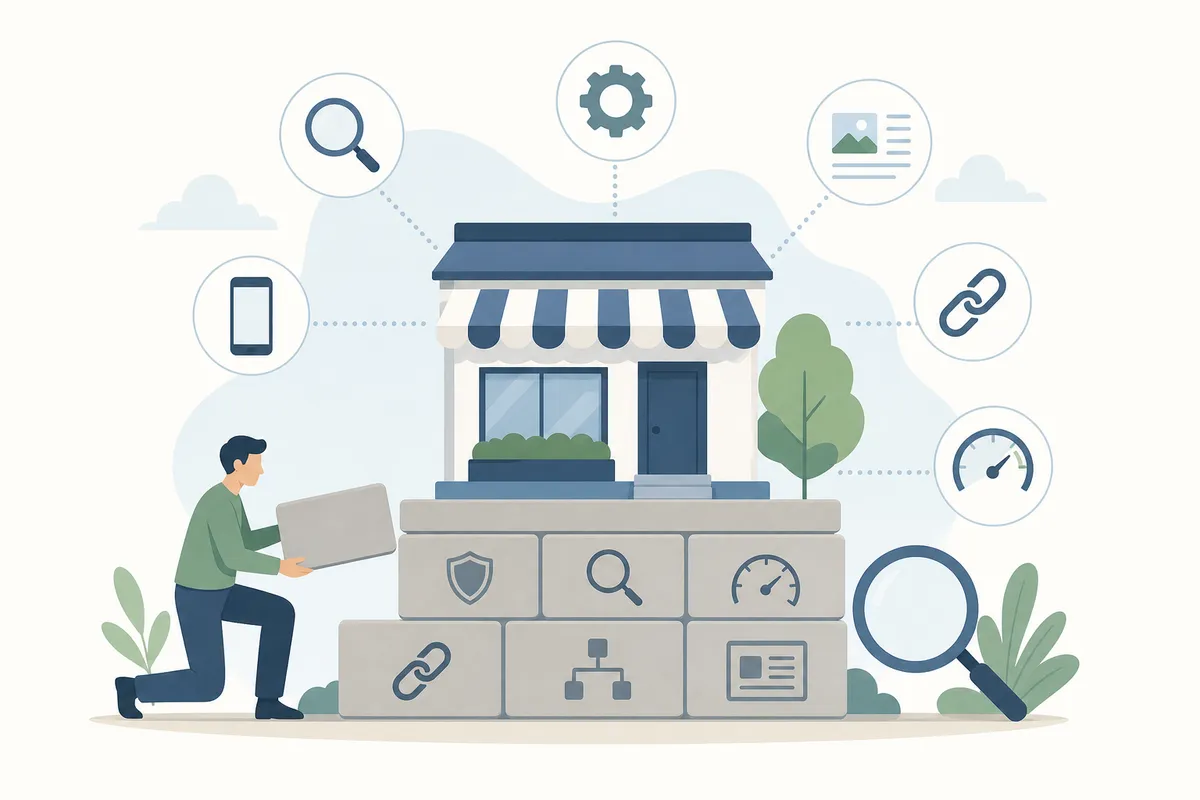
Before you touch content or backlinks, get the foundation right. Google's own guidance on what makes a page eligible to rank centers on three things. Can it be crawled, can it be understood, and does it genuinely help the person who searched (see Google Search Essentials)? Everything below builds toward those three answers.
If you want the condensed version, an eight-step plan for improving your website's organic traffic walks through it end to end.
Start With Keyword Research
Keyword research means finding the exact words and phrases your customers type into Google when they're looking for what you offer. Skip this step and you'll optimize pages for terms nobody searches. Or you'll target terms so competitive a small site has no realistic shot at ranking.
Start by listing every way a customer might describe your product or service. A security firm offering executive protection might also be searched as "personal security," "VIP protection," or "bodyguard services." Each phrasing can behave differently in search volume and competition. A free or paid keyword tool will show you monthly search volume, search intent, and a keyword difficulty score. That score tells you roughly how hard it would be to rank in the top 10 for that term. As a small business, you want to prioritize keywords with lower difficulty scores over the biggest, most competitive terms your industry offers. Those are usually locked up by established sites with years of authority behind them.
Once you have a working list, dedicated pages for each keyword theme perform better than trying to cram everything onto one page. A complete beginner's guide to keyword research covers the tools and process in more depth. If you're not sure where to start, finding keywords worth ranking for breaks down how to separate the keywords worth your time from the ones that will never move the needle.
Don't ignore longer, more specific phrases either. A three- or four-word phrase like "affordable bookkeeping for freelancers" gets far less volume than "bookkeeping services." But it's also far less competitive and usually converts better, because the searcher already knows exactly what they want. Long-tail keywords that convert into sales is worth reading before you finalize your target list.
Optimize Every Page You Publish
Once you know your keywords, each target page needs its title tag, meta description, headings, URL, and body content to naturally reflect that keyword. It also needs genuinely useful content underneath it. This is on-page SEO, and it's the part of the process most directly within a small business owner's control.
| Element | What Belongs There | Why It Matters |
|---|---|---|
| Title tag | Primary keyword, close to the front | Appears as the clickable headline in search results |
| Meta description | A one-sentence summary with the keyword worked in | Doesn't directly affect ranking, but drives click-through |
| H1 and subheadings | Keyword and its natural variants | Signals structure and topic to both readers and search engines |
| Body content | Specific, useful detail; not filler | The main thing search engines and readers actually judge |
| Internal links | Links to related pages on your own site | Spreads authority and keeps visitors exploring your site |
| Image alt text | A plain description of the image | Helps accessibility and image search |
For a page-by-page walkthrough of every one of these elements, a full on-page SEO checklist covers all twelve steps in order.
Fix the Technical Basics
Technical SEO ensures search engines can actually crawl and index your site. That means they can read your content and know how to rank it against similar pages. For most small businesses, the list of technical issues worth fixing is short. Is the site mobile-friendly? Does it load quickly? Is it served over HTTPS? Does every page have a clear, unique URL? Google has been explicit that page experience factors are part of how pages get evaluated. That includes loading speed, measured through Core Web Vitals (see web.dev on Core Web Vitals).
Don't let the word "technical" scare you off. Most small business sites have far fewer of these issues than a large enterprise site. That's simply because there's less surface area for things to go wrong.
Local SEO: The Fastest Lever for a Small Business
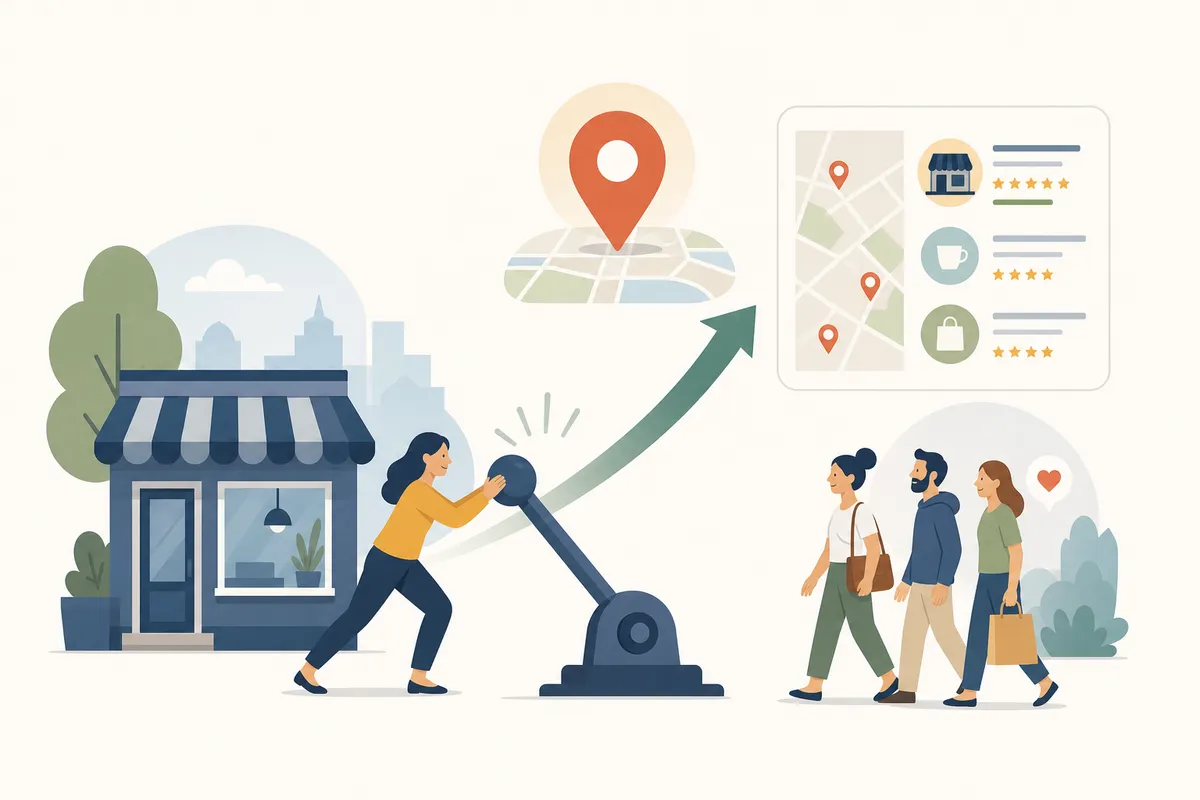
If your small business serves customers in a defined area, local SEO is usually the fastest path to visible results. That's because the competition is smaller and the intent is higher. Someone searching "coffee shop downtown" or "dentist near me" is often ready to visit today, not just browsing.
The scale of local intent is bigger than most owners assume. Nearly half of all searches on Google carry local intent. Of the people who perform a local search, 72% visit a store within five miles of where they searched from. Google itself has said that 46% of all Google searches are looking for local information. If your small business has any physical footprint or service area, ignoring local SEO means ignoring roughly half your addressable search traffic.
Claim and Complete Your Google Business Profile
Your Google Business Profile is free, and it's the single highest-leverage local SEO asset available to a small business. It's what puts your business on Google Maps and in the local pack. That's the map-and-listings block that appears above regular organic results for local searches.
Claim your listing if one already exists (search your business name first; many businesses already have an unclaimed profile). Or create one at business.google.com if it doesn't. Then fill out every section: business hours, phone number, website, category, and a detailed description. This isn't a box-ticking exercise. Businesses with complete Google Business Profiles are 70% more likely to be visited by users, according to Google. That's one of the largest single lifts available from a single, free action.
Add high-quality photos of your storefront, team, and products in action, and keep hours and contact details current, especially around holidays. An inconsistent or outdated listing undermines trust in exactly the moment a customer is deciding whether to visit.
Earn and Manage Reviews
Reviews do double duty. They influence whether a searcher clicks your listing, and they're a signal search engines weigh when ranking local results. Ask every customer for a review, not just the ones you know were thrilled. A steady, honest flow of reviews reads as more credible than a burst of five-star ratings all posted the same week. Share your review link in receipts, follow-up emails, or a simple in-store sign, and respond to reviews, good and bad. That responsiveness is itself visible to anyone reading them later.
Creating Content That Builds Trust
Search engines are trying to answer a searcher's question as directly and helpfully as possible. If your content genuinely does that, delivering the answer you promised in the title, it has a real shot at ranking. If it doesn't, no amount of keyword placement will save it.
This is where E-E-A-T comes in: experience, expertise, authoritativeness, and trustworthiness. It matters most in fields where getting it wrong has real consequences, like health, finance, or legal advice. But it shapes every kind of content. You demonstrate it through content written by someone with genuine knowledge of the subject. That content is backed by credible sourcing and free of vague, generic claims that could apply to any business in your industry. Search engines also use human search quality raters to help assess result quality. That's part of why publishing accurate, specific content consistently over time tends to outperform sporadic, thin posts.
Write for the person reading first, and the search engine second. Answer the question the page promises to answer, fully. Then use short paragraphs, subheadings, and bullet points so people can scan for the part they need. Cramming in your target keyword everywhere it doesn't naturally fit will hurt more than it helps. Both readers and search engines penalize content that reads as stuffed rather than written.
A content calendar built around your keyword research keeps this sustainable instead of sporadic. A six-step process for creating content built to last covers how to plan and produce content that keeps earning traffic months after it's published. That's different from content that spikes once and fades.
Earning Backlinks Without a Big Budget
Backlinks are links from other websites pointing to yours, and they remain one of the strongest ranking signals search engines use. Each one acts like a vote of confidence. When a credible site links to you, it tells search engines your content is worth pointing people toward. In a study by Backlinko, the number one ranking page had nearly four times more backlinks than the pages ranking below it. That gives a sense of how much weight this factor still carries.
Quality matters far more than quantity, and purchased links are a bad trade. Search engines can detect unnatural link patterns, and a cluster of spammy backlinks can hurt your ranking rather than help it. A handful of relevant, earned links will outperform dozens of low-quality ones.
For a small business, the realistic starting points are usually:
- Local directories, including chambers of commerce and industry-specific listings, which are generally easy to get and worth doing first.
- Local press and community sites, if you've launched something new, worked with a notable client, or contributed to a local event. Local outlets are often looking for stories to cover.
- Sponsorships and event support, since many event websites link back to their sponsors.
- Genuine partnerships with suppliers, complementary businesses, or industry associations that would naturally reference you.
Check your backlink profile every few months. If you spot links from sites that look spammy or unrelated to your industry, disavow them. That keeps them from dragging down a ranking you've worked to build.
How Long Small Business SEO Takes and What It Costs
SEO for small businesses is not instant, and anyone who promises overnight rankings is not being straight with you. If you're just starting out, or building a new site from scratch, plan on roughly six months before you see meaningful movement. That timeline gets shorter for businesses that already have some site history and content to build on. It stretches longer in genuinely competitive industries.
The upside is that SEO compounds. The work you do in the first few months makes every month after it easier. That's because you're building on a foundation instead of starting over. That's also why the effort you put in early makes it progressively harder for competitors who haven't started yet to catch up.
Cost depends entirely on how you approach it. There's a real range of options for a business with limited time or budget.
| Approach | Time You'll Spend | Cost Profile | Best Fit |
|---|---|---|---|
| Do it yourself | High; several hours weekly | Lowest, mostly your own time | Owners comfortable learning the process and writing content |
| Freelancer | Low to moderate; mostly review and direction | Mid-range, scales with scope | Businesses that want expert hands without agency overhead |
| Agency | Lowest; mostly strategic input | Higher, but includes a full team | Businesses that want to hand off execution entirely |
| SEO software plus in-house effort | Moderate; tool speeds up research and tracking | Budget-friendly subscription cost | Owners who want to DIY faster with fewer guesses |
If you're running SEO alongside everything else a small business demands, time is often the tighter constraint than money. A five-hour weekly plan built for small marketing teams shows how to make real progress without it swallowing your week.
Common Small Business SEO Mistakes to Avoid
Most of the small business SEO efforts that stall out fail for the same handful of avoidable reasons:
- Targeting keywords with no realistic chance of ranking. Going after broad, highly competitive terms before you have the authority to compete for them wastes months of effort.
- Publishing thin, generic content. A page that could describe any business in your industry gives search engines and readers nothing to trust.
- Ignoring mobile experience. If your site doesn't scale properly on a phone, it will underperform in search, since most searches now happen on mobile devices.
- Leaving your Google Business Profile incomplete or outdated. This is one of the easiest wins available, and skipping it leaves visibility on the table for free.
- Treating SEO as a one-time project. Search engines favor sites that post regularly and keep information current. A site optimized once and abandoned tends to lose ground over time.
- Buying backlinks or joining link schemes. This risks a manual penalty and can do lasting damage to your ranking.
If you want the fuller list, 16 common SEO mistakes worth avoiding walks through each one and how to fix it.
Tracking Results and Improving Every Month
SEO for small businesses only stays effective if you know what's working. Track three things at minimum. Track organic traffic to your site, where your target keywords rank, and how many of those visits turn into leads or sales. A page can rank well and still underperform if the content doesn't match what a ready-to-buy visitor actually needs. So watch conversions alongside rankings, not just rankings alone.
Review performance monthly rather than daily. Rankings fluctuate constantly, and reacting to every small dip wastes energy that's better spent on new content or fixing an actual problem. Look for patterns instead. Some pages sit close to page one and could use another push. Others have stalled and need a content refresh. And some keywords bring in traffic but don't convert, usually because of a mismatch between the page and what the searcher wanted.
Once you have a rhythm of publishing, optimizing, and reviewing results, the process starts compounding rather than starting over each month. A plan for ranking higher on Google that actually works is a useful reference once your foundation is in place. Use it once you're focused on climbing further. For the longer view, a playbook for leveraging SEO for growth that compounds is worth reading. Read it once you've got the basics running.
FAQs
How long does SEO take to work for a small business?
Plan on roughly six months before a new or newly-optimized site sees meaningful ranking movement. Sites with existing content and some history tend to move faster, while highly competitive industries can take longer. Results build on each other, so early work makes later progress easier.
How much should a small business budget for SEO?
It depends on the approach. Doing it yourself costs mostly time. A freelancer or SEO software sits in the middle. A full-service agency costs the most but hands off execution entirely. Most small businesses start with a mix: DIY basics plus a tool or freelancer for the parts that need more expertise.
Can I do SEO myself, or do I need to hire an agency?
Many small business owners handle the basics themselves, especially keyword research, on-page optimization, and Google Business Profile setup. Technical issues, competitive keyword strategy, or large-scale content production are where outside help tends to pay off. That's particularly true once the business has outgrown a do-it-yourself pace.
What's the difference between SEO and local SEO for a small business?
Local SEO targets location-based searches, like "plumber near me," and matters most to businesses with a physical location or service area. Small business SEO is the broader category, covering every keyword a business could realistically rank for, local or not. Most small businesses need both, in different proportions.
What's the single highest-impact SEO task for a small business just getting started?
For most local businesses, completing a Google Business Profile delivers the fastest return. It's free and directly tied to how often people visit. For businesses without a physical location, solid keyword research followed by a handful of useful, well-optimized pages is the better starting point.
See Exactly Where Your Site Stands
Reading about SEO for small businesses only gets you so far without seeing where your own site actually falls short. Take a look at a sample SEO report to see the kind of specific, prioritized findings a real audit surfaces. Then use it to decide which fix to tackle first.
Resources / References
Sources
About the author
SearchBlueprint researched, wrote and scored this article with the content pipeline our customers run on their own sites. The score in the byline is what our content engine gave this page before it published. Nothing here is reviewed by hand, which is the point: it is the product's output, published where anyone can check it.