How to Get Google to Crawl My Site: A Step-by-Step Fix
By Toy Wen Da, Co-Founder · Updated · 7 min read · scored 95/100
If you've searched how to get Google to crawl my site, the fastest fix is Google Search Console: run URL Inspection on the page, then click Request Indexing. That sends Googlebot a direct signal to visit. If the page still won't show up, the cause is usually a blocked robots.txt rule, a stray noindex tag, or an outdated sitemap.
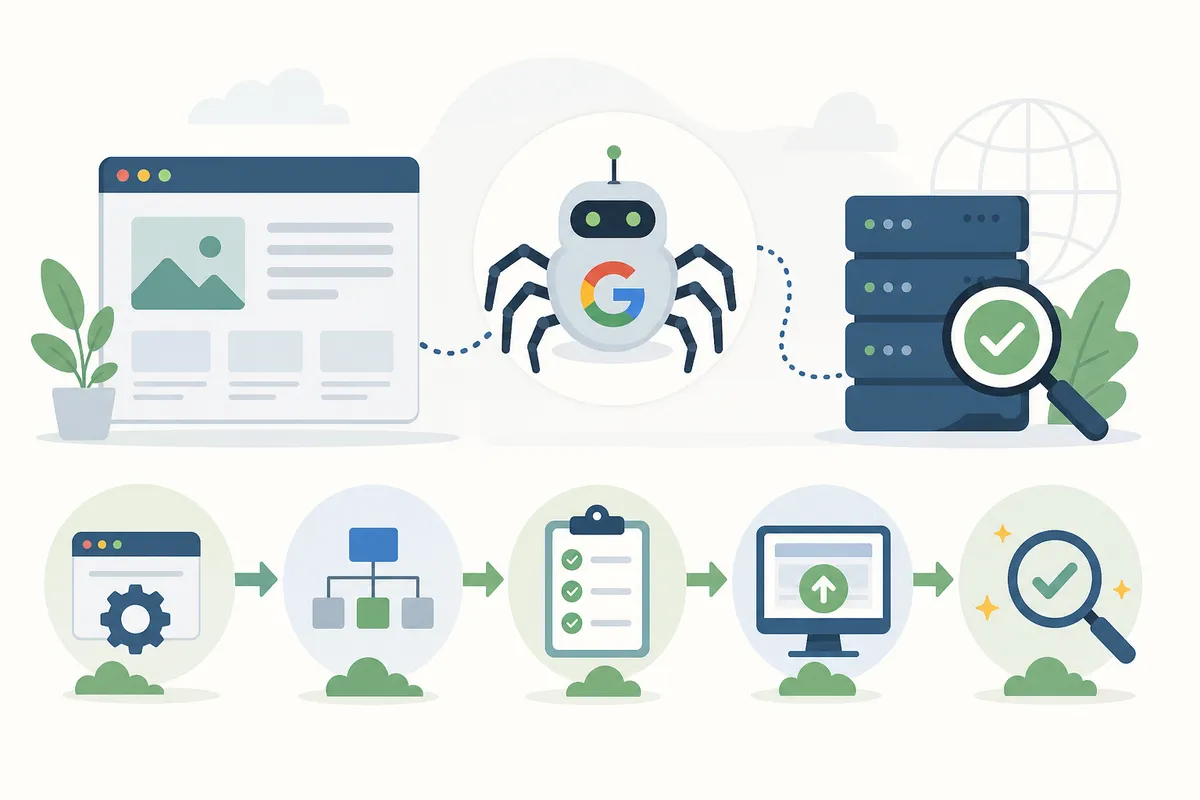
Before you start poking around in Search Console, it helps to see your page the way Googlebot sees it. SearchBlueprint's free Googlebot Simulator shows what a crawler receives when it requests your URL: the status code, the rendered content, and any redirect it follows. You'll know whether the problem is on your side before you touch a single setting.
Why Google hasn't crawled your site yet

Googlebot doesn't crawl every page on the internet on a fixed schedule. It prioritizes by how often a site changes, how many other pages link to it, and whether anything is actively stopping it from getting in. New sites, newly published pages, and sites with thin internal linking tend to wait the longest.
The most common causes
| Likely Cause | How to Confirm It | The Fix |
|---|---|---|
| robots.txt blocking the page | Check yoursite.com/robots.txt for a Disallow rule covering the URL |
Remove or narrow the disallow rule, then resubmit |
| A noindex tag or header | View page source for <meta name="robots" content="noindex"> |
Delete the noindex directive if the page should rank |
| Sitemap missing or stale | Search Console > Sitemaps shows an error or an old "last read" date | Regenerate the sitemap and resubmit it |
| No internal links pointing to the page | Check whether any other page on your site links to it | Add links from related pages or your navigation |
| Site is brand new with no inbound links | Search site:yourdomain.com and see few or no results |
Request indexing manually and build a few real external links |
If you run a local business site, your Google Business Profile is a separate matter. That listing lives in a different system from your website's crawl status, which is worth remembering if you also manage a profile through the Google Business Profile API.
Fix it inside Google Search Console

The steps below use the free tools Google already provides, and most people need nothing else.
Step 1: confirm the page is reachable
Open the URL Inspection tool in Search Console and paste in the exact URL. Three results matter: Crawl allowed? should say Yes, Page fetch should say Successful, and Indexing allowed? should say Yes. Google's own help documentation uses these labels to describe whether a crawler can reach and index a page. If any of the three fails, you've found your root cause, and it has nothing to do with crawl budget.
Step 2: request indexing
If the page passes those checks but still isn't in Google's index, click Request Indexing from the same URL Inspection screen. This adds the URL to a priority crawl queue. It isn't instant and it isn't guaranteed, but it's the fastest lever you control.
Step 3: submit or resubmit your sitemap
Go to Sitemaps in the left-hand menu, enter your sitemap path (usually /sitemap.xml), and click Submit. A sitemap tells Google which URLs exist and when they last changed, so it doesn't have to discover them purely through links. One agency guide on site indexing notes that adding a sitemap can cut the time Google takes to find new pages from around a full day to a few minutes, a rough illustration of why this step matters.
Step 4: check robots.txt and meta tags site-wide
A single blocked page is easy to fix. A pattern of blocked pages usually means a rule in your CMS or theme settings is applying noindex or disallow rules more broadly than intended, which is common after a site migration or a new SEO plugin install.
Step 5: strengthen internal links
Pages with no internal links are the hardest for Googlebot to find and the easiest to lose track of. Link to new or updated pages from your homepage, your navigation, or a related blog post, since Googlebot follows links the same way a reader would.
When Search Console is enough, and when it isn't

Search Console's free tools are good for small, specific problems and the wrong choice for anything systemic.
| Situation | Is Search Console Enough? | What To Do Instead |
|---|---|---|
| One new page isn't indexed yet | Yes, URL Inspection and Request Indexing usually resolve it within days | N/A |
| A handful of updated pages aren't reflecting changes | Yes, resubmit the sitemap and request indexing on each | N/A |
| Your entire site has stopped getting crawled | No, this points to a server, hosting, or robots.txt issue | Run a full technical crawl audit to find the blocking rule |
| Pages keep getting crawled but never indexed | No, this is usually a content quality or duplication signal, not access | Review thin or duplicate content, check canonical tags |
| The same pages drop out of the index repeatedly | No, a one-off request won't stick if the underlying cause returns | Fix the recurring technical issue, then monitor with regular audits |
For a one-off page, Search Console is all you need. If the same crawl problem returns every few weeks, look under the hood instead of clicking Request Indexing again and hoping.
Common mistakes that keep pages out of Google's index
- Treating indexing requests as a ranking tool. Getting crawled and indexed is not the same as ranking well, and the two have separate fixes.
- Resubmitting the same URL repeatedly. Clicking Request Indexing five times in a day doesn't speed anything up, because each click only queues the same request again.
- Forgetting mobile rendering. If Googlebot's mobile crawler can't render your content properly, it may treat the page as thin even though it looks fine on desktop.
- Ignoring server errors during traffic spikes. When your server returns errors to Googlebot during a busy period, repeated failures can reduce how often it comes back.
- Mixing up Google Business Profile visibility with site crawling. The two are different systems, and fixing one won't touch the other.
- Chasing reviews or local signals before the crawl problem is solved. Collecting reviews through your Google review link is worthwhile, but it won't get an unindexed page into search results.
FAQs
How long does it take for Google to crawl a new site?
There's no fixed timeline. A new site with no inbound links can take anywhere from a few days to several weeks for its first crawl. Submitting a sitemap and requesting indexing through Search Console shortens the wait but doesn't promise a specific date.
Does submitting a sitemap guarantee Google will crawl every page?
No. A sitemap tells Google which pages exist, but Google still decides which ones are worth crawling and indexing based on quality and links. Treat it as an invitation rather than an instruction.
Why does Google crawl my page but not index it?
This usually means Google found the page but judged it too thin, too similar to another page, or not yet worth adding to its index. Check for duplicate content and weak or missing internal links before resubmitting.
Can too many Request Indexing clicks hurt my site?
It won't hurt you, but it stops helping past a certain point. Search Console has a practical daily limit on manual requests, and pressing the button repeatedly doesn't move your page up the queue.
Is crawling the same thing as ranking on Google?
No. Crawling means Googlebot visited your page, indexing means it stored the page, and ranking means it decided where to place the page in results for a given search. Crawling is necessary but is only the first of those three steps. Once it's solved, the next challenge is getting your pages onto page one without relying on ads.
Check your crawl status today
Start with the page that matters most right now. Run it through URL Inspection, confirm that Crawl allowed and Page fetch both come back clean, then click Request Indexing. SearchBlueprint's free Googlebot Simulator pairs well with this if you want to see what Googlebot receives before you troubleshoot further. Once you've confirmed Google can reach your site, talk to the team for a full report on what's blocking your pages and what to fix next.
Related reading: Google Search Console Verification: A Step-by-Step Fix.
Related reading: Google Indexing API Explained: The GSC Fix to Try First.
Sources
About the author
SearchBlueprint researched, wrote and scored this article with the content pipeline our customers run on their own sites. The score in the byline is what our content engine gave this page before it published. Nothing here is reviewed by hand, which is the point: it is the product's output, published where anyone can check it.