Website Migration Cost: What You'll Really Pay in 2026
By Toy Wen Da, Co-Founder · · 9 min read · scored 95/100
Website migration cost depends on three things: your site's size, how much you're changing (just the host, or the platform and design too), and who does the work. A simple hosting move can cost nothing; a platform change for a 300-page site typically runs into the thousands.

Before you commit to a number, it helps to know what's actually on your current site. SearchBlueprint's technical SEO audit scans your pages, redirects, metadata, and structured data, and flags exactly what a migration would need to carry over so you're pricing the real job, not a guess.
What Actually Drives the Cost
Site size and page count
Every page, blog post, image, and database record adds hours to the job. A 15-page brochure site and a 500-page site with a decade of blog archives are not the same project, even on identical platforms. More content means more to inventory, more to test, and more that can go wrong silently.
Platform complexity
Custom post types, member logins, booking tools, or bespoke plugins all have to be rebuilt or carefully replicated, they rarely just copy over. Moving between closed, proprietary website builders and open platforms adds friction too, since content sometimes can't be exported cleanly at all.
Integrations and connected tools
Every payment processor, CRM, email platform, and analytics connection needs to be reconnected and verified after the move. The more integrations a site runs, the more places something can quietly break, and the more hours it takes to confirm it didn't. Payment connections carry extra weight here: the PCI Security Standards Council requires that any infrastructure change affecting how cardholder data is stored or transmitted be re-validated against PCI DSS before it goes live, not just reconnected and assumed fine.
Who does the work
DIY costs the least in cash and the most in your own time and risk. A freelancer sits in the middle. An agency prices by project, not by the hour, and usually bundles in testing and SEO handling that a lone freelancer often skips.

Website Migration Cost by Type

The type of migration you're actually doing matters more than any other single factor. Here's how the categories typically differ, based on current agency pricing guides and hosting providers' own published figures.
| Migration Type | What Changes | Typical Cost Driver | Who Usually Handles It |
|---|---|---|---|
| Hosting-only move | Same platform, same domain, new server | Often free through the new host; some providers charge roughly $30–$100 per site if you use a paid migration service | DIY or host's free migration team |
| Domain change | Same platform, new domain or URL | Nearly all cost is SEO work, redirect mapping, metadata, ranking monitoring | Freelancer or agency |
| CMS-to-CMS migration | New platform, content and templates rebuilt | Scales with page count and custom templates | Freelancer (small sites) or agency |
| E-commerce migration | Products, orders, payment and marketing integrations all move | Scales with SKU count and number of connected apps | Agency, almost always |
| Enterprise re-platform | Full stack rebuild, often headless, custom integrations | Custom engineering hours, not content transfer | Agency, multi-month project |
A plain hosting swap is the cheapest category by a wide margin, several major hosts bundle it in free specifically to win your business. One widely used host markets unlimited free migrations with its hosting plans, which start at a promotional rate under $2 a month before renewing near $11–$26 a month depending on tier. That's useful context: if your only need is a faster, cheaper host and nothing else is changing, you may be looking at close to $0 in direct migration fees.
Once you add a platform change, a redesign, or e-commerce functionality, the number moves fast. Industry pricing guides covering business website migrations put typical full-scope projects in the low thousands to tens of thousands of dollars range, with enterprise re-platforms clearing well beyond that once custom integrations are involved.
The SEO Cost Nobody Budgets For
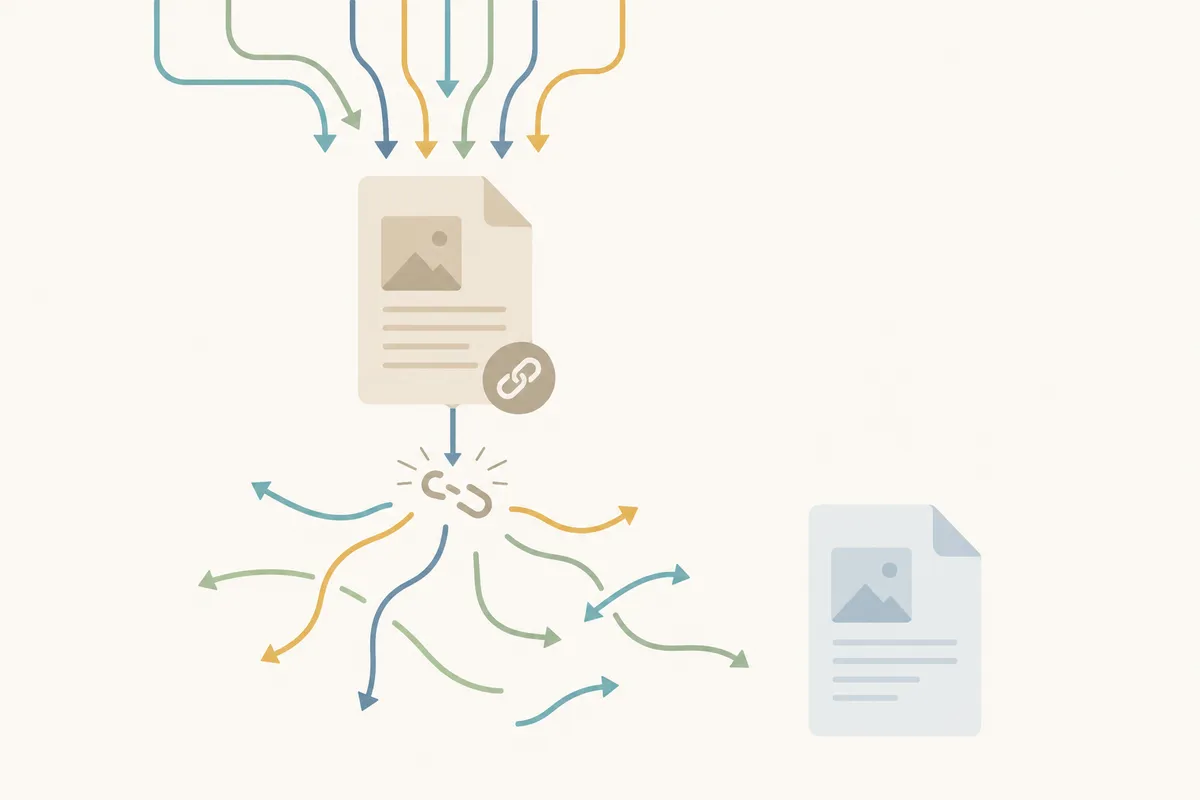
This is where website migration cost quietly doubles. A botched migration can lose a large share of your organic traffic, and that traffic doesn't always come back on its own. The usual causes are avoidable: missing redirects, URLs that changed with no mapping at all, metadata that never carried over, or a launch with no SEO check before or after it went live.
Google's own Search Central guidance is consistent on this point: when a site's URLs change, each old page needs a 1:1 redirect to its true new equivalent, not a blanket redirect to the homepage. Redirecting everything to one page tells search engines the old pages no longer exist, and you lose the ranking signal they'd built up.
Treat SEO preservation as insurance, not a line item to cut for a lower quote:
- Export a full list of your current URLs before anything moves.
- Map a specific redirect for every old page to its new equivalent.
- Carry over titles, meta descriptions, and structured data exactly, not approximately.
- Monitor rankings for several weeks after launch to catch and fix drops early.
If you want a structured version of this process, this SEO website migration checklist walks through each step in order. And if you want to see what a migration gone sideways actually looks like, and how it got fixed, this website migration case study covers real wins and losses from one.
DIY vs. Freelancer vs. Agency

| Option | Typical Cost | Risk Level | Best Fit |
|---|---|---|---|
| DIY | $0–a few hundred dollars (tools and plugins only) | High if platform or domain changes | Small, same-platform, same-domain moves |
| Freelancer | Hourly rate, varies widely by market and experience | Medium, depends heavily on their SEO know-how | Small to mid-size sites, straightforward platform changes |
| Agency | Project-based pricing, scales with scope | Low, usually includes QA and SEO handling | Platform changes, e-commerce, any site with real traffic to protect |
DIY is genuinely fine for a small WordPress site staying on WordPress, staying on the same domain, using a reputable migration plugin. Once you're changing platforms, changing domains, or running a store with real revenue on the line, mistakes get expensive fast, lost sales, lost rankings, and weeks of cleanup usually cost more than hiring help would have.
How Long a Migration Actually Takes
Timeline tracks closely with cost, since both scale off the same variables: site size, platform, and scope.
- Hosting migration: often finished same-day; one major host reports simple, automatic WordPress migrations typically done in under two hours.
- cPanel-based sites on other open-source CMS platforms: commonly over 20 hours of migration work.
- Small-business CMS migration: a few weeks is typical.
- E-commerce migration: several weeks, scaling with catalog size and integrations.
- Enterprise re-platform: months, not weeks.
On same-domain moves, rankings typically stabilize within four to six weeks post-launch. Domain changes take longer to settle, since search engines are reassessing a new domain's authority, not just re-indexing moved pages.
Platform-Specific Cost Wrinkles
Not every migration is equal just because the page counts match. Moving off a CMS with built-in SEO and publishing workflows, like HubSpot, brings its own set of redirect and metadata concerns that a generic WordPress-to-WordPress move doesn't. If that's your situation, this guide on protecting your rankings during a HubSpot migration is worth reading before you scope the project, since HubSpot-specific blog and landing page structures often need special handling.
Closed, proprietary website builders add their own wrinkle too: some can't be exported in a standard way at all, which means a "migration" off them is really a rebuild from scratch using the old site as a reference, not a data transfer.
When Free or DIY Tools Are Enough, and When They Aren't
Most hosting providers and CMS platforms include some kind of built-in export, import, or migration assistant in their dashboard or control panel. These tools are genuinely good for narrow, low-risk jobs: moving one page, duplicating a single post type, or transferring a small site between accounts on the same platform.
They stop being enough the moment any of these apply:
- You're changing the domain, not just the host.
- You're changing the CMS or platform, not just moving the same files.
- The site includes an online store, member accounts, or custom functionality.
- It's a recurring need (agencies managing client migrations) rather than a one-off.
- Real organic traffic and revenue depend on the pages that are moving.
A free plugin or a built-in import tool can move your files. It generally won't map your redirects intelligently, preserve your structured data, or catch a ranking drop two weeks after launch. That gap is exactly where a proper audit and a monitored rollout earn their cost.
Common Mistakes That Drive the Price (and the Risk) Up
- Skipping a content audit first. Every outdated or duplicate page you migrate is one more page to move, test, and potentially pay for. Pruning before you move cuts cost.
- Redirecting everything to the homepage. It's faster to set up and far worse for rankings than a true page-to-page map.
- Bundling a redesign into the migration. It feels efficient but doubles the variables you're testing at once, new design and new infrastructure, simultaneously.
- Changing URLs with no real benefit. Unnecessary URL changes create redirect work and SEO risk for nothing in return.
- Accepting an open-ended hourly estimate. A fixed-scope quote forces a clear conversation about what's included, redirects, testing, post-launch monitoring, before work starts.
- Skipping staging entirely. Testing on a staging environment before the live switch catches broken forms and missing redirects while they're still private.
FAQs
Does website migration cost anything if I'm just switching hosts?
Often very little or nothing. Many hosting providers include migration free with a new plan to win your business. Some third-party migration services charge roughly $30–$100 per site if you'd rather not do it yourself or your host doesn't offer it.
Why is a platform change so much more expensive than a hosting move?
A hosting move just relocates the same files. A platform change requires rebuilding or converting templates, content structures, and functionality, which is far more labor-intensive and is where most of the real website migration cost sits.
Will migrating my website hurt my SEO rankings?
It can, usually because of missing redirects, lost metadata, or no post-launch monitoring, not because migration itself is inherently risky. A full redirect map and several weeks of tracking after launch largely prevent the common losses.
How much does it cost to migrate an e-commerce site specifically?
E-commerce migrations cost more than content-only moves because products, orders, customer accounts, and every payment or marketing integration have to move and keep working. Catalog size and the number of connected apps are the biggest cost drivers.
Should I redesign my site at the same time as migrating it?
You can, but it roughly doubles what you're testing at once. Many teams migrate as-is first to get a stable baseline, then redesign afterward as a separate project with less risk.
Get a Number You Can Actually Trust
Every range above moves depending on your platform, your page count, and how much of the SEO work you protect along the way. Before you accept a quote, run SearchBlueprint's technical SEO audit on your current site so you know exactly what needs to survive the move, redirects, metadata, structured data, and the pages actually earning your traffic today. Talk to the team to see what that looks like for your site before you lock in a website migration cost you can't walk back from.
Resources / References
Sources
- Free website migration | Transfer a site to ...
- [How Much Does a Website Migration Cost? 2026 Pricing)
- Website Migration Cost Calculator
About the author
SearchBlueprint researched, wrote and scored this article with the content pipeline our customers run on their own sites. The score in the byline is what our content engine gave this page before it published. Nothing here is reviewed by hand, which is the point: it is the product's output, published where anyone can check it.