SEO for Photographers & Creatives: A Complete Guide to Getting Booked
SearchBlueprint · · 12 min read · scored 92/100
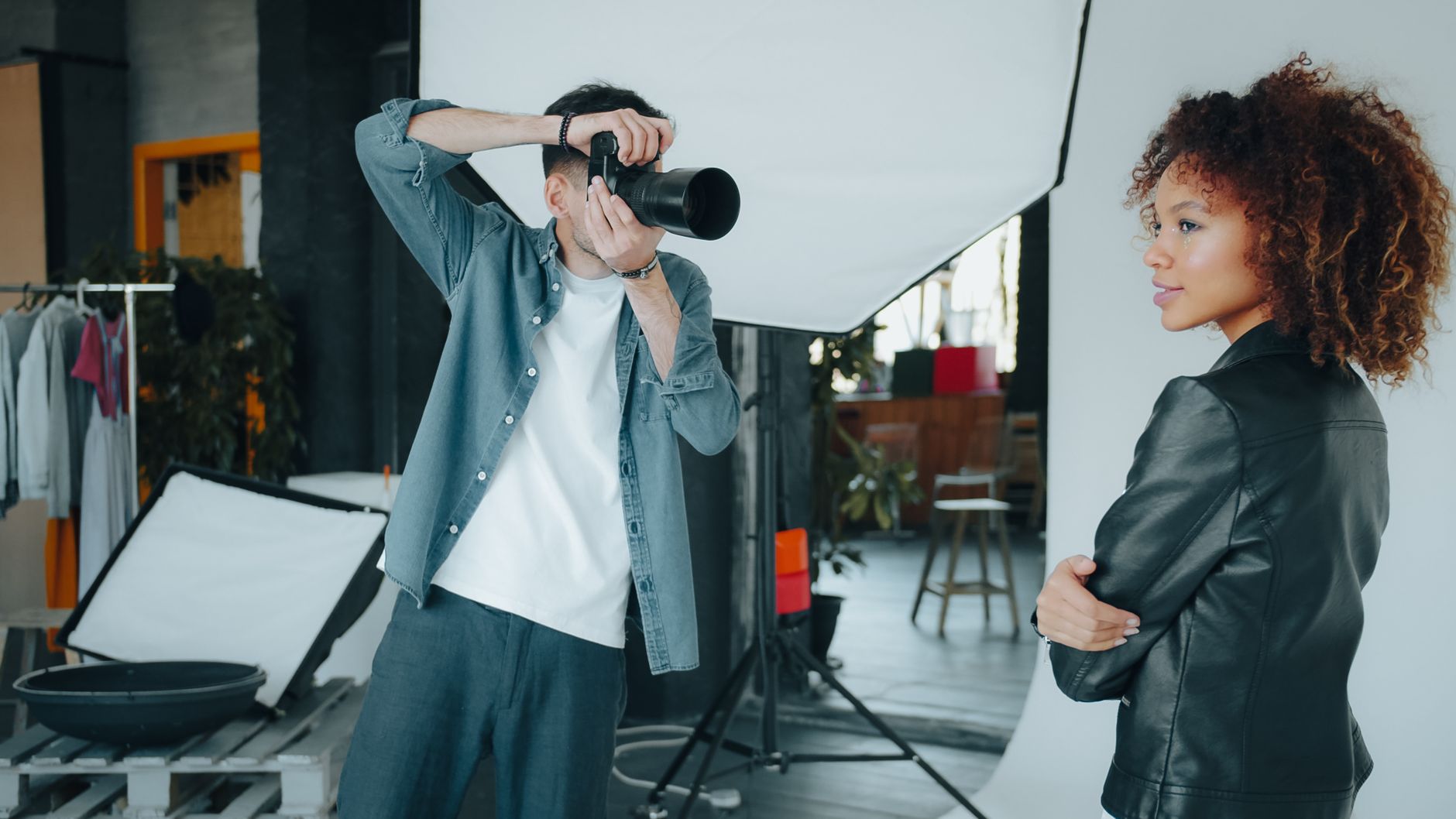
SEO for photographers & creatives works best when you stop optimizing your portfolio and start optimizing for the questions clients type before they hire: location keywords on your service pages, descriptive image file names and alt text, planning-stage blog posts, and backlinks from venues, vendors, and directories. Do those four things consistently and Google becomes your steadiest source of inquiries.
The proof is public. Elopement photographer Maddie Mae of Adventure Instead reports booking over $4.1 million in photography services through her website, with more than 50% of those bookings coming from SEO, and 1–3 inquiries per day without running ads. Her average booked package sits at $14,000+ per client. That's one photographer, but her annual poll of a community of over 25,000 photographers finds SEO is consistently the #1 lead source for wedding and elopement photographers.
Why SEO Matters More for Creatives Than Almost Anyone Else
Your business has a structural advantage most industries would kill for: your clients research heavily before buying, and they do it on Google.
According to The Knot's Real Wedding Survey, 90% of wedding planning happens online, 73% of couples use Google to find and plan with vendors, terms like "wedding photographer" see 70,000+ monthly searches, and 66% of couples use Pinterest for inspiration. By the time a couple contacts a photographer, they're already most of the way through their decision. The photographer whose website answered their planning questions is the one they contact.
The same pattern holds for brand photographers, illustrators, videographers, and designers. Clients search "product photographer for skincare brand" or "branding photoshoot what to wear" long before they request a quote. If your site shows up during that research, you enter the shortlist with trust already built.
There's also a cost argument. Organic results are widely reported to earn many times more clicks than paid ads, figures like 20x more on desktop and 10x more on mobile are often cited in the photography SEO community, and paying for Google Ads does nothing to improve your organic rankings. Ads stop the moment your card declines. A ranking blog post can send inquiries for years.
The Keyword Strategy: Local Intent, Niche Intent, Planning Intent

Effective SEO for photographers and creatives targets three distinct kinds of searches, and each needs a different type of page. Chasing only "your city + photographer" leaves most of your potential traffic on the table.
| Keyword type | Example search | Searcher stage | What to build |
|---|---|---|---|
| Local service keyword | "family photographer in Durham" | Ready to hire, comparing providers | A dedicated service page with pricing context, portfolio, and FAQ |
| Niche specialty keyword | "documentary newborn photography" | Knows the style they want, choosing a specialist | A style-specific page or portfolio section that names the niche explicitly |
| Planning-stage keyword | "best free places to elope in Washington" | Researching, not yet hiring | A genuinely helpful blog post that positions you as the local expert |
| Question keyword | "what to wear for outdoor family photos" | Booked or nearly booked, preparing | A prep guide that ranks and gets shared by other vendors |
Why planning-stage keywords are the sleeper hit
The most instructive stat from Maddie Mae's published results: 95% of her website traffic comes from pages that aren't her homepage. Her clients found her by Googling things like "small family wedding ideas," "what states allow self-solemnization?" and "best free places to elope in Washington", not "elopement photographer." The resource earned the trust; the booking followed. She's booked clients at every price point from $1,500 weddings to $15,000+ high-end elopements, and credits SEO as the biggest source across all of them.
How to pick your first keywords
Start with what you'd want a stranger to say about you: your specialty, your style, your city. Then check the balance of demand and competition. If you're in a saturated metro, target neighborhoods or nearby towns. If you're in a small market, target the larger cities within driving distance that you'd happily serve. One page per primary keyword, two pages chasing "Austin wedding photographer" will compete with each other and neither will rank well.
On-Page SEO for Photographers: Speak to Google and Clients at Once
The hardest part of a creative's website is that it must speak two languages. Google needs plain, literal descriptions. Clients need emotion. The fix is structural, not stylistic.
The H1/H2 split
Your H1 should be blunt and literal: "Newborn Photographer in Charleston, South Carolina." That single line tells Google exactly what the page is. Your H2 is where you write for humans: the emotional line about preserving how this season truly felt. And here's the design trick many photographers miss, your H1 doesn't have to be the biggest text on the page. Style the emotional H2 larger and let the H1 do quiet SEO work. Both matter: the H1 helps people find you; the H2 helps them want to book you.
Title tags and meta descriptions
Your title tag is the clickable headline in search results; keep it around 50–60 characters and lead with the keyword. Your meta description is the summary beneath it; aim for roughly 150–160 characters that describe the page and give someone a reason to click. These two lines are your ad copy in the search results, write them deliberately, not as an afterthought. Before any page goes live, it's worth running it against a proper pre-publish on-page checklist so titles, headings, and metadata all pull in the same direction.
Add an FAQ section to every service page
Search engines exist to answer questions, so pages that visibly answer real client questions get treated as useful. Skip the generic ones. Write FAQs only you could write: "What happens if my newborn needs to feed mid-session?" "How do you handle a toddler who won't cooperate?" Each answer is a natural place for phrases like "newborn photography session" plus your location, without stuffing.
Write actual words on your pages
Google reads; it doesn't see. A portfolio page with 20 images and no text gives Google almost nothing to rank. Add descriptive copy: what the session experience is like, where you shoot, who it's for. Guidance from Google Search Central is consistent on this point, its systems rank pages based on the content they can crawl and understand, and imagery alone doesn't carry the semantic weight text does.
Image SEO: Your Biggest Asset Needs Labels
For a visual business, image optimization is disproportionately valuable, and disproportionately neglected.
- File names. Rename before upload.
mother-holding-newborn-baby.jpgtells Google something;DSC_456789.jpgtells it nothing. Use hyphens between words, and align file names with the page's target keyword so the page and its images reinforce each other. - Alt text. Describe the image as if explaining it to someone who can't see it: "Father holds infant daughter in a country field at sunset during a lifestyle family session." Alt text serves accessibility first and SEO second, the W3C's image accessibility guidance treats it as a requirement for meaningful images, so write it for the human and the keyword benefit follows naturally.
- Compression. Oversized files slow your site, and slow sites lose both rankings and visitors, load performance is measured directly by Google's Core Web Vitals. Export web-sized versions from Lightroom or Photoshop, and curate ruthlessly, one sharp hero image plus a tight selection beats 40 full-resolution files fighting your load time.
If you also sell prints, presets, or albums through a storefront, the same image discipline applies to product pages, e-commerce SEO for Shopify and BigCommerce stores follows the same logic of descriptive titles, real copy, and fast-loading imagery, just applied to products instead of sessions.
Blogging That Books Clients (Not Just Fills a Feed)
Blogging is the engine behind almost every photographer SEO success story, but most photography blogs fail because they all say the same thing. "What to wear." "How to prepare." Those posts aren't wrong, they're just indistinguishable.
Write what only you can write
The posts that stand out are tied to your way of working: how you calm a fussy baby mid-session, what actually happens when a toddler goes rogue, why you build in extra time for nursing breaks. These posts do double duty, they use the phrases clients search for while showing exactly what hiring you feels like.
Write for the planning phase
Location guides, venue roundups, legal how-tos ("how to get a marriage license in Colorado"), seasonal timing advice. This is the content that captured those "best free places to elope" searches and turned them into $14,000+ bookings. You control who you attract by what you choose to answer.
Can AI help you blog faster?
Honestly, yes, with guardrails. AI drafting can handle the structural, informational scaffolding of a location guide, but the client stories, opinions, and behind-the-scenes detail must be yours, because that's the part that converts and the part Google's helpful-content standards reward. The practical split between when AI content works and when a human writer is worth it matters more for creatives than most businesses, since your voice is the product. If you do use AI drafting, learn how to use AI writers without hurting your rankings before publishing anything at volume, thin, generic AI posts are worse than no blog at all.
Backlinks and Local Authority for Creatives
When other sites link to yours, Google reads it as a vote of trust. Photographers and creatives have more natural link opportunities than most small businesses, you just have to collect them.
| Link source | Effort | SEO value | How to get it |
|---|---|---|---|
| Venue and vendor features | Low | High, locally relevant and editorial | Send venues, planners, and florists a gallery from your shoot; ask for a credit link when they feature it |
| Photography directories (Behance, 500px, industry directories) | Low | Moderate, plus referral traffic and credibility | Submit your portfolio; keep profiles complete and consistent |
| Guest posts and interviews on industry blogs | Medium | High, topical authority | Pitch a specific, useful angle, not "can I guest post?" |
| Local business partners (doulas, boutiques, studios) | Medium | High for local rankings | Cross-refer and cross-link with businesses serving the same clients |
| Publication features ("as seen in") | High | High, strong trust signal | Submit real weddings and shoots to blogs and magazines in your niche |
One caution the industry keeps re-learning: vendor directory scams exist. If a directory demands ongoing fees purely for a link and sends no real traffic, skip it. A handful of genuine venue links beats fifty paid directory entries.
Also fix your broken links. Dead links quietly erode the credibility signals you're working to build, and cleaning them up is one of the first things any professional audit flags.
Tracking Results Without Drowning in Data
SEO for creatives is a long game, so you need honest measurement or you'll quit right before it works.
Set up Google Search Console and Google Analytics, both free. Watch three things monthly: which queries show your pages, which pages earn clicks, and whether inquiries mention finding you on Google (ask on your contact form). When a post performs, expand and update it rather than always writing something new; the top-ranking photography SEO guides are almost all updated regularly, some maintained for years, one leading guide was first posted in April 2023 and refreshed in October 2025, and it still ranks.
If you'd rather follow a structured plan than improvise, a step-by-step SEO roadmap built for business owners removes the "what do I do this month?" paralysis. And if you're a studio, collective, or marketing consultant handling SEO for multiple photographers, agency-grade SEO strategy tooling lets you run the same playbook across every client site without rebuilding it each time.
DIY or hire help? An honest answer
Most photographers can and should do the core work themselves: keyword-aligned page titles, image naming, alt text, service-page copy, and a blog with real expertise. That's 80% of the results, and nobody can write your behind-the-scenes content but you. Consider paying for help when you hit technical problems (site speed, indexing issues, migrations), when you're in a brutally competitive metro, or when you simply won't publish consistently without accountability. A bad "SEO expert" who changes nothing measurable is worse than doing it yourself slowly.
FAQs
How long does SEO take to work for a photography website?
Typically months, not weeks. New pages need time to be crawled, indexed, and trusted, and competitive local terms take longer than long-tail blog topics. Planning-stage blog posts often rank fastest because fewer photographers target them, which is why they're the smartest place to start.
Do photographers really need a blog to rank on Google?
You can rank service pages for local terms without one, but a blog is how you capture the research phase, where the reported 90% of online wedding planning happens. Photographers with the strongest published SEO results consistently report that most traffic and inquiries come from blog and resource pages, not the homepage.
Does posting on Instagram or Pinterest improve my SEO?
Not directly, social links don't function as ranking votes. But 66% of couples use Pinterest for wedding inspiration, and social profiles drive traffic, brand searches, and discovery that indirectly feed your SEO. Treat social as a companion channel, not a substitute for a search-optimized website.
What keywords should a photographer target first?
Start with one local service keyword per specialty page ("maternity photographer in [city]"), then add planning-stage blog keywords your ideal clients search before hiring ("best sunrise photo locations in [region]"). Target exactly one primary keyword per page so your own pages never compete with each other.
Is SEO better than Google Ads for photographers?
For long-term lead flow, generally yes. Organic listings are widely reported to earn far more clicks than ads, ads stop producing the moment you stop paying, and paid campaigns don't improve organic rankings. Ads can bridge the gap while your SEO matures, but they shouldn't be the permanent plan.
Audit One Page This Week
Pick your most important service page and check it against the basics in this guide: literal H1, 50–60 character title tag, descriptive image file names, real written copy, and a personal FAQ section. That single audit usually surfaces a month's worth of fixes, the same fixes that make SEO for photographers & creatives actually move bookings. If you'd rather see exactly what a professional audit surfaces before you commit to anything, look at a sample SEO report and talk to the team about running one for your own site.
Resources / References
- The Knot's Real Wedding Survey
- Google Search Central
- W3C's image accessibility guidance
- Google's Core Web Vitals
Sources
- SEO for Photographers
- SEO for Photographers and Creatives: How to Rank Higher ...
- Whats your strategy for SEO as a photographer
- SEO for Photographers: 8 Steps to Rank #1 on Google + ...
- Photographer's Guide to Simplified SEO
Disclaimer: This article is general information about rules and figures that applied when it was written, not personalised financial, tax or investment advice. It does not take account of your income, obligations, risk tolerance or goals, and rates and thresholds change. Verify the current position with the relevant authority, and speak to a licensed adviser or a qualified accountant before acting.
About the author
SearchBlueprint researched, wrote and scored this article with the content pipeline our customers run on their own sites. The score in the byline is what our content engine gave this page before it published. Nothing here is reviewed by hand, which is the point: it is the product's output, published where anyone can check it.