Search Google or Type a URL: What It Means and When Each Wins
SearchBlueprint · · 13 min read · scored 92/100

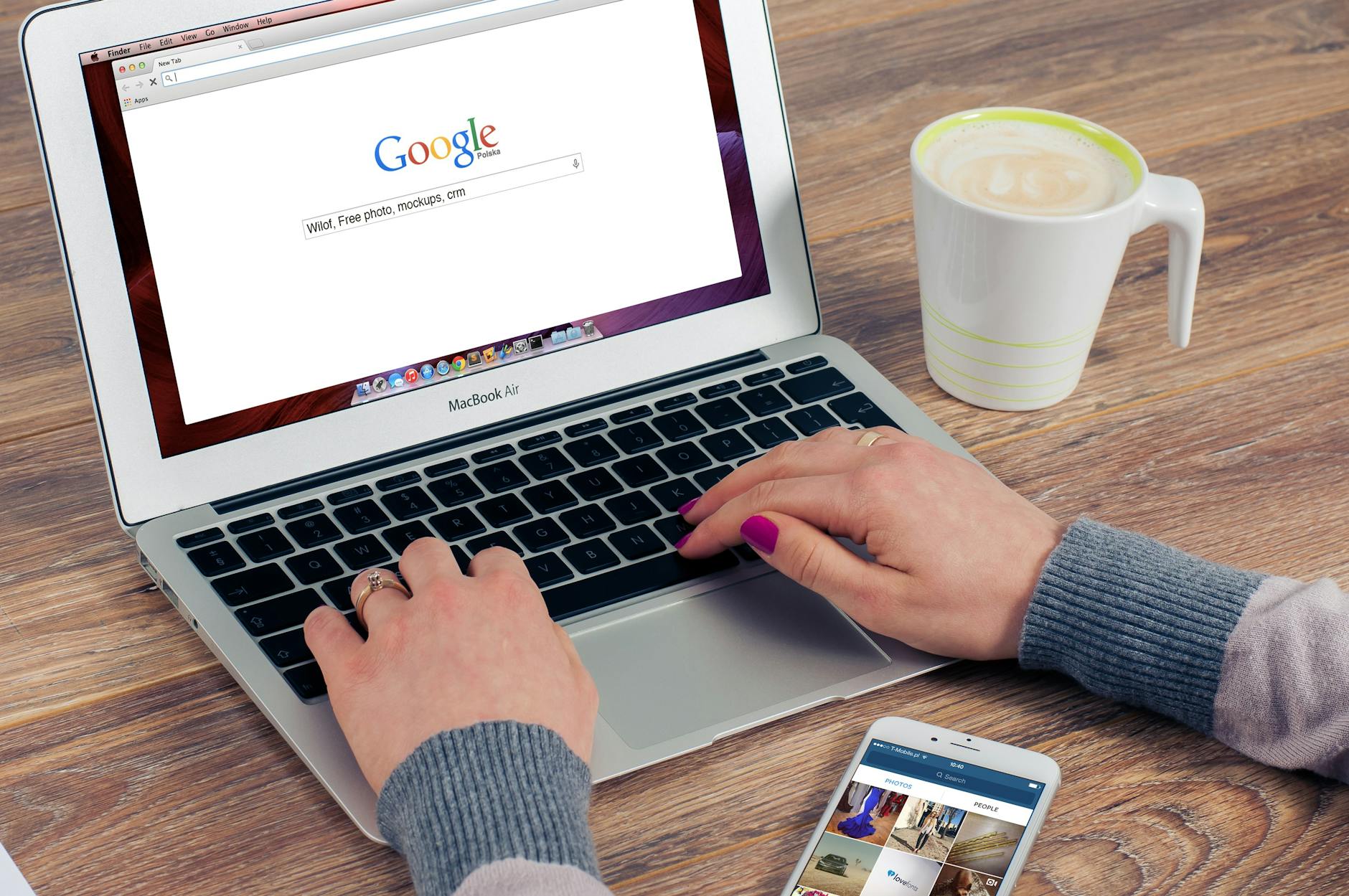
"Search Google or type a URL" is the placeholder text in Chrome's empty address bar, and it means the bar does two jobs. Type words and Chrome runs a Google search. Type a web address and Chrome opens that site directly. It is not an error, a setting you need to change, or a virus.
The rest of this guide explains how the bar decides between those two jobs, which one gets you where you are going faster, how to fix the bar when it starts doing things you did not ask for, and what all of this means if you own a website. The examples use Chrome, but Edge, Firefox, and Safari behave the same way with different wording.
What "search Google or type a URL" really means
Older browsers gave you two fields at the top of the window: an address bar for web addresses and a separate search box beside it. You had to decide which one to use before typing a single letter. The Chromium project's design notes describe that choice as a small but real mental burden, and Chrome removed it by merging the two fields into one. That merged field is the omnibox, and the placeholder phrase is its label for the two kinds of input it accepts.
The text disappears the moment you start typing. There is no setting that hides it, because it is part of the browser's interface rather than a message aimed at you. You will see it in the address bar and again in the search box on Chrome's new tab page, sometimes in a different wording such as "Search or type web address." The meaning stays the same.
Every major browser copied the design. Edge and Firefox route searches and addresses through one bar, and Apple's documentation calls Safari's version the Smart Search field. Advice written for Chrome transfers to the others almost unchanged.
The omnibox also handles small jobs that never deserve a full page load. It can answer simple math and unit conversions inside the suggestion list, and Chrome can search your open tabs, bookmarks, and browsing history from the same box.
What counts as a URL
A URL, short for Uniform Resource Locator, is a web address. MDN Web Docs describes it as the address of a unique resource on the web. A complete one has five parts, though you almost never type them all.
| Part | Example | What it does |
|---|---|---|
| Protocol | https:// | Sets how the browser connects, with encryption in this case |
| Domain | www.example.com | Names the website |
| Path | /pricing | Points to one page on that site |
| Parameters | ?ref=nav | Passes extra information the page can read |
| Fragment | #reviews | Jumps to a marked section partway down the page |
For everyday browsing the domain is enough. Type wikipedia.org and the browser fills in the rest.
How the browser decides between searching and navigating
The bar does not read your mind. It applies pattern rules, and Chromium's documentation spells them out. Input with a dot, a slash, or a recognizable domain shape is treated as an address. Several words are treated as a search. A single bare word is the ambiguous case, and it usually becomes a search.
| What you type | What happens | Why |
|---|---|---|
| wikipedia | Usually a Google search | A single word is ambiguous |
| wikipedia.org | The site opens directly | The dot makes it read as an address |
| how to fix a leaking tap | A Google search | Several words read as a question |
| support.mozilla.org | The site opens directly | A subdomain pattern the browser recognizes |
This is why typing a company's name on its own can leave you on a results page instead of the company's site. To the browser, the name is one ambiguous word. Add the ending and the guess becomes certain.
Your own history shortens the guesswork. Firefox autocompletes addresses you have visited before, drawing on history, bookmarks, and open tabs, so pressing Enter takes you straight to a site it recognizes. Chrome behaves the same way with pages you open often.
There is also a shortcut for the bare-name problem. In Chrome on Windows and Linux, typing a name and pressing Ctrl+Enter wraps it in www. and .com, so "facebook" plus Ctrl+Enter opens www.facebook.com with no results page in between. On a Mac the combination is Ctrl+Return.

What happens while you type
Where the suggestions come from
The bar starts working before you press Enter. Chrome builds its suggestion list from your browsing history, bookmarks, open tabs, and your default search engine, and the sites you visit most often appear near the top. Type the first two letters of a site you open every morning and the full address is usually highlighted before you reach the third. Firefox weighs how often and how recently you picked each result, so its guesses sharpen the longer you use it.
Chrome can go beyond suggesting. It may connect to your search engine in the background while you type, and when it is confident about your destination, it can load the page before you finish. A site you visit daily sometimes appears the instant you press Enter for exactly this reason.
Google's search predictions follow popularity, which is why a brand-new or rarely used term sometimes brings up no suggestions at all. Terms that break Google's policies are filtered out entirely.
What leaves your keyboard
The convenience has a price. Google's Chrome documentation notes that with the improved search suggestions setting switched on, what you type in the bar is sent to your default search engine as you type, together with your IP address and relevant cookies. That includes queries you delete before ever pressing Enter. The settings section below covers the off switch.
The microphone is part of the same bar
Chrome takes spoken queries too. Click the microphone icon, grant permission once, and speak; results come back like any typed search. Spoken queries tend to arrive as full questions rather than clipped keywords, which is one reason voice search changes how modern SEO strategies handle keywords.

Search Google or type a URL: which is faster?
Neither wins everywhere. A typed address is one hop: the browser resolves it and the page loads. A search inserts a results page in the middle, and that middle page is the point when you do not know the destination.
| You want to | Better option | Why |
|---|---|---|
| Open a site you use daily | Type the address | One step, and no risk of clicking a lookalike result |
| Compare products or read reviews | Search | A results page lines up options you did not know existed |
| Find a page you half remember | Search | The engine matches partial and misspelled wording |
| Reach your bank or any login page | Type the address | Skipping the results page sidesteps phishing lookalikes |
| Learn how something works | Search | There is no single destination yet |
Accuracy follows the same split. A typed address lands exactly where you aimed if you spell it correctly. A search forgives typos and vague wording, then asks you to judge the results yourself.
Time and data lean the same way. A search loads the results page first, then the page you wanted. Two loads instead of one. That rarely matters on fast wifi, but on a slow or metered connection the typed address skips the detour entirely.
Phones tilt the balance toward searching. Typing a full address on a glass keyboard is clumsy, so mobile visitors lean on search and tapped suggestions, and Google evaluates sites with those visitors in mind. Pages that fail what Google checks for mobile-friendliness lose exactly the visitors least likely to type an address.
The two paths also describe two audiences for anyone who owns a website. Visitors who type your address already know you. Visitors who search are still choosing, and rankings decide whether they ever see you. Growing the second group starts with measuring how visible your site is when people search.

Address bar tricks worth keeping
Narrow a search before you run it
Two operators cover most needs. Quotation marks around a phrase return pages that contain that exact wording. The site: operator limits results to one website, so site:nytimes.com sports finds sports coverage on that single domain. Write it without a space after the colon or it will not work.
Find something you already saw
Ctrl+F on Windows, or Cmd+F on a Mac, searches inside the page you have open and highlights each match, with markers in the scrollbar showing where they sit. For pages you closed, the omnibox can search your history, bookmarks, and open tabs directly, which beats scrolling through a crowded tab strip.
Remove a suggestion that keeps winning
When autocomplete keeps grabbing the wrong result, delete it. Highlight the offending suggestion with the arrow keys and press Shift+Delete. Chrome and Firefox both support this, and it retrains the bar faster than ignoring the bad guess.
Ask about the page you are on
Newer Chrome builds go past matching text. With Google as the default engine, clicking the address bar while a page is open can offer "Ask Google about this page," which opens a side panel where you can ask questions about the content. Google Lens works from the same bar, so you can select part of a page, a product photo for instance, and search with the image instead of words.
How to change what the bar does
Change the default search engine
The placeholder names Google because Google is Chrome's default engine, not because the choice is fixed. Every major browser lets you swap the default from its settings, under a section named something close to "search engine." Pick a different provider and every search from the bar goes there instead. Chrome also lets you set site search shortcuts, so a keyword of your choosing searches one specific site straight from the bar.
One caveat before you decide something is wrong: on a work or school machine, administrators can lock these settings. Chrome documents that managed devices may have admin-controlled search engines, so options that refuse to change on a company laptop are usually policy rather than malware.
Turn off search suggestions
Suggestions are useful, and they are talkative, as covered above. Switching off search suggestions in your browser's privacy settings keeps your typing on your machine until you press Enter, at the cost of losing the predictions. You keep autocomplete from your own history and bookmarks, since those live locally. Firefox, Edge, and Safari have equivalent toggles. On a shared computer, the trade is usually worth it.
When the address bar misbehaves
You typed an address and got search results
Three causes account for nearly all cases. The input was ambiguous, usually a single word without a domain ending. Autocomplete highlighted a search suggestion at the moment you pressed Enter. Or a setting changed underneath you. The first two are quick fixes: type the full domain, remove the bad suggestion with Shift+Delete, or start the input with https:// so the browser cannot mistake it for a query.
The search engine changed by itself
Take this one seriously. Chrome's help pages warn that an unexpected search engine change can be a sign of malware, and Firefox publishes a support guide on browser hijacking, where third-party software rewrites browser settings to push ads, paid links, or fake results. Hijacking rarely announces itself. It shows up as a homepage you did not set, a toolbar you did not install, redirects to unfamiliar pages, or settings that revert every time you correct them.
Work through the fixes in order:
- Remove extensions you do not recognize. Extensions can change the default engine quietly, and they are the most common cause.
- Reset the browser's settings to their defaults.
- Scan the computer for malware.
- On a company device, ask IT before doing any of this. Locked settings there are usually deliberate.
What the address bar means for your SEO
Every visit to your website starts in this bar, which makes the placeholder phrase a decent summary of your traffic. Visitors who type your address are direct traffic: people who already know you, whose arrival no ranking can prevent. Visitors who search are undecided, and results pages decide whether they find you or a competitor. SEO is the contest for that second group.
Brand searches are navigation in disguise
Remember that single words usually become searches. A person who types your company name into the bar is trying to reach you, but they will travel through a results page to get there. If your site does not rank clearly first for your own name, with the right pages listed beneath it, some of those almost-customers land somewhere else. Google's documentation at Google Search Central explains how its crawling, indexing, and ranking systems choose what appears, and it is a better reference than folklore when you want to know why a page ranks where it does. The same documentation set includes Google's Search Essentials, which lists the technical requirements and spam policies a page has to meet before it can appear in results at all.
The bar is becoming an AI surface
The address bar no longer leads only to a list of links. Chrome has started placing an AI Mode entry beside the bar on the new tab page, where a typed question returns a composed answer instead of a results page. It requires signing in and is reaching users outside the US gradually.
For a site owner this changes the test. A composed answer cites a handful of sources, so the question shifts from "do we rank" to "do we get cited," and it is worth understanding what AI search engines mean for your SEO strategy before the shift reaches your market. A practical first step is checking your pages against the signs that content is not ready for AI search.
Service businesses live on the searched half
A local service company rarely has its address typed by strangers. Nobody memorizes an electrician's domain before an emergency; they search, pick from what appears, and call. Rankings carry the whole pipeline for businesses like that, which is why a guide on how electricians book more jobs from Google reads as a template for plumbers, locksmiths, and cleaners too. If most of your customers find you by searching, the searched half of the bar is where your growth comes from.
FAQs
Is "search Google or type a URL" a virus?
No. It is the default placeholder text Chrome shows in an empty address bar, and it disappears as soon as you type. The genuine warning signs are different: redirects you did not ask for, pop-ups, or a search engine you never chose. Those point to a rogue extension or malware, and they need fixing whether or not the placeholder is visible.
Can you remove the placeholder text from the address bar?
No. It is part of the browser's interface, not a setting. What you can change sits behind it: the default search engine, your startup page, whether suggestions appear, and which extensions run.
Why does typing a site's name run a search instead of opening the site?
A single word is ambiguous, so the browser treats it as a query. Add the domain ending, as in example.com, and the site opens directly. In Chrome on Windows, typing the bare name and pressing Ctrl+Enter adds www. and .com for you.
Do other browsers show the same message?
The wording varies and the behavior does not. Edge and Firefox run searches and addresses through one combined bar, and Safari does the same in what Apple calls the Smart Search field. Tips written for Chrome's omnibox apply to the others with minor differences.
Does it matter for a website whether visitors search or type its URL?
Yes. Typed visits are direct traffic from people who already know the brand. Searched visits depend on rankings and, inside AI answers, on citations. New customers usually start on the searched side, so that is the side worth measuring and improving.
See what searchers find before they reach you
Every customer's journey starts in the same box, whether they search Google or type a URL, and only the searched path is decided by rankings. Talk to the team about where your site stands on that half. A sample SEO report from SearchBlueprint shows what gets measured and what gets fixed, page by page, before you commit to anything.
Resources / References
Sources
About the author
SearchBlueprint researched, wrote and scored this article with the content pipeline our customers run on their own sites. The score in the byline is what our content engine gave this page before it published. Nothing here is reviewed by hand, which is the point: it is the product's output, published where anyone can check it.