What Is Automated Content Publishing? The Setup That Actually Works
By Toy Wen Da, Co-Founder · Updated · 12 min read · scored 92/100
Automated content publishing is the practice of automating the pipeline around an article: drafting, formatting, scheduling, pushing to your CMS and pinging search engines. A human keeps the gate on strategy and quality. Done right, it turns a two-hour publish routine into a five-minute review, and costs run from $6/month scheduling tools to $450+/month enterprise platforms.
Which of three automation paths fits your team depends on where your bottleneck sits. This guide covers what each path costs and where automation quietly breaks your SEO when guardrails are missing. It also gives you a five-step setup you can run this week, with real listed prices.
Key Takeaways
- Automated publishing removes the mechanical steps (staging, formatting, scheduling, indexing) and leaves the strategic ones alone. Topic selection and quality review should stay human-directed.
- Schedulers start at $6/month per channel and no-code workflow builders at $25/month, while all-in-one SEO platforms draft, check and publish in one system.
- Speed to index matters, and systems that verify the live URL and notify search engines cut discovery time from days to hours.
- Automation amplifies whatever strategy you feed it, so a weak plan published faster is still a weak plan. The case studies that work all start with a keyword-mapped roadmap.
- Every automated draft needs a quality gate. SearchBlueprint's own pipeline runs 36 checks per draft before anything ships.
What automated content publishing actually means
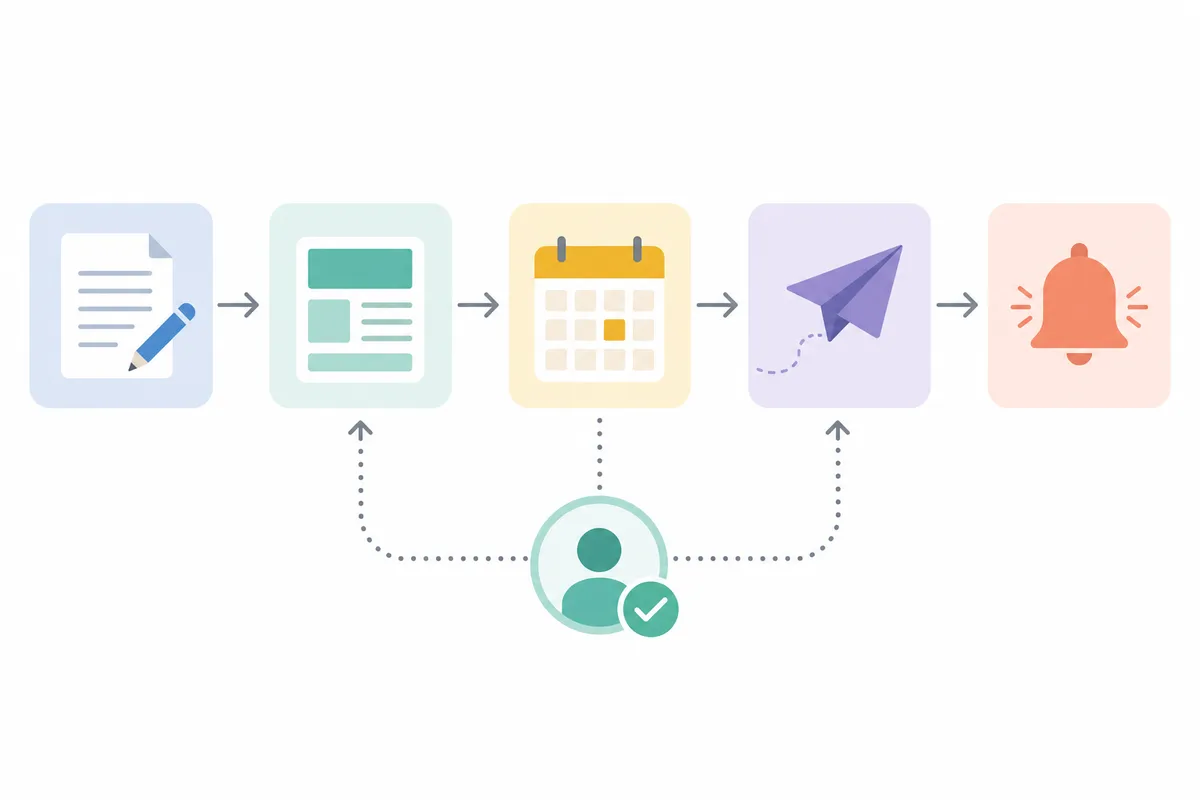
Automated content publishing is the use of software to move content from draft to live URL without manual handoffs. The system drafts or ingests an article, applies formatting and metadata, schedules it, pushes it to your CMS and notifies search engines, all on a defined cadence with a human approving what matters.
The key word is pipeline. You connect a chain of tasks so that content flows through them without anyone copy-pasting between tools.
Automation is not autonomy
Automated and autonomous are different things, and the difference decides whether this approach helps or hurts you. Automated systems execute rules and workflows you define, with human checkpoints where you place them, while autonomous systems make decisions without oversight. Almost nobody serious recommends that for marketing content, since brand voice and factual accuracy need a human eye, and so does legal exposure.
In practice, a healthy setup automates about 80% of the mechanical work and reserves human attention for two moments: approving the topic before drafting starts and reviewing the draft before it goes live. Everything between and after is machine work: outlining, formatting, internal linking, scheduling, publishing, sitemap updates and index pings.
The manual routine you're replacing
If you publish weekly today, your routine probably looks like this: write in Google Docs, paste into the CMS, fix broken formatting, resize images, write the meta title, hunt for internal link opportunities, hit publish, then share to social by hand. Teams commonly lose one to two hours per post to this, so publishing 8 posts a month burns two working days on mechanics.
This drag is also why most content calendars die: the plan was fine and the friction killed it. As we've argued before, a content plan beats ad-hoc publishing every time, but only if the plan gets executed, and execution is what automation protects.
How an automated publishing pipeline works
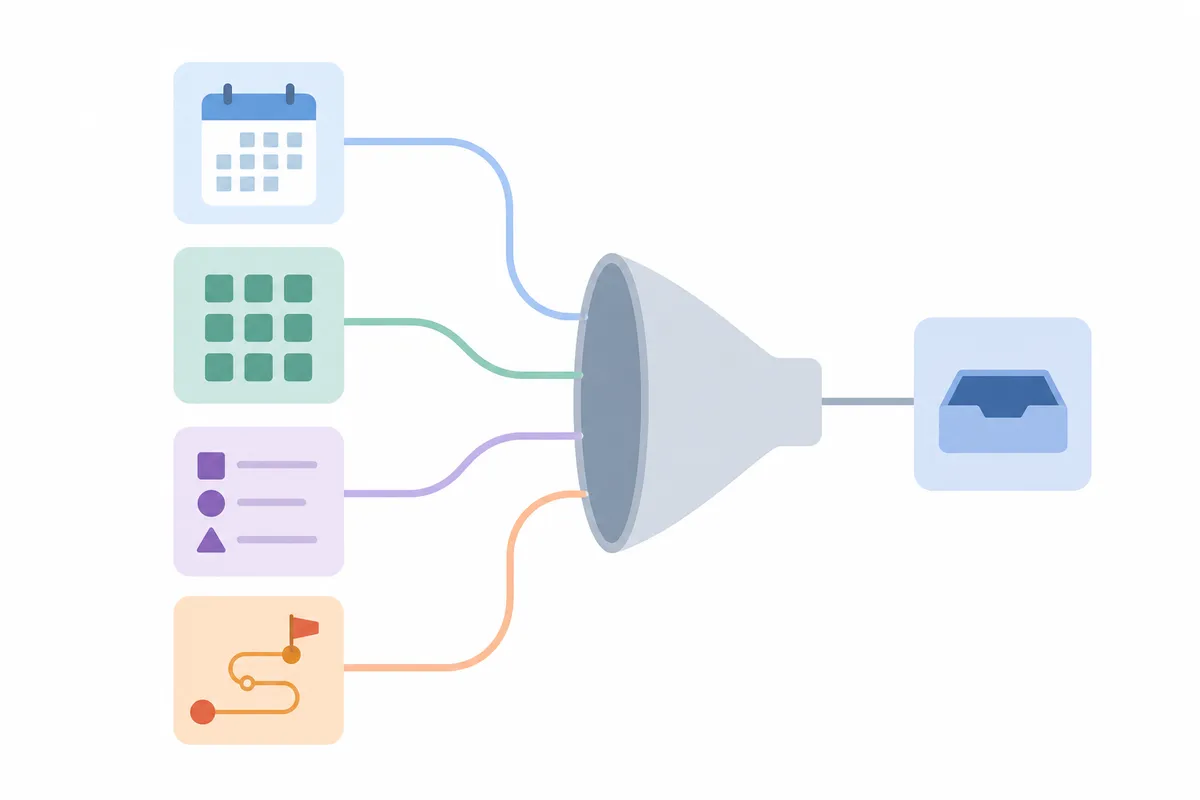
Every automated publishing system runs the same four stages, whether stitched together from no-code tools or bought as one platform, and knowing them helps you spot which stage your current workflow lacks.
Stage 1: Trigger and topic intake
Something starts each cycle: a calendar date, a new spreadsheet row, an RSS item or a slot in a pre-approved keyword plan. The best triggers come from a researched roadmap rather than from whatever the AI feels like writing about. This is where strategy lives, and you should never fully hand it over.
Stage 2: Drafting and on-page optimization
The system produces or ingests the draft, then handles the on-page work humans forget: heading hierarchy, meta title and description, image alt text, internal links to related pages, and schema where relevant. Platforms differ enormously on this step, since some paste raw AI output into your CMS and better ones run structured checks first. SearchBlueprint's article writer, for example, runs 36 checks on every draft before a piece is even eligible to publish. The checks include keyword placement and heading structure, along with link coverage.
Stage 3: The review gate
A human sees the draft, edits or approves it and releases it into the queue. Workflow tools call this "human-in-the-loop": the flow pauses, waits for sign-off, then resumes. Skipping this gate is the most common way automated publishing damages a site, so keep it even when volume tempts you to remove it.
Stage 4: Publish, verify and index
The piece goes live on schedule. Strong systems then do two things weaker ones skip. First they verify the live URL to confirm the post rendered correctly, which a CMS API's success message can't tell you. Second, they update the sitemap and notify search engines through IndexNow or similar protocols. Reviews of leading platforms say this can cut discovery time from days to hours, and for time-sensitive or trending topics that gap decides whether you capture search demand or miss it.
The case for automating now
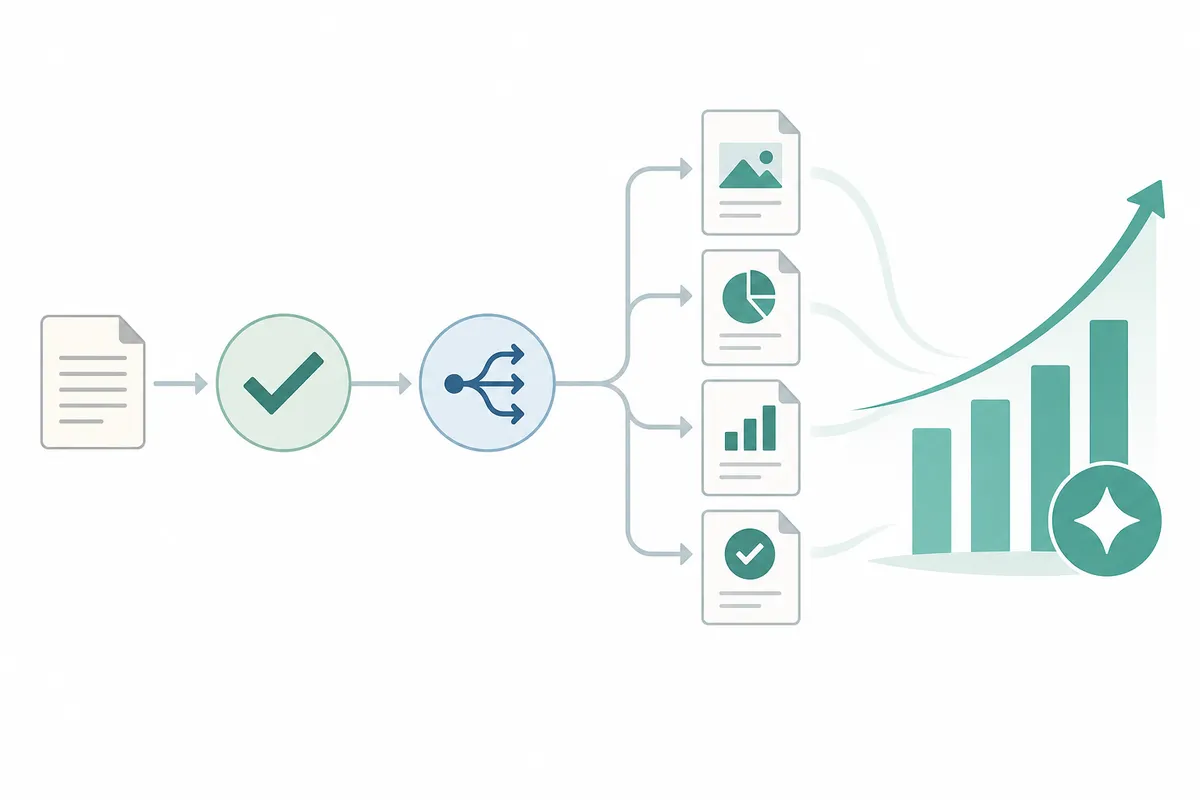
You don't need hype to justify this, and three concrete data points make the argument.
Consistency drives revenue. Wordable's content automation guide describes how the agency uSERP used automation-supported workflows such as auto-publishing from Google Docs, automated editing checks and automated task routing. The guide says those workflows helped finance platform Nav outrank NerdWallet for "business credit cards," a result it credits with over $140,000 per month in revenue within a few months. The strategy came from people, and the tools made consistent execution possible.
Consistency also builds trust. Erratic publishing reads as an abandoned brand, and Edelman's 2023 Trust Barometer research found that 71% of consumers say trusting a brand is essential before they buy. A steady content cadence is one of the cheapest trust signals available.
It compounds internally as well. SearchBlueprint ran its own autoblog pipeline on its own site, with drafts generated overnight, verified at the live URL and reviewed by a human. The lesson from that experiment was that removing publishing friction lets a small team sustain the volume topical authority requires.
Choosing your automated content publishing setup
Three distinct paths exist, and mixing them up is the most common buying mistake, so match the path to what you're actually trying to automate.
| Path | What it automates | Typical entry cost | Best for | Main trade-off |
|---|---|---|---|---|
| Social schedulers (Buffer, Hootsuite) | Queuing and distributing posts across social channels | Buffer listed from $6/month per channel; Hootsuite from $99/month for 10 accounts | Teams whose bottleneck is social distribution rather than article production | Doesn't create content or touch your blog/CMS |
| No-code workflow builders (Activepieces, Make) | Custom chains: trigger -> AI draft -> CMS -> repurpose | Activepieces Plus listed at $25/month; Business at $150/month | Technical marketers who want full control over each step | You build and maintain every flow yourself |
| All-in-one SEO publishing platforms | Keyword plan -> drafting -> quality checks -> CMS publish -> verification -> rank tracking | Varies widely; enterprise suites like HubSpot Content Hub start at a listed $450/month | Businesses that want organic traffic outcomes rather than plumbing projects | Less flexibility than hand-built flows |
Path 1: Schedulers are cheap and narrow
Buffer's queue model is simple: you load posts, set a schedule once, and it publishes for you. A free tier covers three channels and paid plans are listed from $6/month per channel. Hootsuite adds bulk CSV scheduling and multi-account management from a listed $99/month for 10 accounts. Both are excellent at their one job, but scheduling tweets and publishing SEO content are different problems, and schedulers solve only the first.
Path 2: Workflow builders make you the engineer
Tools like Activepieces let you wire triggers to actions: a new row in Google Sheets kicks off an AI draft, which saves to WordPress as a pending post, and the published article is then repurposed into social snippets and audio. Activepieces lists a free plan with 1,000 tasks per month, a $25/month Plus plan with unlimited tasks under fair use and a $150/month Business plan with 50 active flows. Pair it with a budget writer like Rytr (Unlimited plan listed at $9/month, Premium at $29/month) and you can assemble a working pipeline for under $50/month.
The catch is maintenance. APIs change and flows break silently, so nobody tells you that Tuesday's post never went out. Budget real time for monitoring, or the automation becomes another job.
Path 3: All-in-one platforms
The third path bundles the whole chain into one system: keyword strategy, drafting, quality checks, CMS publishing with verification and rank tracking. HubSpot Content Hub does this at enterprise scale and ties content into CRM data, with a Professional tier listed at $450/month. Headless systems like Contentful (team plans listed at $489/month) solve multi-channel delivery for developer teams. SEO-focused platforms like SearchBlueprint do it for organic growth specifically, with drafts checked and published overnight and each URL verified live.
Which path wins depends on where your bottleneck sits. If you're unsure, our breakdown of what works and what fails in automated content strategy walks through the failure modes of each approach in more depth.
What the tools cost in 2026
Listed pricing across the category spans nearly two orders of magnitude, so anchor your budget to the job you need done.
| Tool | Category | Listed starting price | Notable for |
|---|---|---|---|
| Buffer | Social scheduling | $6/month per channel (free tier: 3 channels) | Queue-based publishing with minimal learning curve |
| Rytr | AI drafting | $9/month Unlimited; $29/month Premium | Budget short-form and draft generation |
| Jetpack (WordPress) | CMS-native automation | Paid plans from $10/month | Native scheduling plus auto-share to social on publish |
| Activepieces | No-code workflows | $25/month Plus; $150/month Business | Human-in-the-loop approvals, 450 pre-built integrations |
| CoSchedule | Editorial calendar | $29/month per user | ReQueue auto-resharing of top-performing content |
| Hootsuite | Social at scale | $99/month for 10 accounts | Bulk CSV scheduling across networks |
| HubSpot Content Hub | Enterprise all-in-one | $450/month Professional tier | CRM-connected smart content personalization |
| Contentful | Headless CMS | $489/month team plans | API-first delivery to web, mobile, and any channel |
Two budgeting notes apply. Per-user and per-channel pricing scales faster than it looks: CoSchedule's $29/month per user becomes real money on a six-person team. And the cheapest stack that covers your whole pipeline usually beats a premium tool that covers half of it, since the un-automated half is where posts die.
Setting up your publishing engine in five steps
The setup order matters, because teams that buy tools first and plan second end up automating chaos.
1. Map what you publish now
List every recurring content task, such as blog posts, newsletters, social and product updates, along with the hours each consumes. The high-frequency, low-judgment tasks (staging, formatting, cross-posting, index submission) are your automation candidates. Tasks that require judgment, like topic selection and final review, are not.
2. Build the plan before the pipeline
Automation without a keyword-mapped plan produces volume without direction. Decide which topics you'll cover, in what order and for which queries. If you're starting from zero, follow our guide to creating an automated content plan in five steps. Use a free content idea generator to seed the topic list quickly. For teams that lean on AI throughout, there's a companion walkthrough on building an AI-powered content plan that actually works.
3. Standardize templates and voice
Write down your formatting rules: heading conventions, intro structure, image requirements and tone. Feed these into whatever drafts your content. Automation enforces consistency ruthlessly, which is great if the standard is good and disastrous if you never defined one.
4. Connect the CMS and set the cadence
Wire the pipeline to WordPress, Shopify or wherever your site lives, and pick a sustainable cadence: two verified, reviewed posts per week beat seven unreviewed ones. Confirm the integration actually verifies published URLs, because a surprising number of setups report success while the post sits in draft or renders broken.
5. Instrument and iterate
Track indexing speed, rankings for target keywords and organic traffic per post. After 60-90 days, patterns emerge: which topics earn rankings, which formats get cited by AI engines and where drafts need heavier editing. Feed all of it back into the plan, since the pipeline needs ongoing tuning.
Quality guardrails: where publishing automation fails
Automated content publishing fails in predictable ways, and every failure traces back to a missing guardrail. Here's what to lock down.
Keep the human where humans add value
| Task | Automate or human? | Why |
|---|---|---|
| Formatting, scheduling, CMS staging | Automate fully | Zero judgment required; pure friction |
| Meta tags, sitemaps, index notification | Automate fully | Machines are more consistent than people here |
| First drafts and outlines | Automate with review | AI drafts fast but needs fact-checking and voice editing |
| Topic selection and keyword strategy | Human-led, tool-assisted | Strategy errors compound across every automated post |
| Final approval before publish | Human, always | Factual, legal, and brand risk lives in this gate |
The draft stage deserves the most nuance: pure AI output published raw is a rankings risk, and pure human writing at scale is a budget risk, so the realistic answer sits between them. Our comparison of AI versus human content for SEO maps which content types tolerate heavy automation and which don't. If you're already publishing AI-assisted drafts, audit them against the practices in how to use AI writers without tanking your rankings, since the failure modes are subtle and cumulative.
Optimize for AI answer engines as well as Google
Publishing speed now matters beyond the classic index. ChatGPT, Perplexity and Google's AI Overviews cite content that is structured, self-contained and quotable: clear headings, direct answers and passages that make sense out of context. A pipeline that ships walls of unstructured text will publish fast and never get cited. Before scaling volume, check your existing pieces against the signs your content isn't AI-search ready. Fix the template itself, since that repairs every future post along with the existing ones.
Watch for silent failures
The most damaging automation failures are quiet ones: posts publishing with broken images, internal links pointing at 404s, duplicate posts from a retried API call, or a flow that stopped weeks ago without alerting anyone. Two defenses catch most of these. Verify every published URL at the URL itself rather than through the API response, and review a weekly digest of what went live, since five minutes of human scanning catches what monitoring misses.
FAQs
Does Google penalize automated content publishing?
No. Google's own guidance on AI-generated content targets low-quality content regardless of how it was produced or published. Automating mechanical steps like scheduling and indexing carries no risk by itself. Risk enters only when unreviewed, thin AI content ships at volume, which makes it a quality issue.
How much does automated content publishing cost?
Listed entry points start at $6/month per channel for a social scheduler like Buffer and reach $450+/month for enterprise suites like HubSpot Content Hub, with workflow builders such as Activepieces at $25/month in between. A small business can typically run a complete draft-review-publish pipeline for well under $100/month.
Can I automate publishing without using AI to write the content?
Yes. Tools in the Wordable mold push human-written Google Docs straight into WordPress, and Jetpack (paid plans listed from $10/month) handles native scheduling plus auto-sharing to social. Many teams automate only the mechanical steps and keep the writing fully human.
How often should an automated system publish?
Cadence should match your review capacity rather than your generation capacity. If your team can properly review two posts a week, publish two. Consistent, reviewed output builds topical authority, while unreviewed volume erodes trust, which matters given that 71% of consumers in Edelman's 2023 research said brand trust is essential before buying.
How fast do automatically published posts get indexed?
It varies by site authority. Reviewers of platforms with IndexNow-style integrations report discovery dropping from days to hours, because the search engine is notified the moment the URL goes live instead of waiting for a crawl. Automated sitemap updates and live-URL verification make that speed reliable.
The one step to take next
Don't build or buy anything yet. Look at real output first: walk through a sample report to see the drafted articles, the checks they passed, the verified URLs and the rankings they moved. Ten minutes with a finished pipeline's output tells you more about whether automated content publishing fits your site than any feature list will.
Resources / References
Sources
About the author
SearchBlueprint researched, wrote and scored this article with the content pipeline our customers run on their own sites. The score in the byline is what our content engine gave this page before it published. Nothing here is reviewed by hand, which is the point: it is the product's output, published where anyone can check it.