Web Accessibility and SEO: Why Fixing One Boosts the Other
By Toy Wen Da, Co-Founder · Updated · 11 min read · scored 90/100
Web accessibility and SEO rest on the same technical foundation: clean semantic HTML, descriptive text, and a page structure that works without a mouse or clear vision. Fixing accessibility barriers such as missing alt text, broken heading order or low contrast solves crawlability problems too, which is why accessibility audits often move rankings alongside compliance scores.

What web accessibility and SEO share
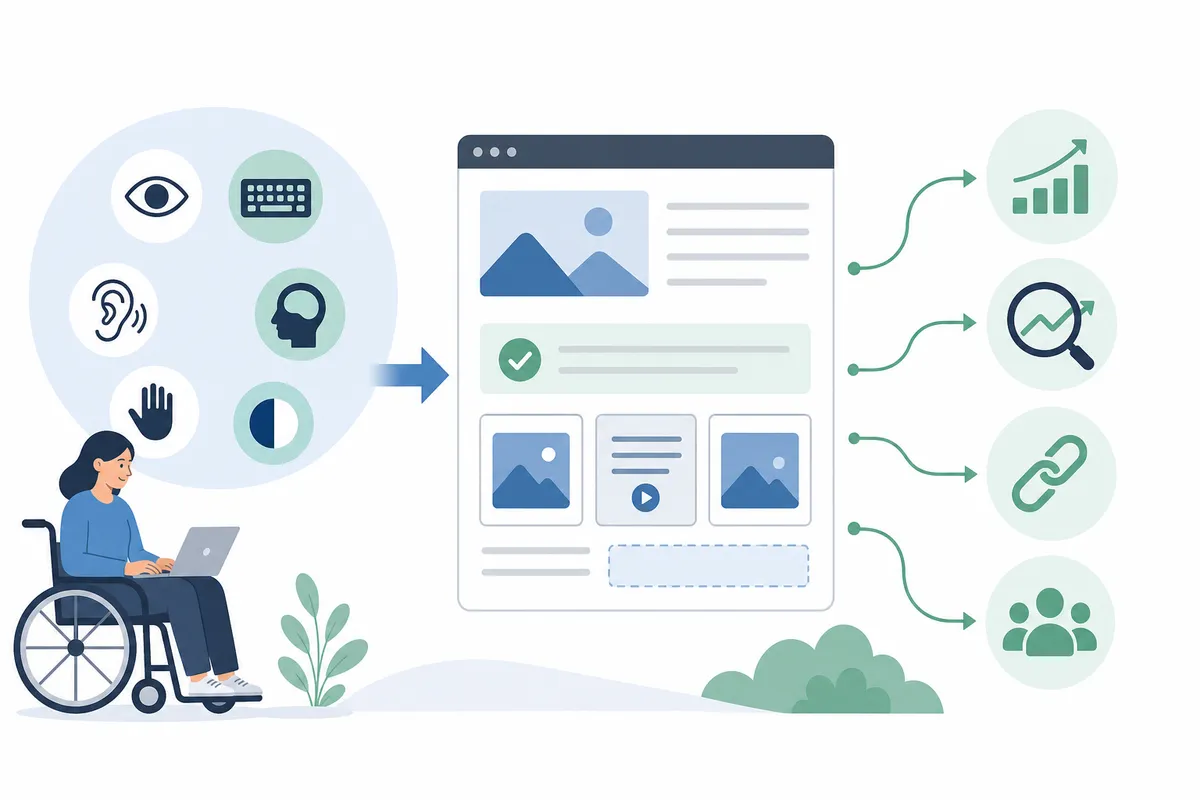
Search engines and screen readers face a similar problem, because neither one sees a page the way a sighted visitor does. A screen reader converts markup into speech and a crawler converts it into an index entry. Both depend on heading order, alt text, link labels and a page structure that still makes sense without visual styling.
The Web Content Accessibility Guidelines (WCAG), maintained by the World Wide Web Consortium since 1999, organize this around four principles: content must be perceivable, operable, understandable and able to work across browsers and assistive tools, present and future. A perceivable page offers text alternatives for non-text content, and an operable one works with a keyboard alone. An understandable one uses predictable navigation and plain language. The fourth principle asks that a page render correctly wherever it is opened. Each of these maps to a quality Google already rewards: clear structure, readable content and a working experience on any device.
The overlap is no workaround. Accessibility specialists have noted that black-hat SEO tricks like keyword-stuffed alt text have mostly disappeared over the past decade while accessibility requirements have stayed largely the same, and the tactics that used to game search results were often the ones that broke accessibility first.
For the criteria and conformance levels behind every recommendation in this guide, the W3C's Web Content Accessibility Guidelines are the primary reference.

What fixing accessibility does to your traffic
Two widely cited reviews looked at real sites before and after accessibility changes and found consistent gains. Both are correlational rather than controlled experiments, so neither proves accessibility alone caused the increase, but more accessible sites tend to see more organic traffic.
| Study | Sites Reviewed | Traffic Change Reported | Other Findings |
|---|---|---|---|
| Semrush, AccessibilityChecker.org, and BuiltWith.com combined study | Nearly 850 sites | 73% saw increased organic traffic about three months after implementing accessibility fixes, with average gains near 12% | Traffic gains tracked closely with accessibility score improvements |
| Semrush review of accessibility scores across websites | 10,000 sites | 23% higher organic traffic for more accessible sites | 27% more ranking keywords and a 19% stronger Authority Score than less accessible sites |

Both reviewers describe the relationship as a correlation between accessibility fixes and stronger organic performance. That is useful when you are deciding where to spend a limited SEO budget. A missing skip-navigation link won't tank your rankings by itself, but the pattern behind it (thin heading structure, missing alt text, unlabeled forms) usually shows up on a technical SEO audit too.
Where accessibility fixes move SEO metrics
Not every accessibility requirement affects search visibility equally. The table maps the fixes with the clearest SEO payoff to the WCAG principle behind them, so you can prioritize changes search engines can actually detect.
| Accessibility Fix | WCAG Principle | SEO Benefit | Where It Shows Up |
|---|---|---|---|
| Descriptive alt text on meaningful images | Perceivable | Helps images rank in Google Image Search and clarifies page topic for crawlers | Image search, on-page relevance signals |
| Logical heading order (one H1, nested H2/H3) | Perceivable, Understandable | Lets Google identify page structure and generate accurate snippets | Search snippets, jump-to-section links |
| Descriptive link and anchor text | Understandable | Gives crawlers context about the linked page instead of a generic "click here" | Internal linking, link equity flow |
| Keyboard-operable navigation and forms | Operable | Reduces bounce from users who can't complete key actions, a behavioral signal | Core Web Vitals, engagement metrics |
| Captions and transcripts for video or audio | Perceivable | Makes non-text content crawlable and indexable as text | Video and podcast indexing |
| Sufficient color contrast and readable font size | Perceivable | Improves readability tied to dwell time and lower bounce | Page experience, mobile usability |
Alt text, where the two overlap most
Screen readers read alt text aloud so a visually impaired visitor knows what an image shows, and Google uses the same text to understand what the image contains, since it can't see pixels the way you do. If you skip alt text on a product photo, you lose both audiences at once.
Describe what the image actually shows and keep it concise so screen readers don't cut it off mid-sentence. On purely decorative images, leave the alt attribute empty (alt="") so screen readers skip past them instead of announcing clutter. For a side-by-side look at good and bad alt text, see this guide to writing alt text that works for both screen readers and search engines.
Image file size matters here too. A page full of unoptimized images loads slowly for everyone, and slow pages hurt both usability and Core Web Vitals. This step-by-step guide to optimizing images for SEO covers compression and format choices that keep pages fast without sacrificing image quality.
Heading structure and page titles
For a screen reader user, headings work like a table of contents: jumping from one to the next lets someone reach the section they need instead of listening to the whole page. For Google, headings signal what each section covers, which is part of how snippets and jump links get generated.
Keep one H1 per page and nest H2s and H3s in order without skipping levels. A page that jumps from an H2 straight to an H4 confuses a screen reader's navigation menu and Google's picture of your content hierarchy alike.
Title tags matter just as much. WCAG guidance calls for a title that clearly identifies the page, since it's often the first thing a screen reader announces. Google uses the same tag to generate the blue link in search results and rewards a title that stays specific. You can check how your current title tags and headings render with a free meta tag checker before you publish changes.
Link text, contrast and keyboard access
Three smaller fixes round out the highest-impact list. Descriptive link text ("download the accessibility guide") gives a screen reader user and a crawler more context than "click here" ever will. Sufficient color contrast between text and background keeps content readable for users with low vision. It also stops your Lighthouse accessibility score, one of the scores Chrome's own auditing tool reports, from dragging down the quality signals for the page. See how these scores are computed in Chrome for Developers' Lighthouse documentation. Keyboard-operable navigation, meaning every link, button and form field works without a mouse, protects users with motor impairments and prevents the broken interactions that show up as poor engagement in page experience signals.
JavaScript, ARIA and the misconceptions slowing teams down

Two misconceptions cause more damage than any single missing alt tag.
The first is assuming a JavaScript-rendered page is invisible to screen readers and search engines by default. Modern browsers and modern crawlers both execute JavaScript, so content that renders client-side isn't automatically hidden from either. The real risk is timing and fallback: a component that never finishes rendering because of a script error leaves a screen reader with nothing to announce and a crawler with nothing to index. Test what actually loads on the page rather than what the code is supposed to do.
The second is treating ARIA attributes as a universal fix. ARIA (Accessible Rich Internet Applications) labels can patch a custom widget that plain HTML can't describe on its own, but they don't replace semantic markup. A <div> styled to look like a button and given role="button" still needs keyboard event handling built by hand, which a native <button> element gets automatically. Overusing ARIA on elements that already have a native semantic equivalent tends to confuse assistive technology more than it helps, and it does nothing for SEO that proper HTML tags don't already provide.
One technique is worth knowing. Moving supplementary content off-screen with CSS, rather than hiding it entirely, is a legitimate way to give screen reader users extra context without cluttering the visual layout, and used honestly it doesn't hurt rankings. If you use it to stuff keywords nobody will see, it becomes the kind of manipulation search engines are built to catch.
Build an accessibility and SEO workflow you can keep using
Treat accessibility as one lane inside your regular SEO process. A separate project that happens once tends to get forgotten.
- Audit before you fix anything. Run a full technical pass first so you know which issues are structural (missing headings, broken alt text) and which are cosmetic. This 25-check website audit checklist is a reasonable starting point if you've never run one yourself.
- Fix the shared issues first. Alt text, heading order, title tags and link text touch both accessibility and SEO scores, so they give the fastest combined return.
- Build the checks into your publishing process as well as your audits. A 27-point on-page SEO checklist run before every page goes live catches heading and alt text problems before they ship instead of months later.
- Re-audit on a schedule. Sites drift, and a new template, a redesigned form or a new content editor can reintroduce issues you already fixed. A broader 46-point SEO checklist covers the full technical picture beyond accessibility, so you aren't re-deriving your process every quarter.
- Keep a record of what changed and when. If traffic moves after an accessibility fix, you'll want to know which change caused it.
Order matters here. If you fix accessibility issues without confirming the related SEO issue resolved, or the reverse, you end up doing the work twice. A complete SEO audit checklist run in the right order keeps the two workstreams from working against each other.
Can you fix this yourself, or do you need a specialist?
Most of what's in this article is well within reach for anyone who can edit a CMS: alt text, heading order, link text and title tags. You don't need a developer or an accessibility consultant for any of it.
DIY reaches its limit with custom interactive components such as multi-step forms, date pickers, modal dialogs, carousels, or anything built with heavy client-side JavaScript. Making those keyboard-operable and screen-reader-friendly usually takes someone who understands ARIA patterns and has tested with a real screen reader, since a browser extension that flags missing attributes only gets you part of the way.
A practical middle path is to run an automated scan first and fix the easy, high-volume issues yourself, such as missing alt text, low contrast and empty headings. Then bring in a specialist for the interactive components an automated tool can't fully evaluate. Scanners catch a meaningful share of WCAG issues but not all of them, because several success criteria still require a person navigating the page with a keyboard or a screen reader.
If you aren't sure where your site stands, start with a free automated check. It won't replace a full accessibility audit, but it will tell you whether you face a handful of quick fixes or a structural problem across your templates.
Web accessibility, ADA compliance and search rankings
Accessibility is also a legal question in the United States, separate from any SEO benefit. Courts have increasingly applied the Americans with Disabilities Act (ADA) to business websites, as if the site were a physical storefront with a step a wheelchair user can't climb. That exposure exists whether or not your rankings move.
Google has never confirmed a direct accessibility ranking factor, and treating accessibility purely as an SEO tactic misses the point. The more accurate framing is that accessibility and SEO reward the same underlying qualities, clear structure, readable content and a working experience across devices, without either one causing the other. Google's own Search Essentials guidelines focus on crawlability, quality content and a working page experience, all of which an accessible site tends to already satisfy.
Treat WCAG 2.1 Level AA as the practical floor. Most ADA-related settlements and most corporate accessibility policies reference it, and it is thorough enough to catch nearly every SEO-relevant issue in the table above along the way.
FAQs
Does making a website accessible actually improve SEO rankings?
Google hasn't confirmed a direct accessibility ranking factor, but accessible sites and well-optimized sites rely on the same signals: clear headings, descriptive alt text and readable structure. Reviews of real sites have found accessible sites earning more organic traffic and ranking for more keywords than less accessible competitors, even without a confirmed direct link.
What's the single highest-impact accessibility fix for SEO?
Alt text on meaningful images is usually the fastest win. It serves screen readers and Google Image Search at the same time, and few sites implement it consistently across every page.
Do I need to hire an accessibility consultant to fix these issues?
Not for the basics, since alt text, heading order, descriptive link text and title tags are editable by anyone who manages your CMS. Complex interactive components like custom forms or carousels usually need someone experienced with ARIA and real screen reader testing.
Does using ARIA attributes help or hurt SEO?
Used correctly on custom components that genuinely need them, ARIA neither helps nor hurts SEO directly. Overusing it on elements that already have a native HTML equivalent tends to confuse assistive technology and brings no SEO upside.
Is WCAG 2.1 AA enough, or should I aim for AAA?
Most sites and most legal frameworks reference WCAG 2.1 Level AA as the practical standard. Level AAA adds stricter requirements that are difficult to apply site-wide and aren't expected of most businesses.
Check where your site stands
Pick one page, ideally a high-traffic one, and run through the fixes above: alt text, heading order, link text and contrast. Most of what moves the needle on web accessibility and SEO together takes an afternoon rather than a redesign. If you want a clearer picture of your whole site before you start fixing pages one at a time, look at a sample SEO report to see what a full audit surfaces.
Resources / References
- W3C's Web Content Accessibility Guidelines
- Chrome for Developers' Lighthouse documentation
- Search Essentials guidelines
Sources
About the author
SearchBlueprint researched, wrote and scored this article with the content pipeline our customers run on their own sites. The score in the byline is what our content engine gave this page before it published. Nothing here is reviewed by hand, which is the point: it is the product's output, published where anyone can check it.