The 30-Minute Content Decay Audit for SEOs to Run Monthly
SearchBlueprint · · 15 min read · scored 89/100

A 30-minute content decay audit for SEOs works like this: compare the last six months of Google Search Console data against the six months before, flag pages that lost clicks gradually, rule out seasonality and technical causes, then score the survivors by traffic loss and business value. The whole loop fits into half an hour.
Most guides on this topic stop at "check your analytics." That's not an audit, that's a glance. To be clear, a 30-minute content decay audit for SEOs is a repeatable process you run yourself with free tools, not a product you buy. This one gives you the minute-by-minute process, the false positives that waste most people's time, the decision matrix for what to do with each page, and the tools that shorten the work.
Key Takeaways
- Content decay is a slow slide, not a cliff. A gradual decline over roughly six months is the classic pattern. Sudden drops usually mean a technical problem or an algorithm shift, not aging content.
- Detection isn't the hard part anymore, triage is. Most flagged pages turn out to be seasonal, cannibalized, or technically broken. The audit exists to separate real decay from noise fast.
- Free tools cover the whole workflow. Google Search Console handles detection at no cost. Paid options like SEOTesting (listed from $50/mo) and Ahrefs (listed from $29/mo) just make it faster.
- AI answer surfaces change the diagnosis. A joint Semrush and Datos study found AI Overviews appeared in 13.14% of U.S. desktop searches in March 2025, up from 6.49% that January. Pages can now lose clicks while rankings hold steady.
- Every audited page gets one of four verdicts: update, consolidate, redirect, or prune. Deciding is the deliverable, not the spreadsheet.
What Content Decay Actually Is (and What It Isn't)
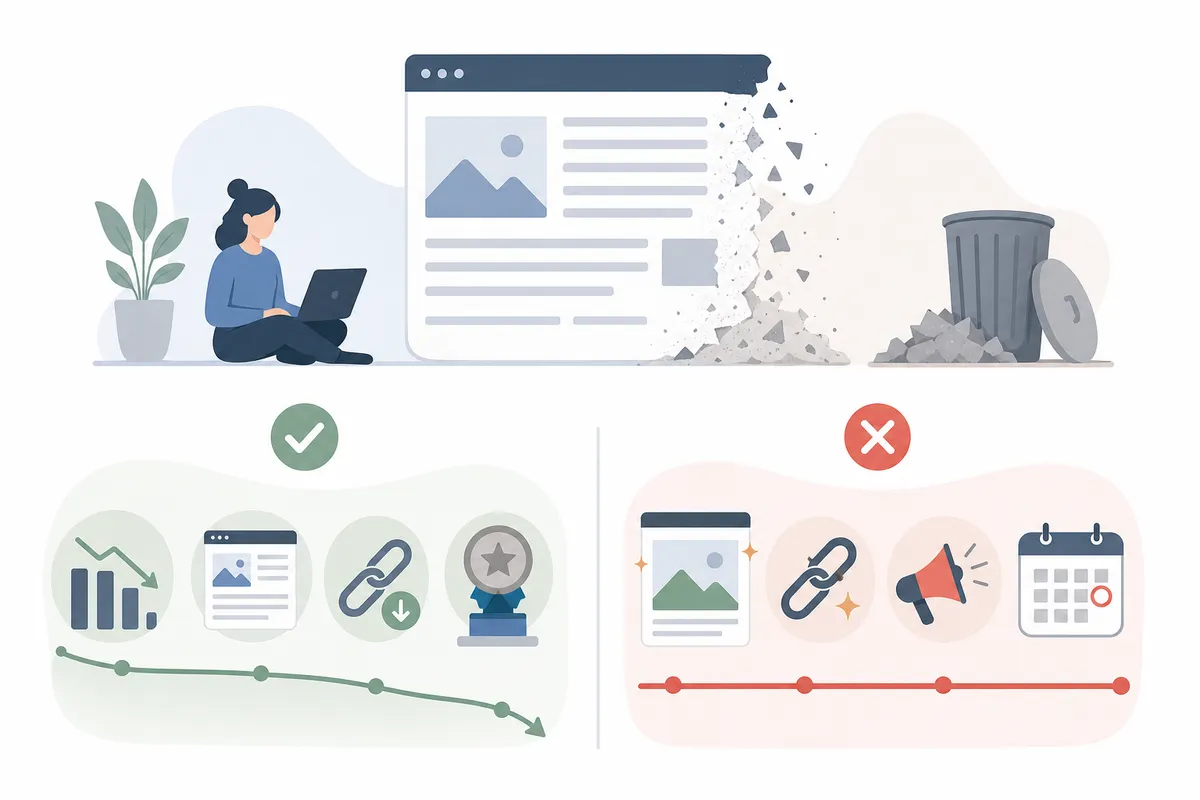
Content decay is the sustained, gradual decline in a page's organic performance, clicks, impressions, average position, CTR, and conversions, measured against that page's own historical baseline. It plays out over months. A page that drove steady traffic for a year starts bleeding a few percent each month, and site-wide totals hide the loss because newer pages paper over it.
That last point matters. Decay is invisible at the site level almost by design. Your dashboard shows flat or growing traffic while a dozen former winners quietly lose half their clicks. By the time anyone investigates a single URL, several quarters have passed.
Why pages decay in the first place
Four forces drive most genuine decay:
- Freshness pressure. Search intent shifts. What users wanted from a query two years ago may not match what they want today, and Google rewards pages that reflect current information.
- Competitor velocity. Your page sat still while competitors published deeper, newer, or better-structured guides for the same keyword.
- Eroding relevance. Outdated stats, dead examples, and old screenshots create a worse experience, and engagement signals follow.
- Answer-surface absorption. AI Overviews and chat assistants increasingly answer the query before anyone clicks. Seer Interactive's analysis of AI Overview SERPs shows materially lower organic CTR on those queries than on comparable results at similar positions. Your ranking survives; your clicks don't.
The Four Impostors That Look Like Content Decay

Here's the uncomfortable truth that makes the audit valuable: most pages flagged as decaying aren't decaying. Before you touch a word of content, run each candidate through this table.
| Signal pattern | Likely cause | How to confirm | Is it content decay? |
|---|---|---|---|
| Traffic slides gradually over 6+ months across clicks, impressions, and position | Genuine content decay | Compare the page against its own 12-month baseline; check competing SERP results for newer content | Yes, refresh candidate |
| Traffic drops at the same time every year | Seasonality | Compare year-over-year, never just quarter-over-quarter | No, leave it alone |
| Impressions hold steady but CTR collapses | SERP layout change or AI Overview absorbing clicks | Search the query yourself; look for AI answers, featured snippets, video carousels above your listing | Partly, fix the snippet and answer format, not the whole page |
| Two or more of your URLs trade positions for the same query | Keyword cannibalization | Filter GSC queries by page and look for internal competition | No, consolidate instead of refreshing |
| Traffic falls off a cliff in days, not months | Technical or indexation issue | Check canonicals, indexability, redirects, and recent template changes | No, it's a technical fix |
Only after ruling out all four impostors should you label a page as decayed. Skipping this step is how teams spend a week rewriting a page whose real problem was a broken canonical tag. If sudden drops keep showing up in your flags, run a structured technical SEO audit with the fixes prioritized before blaming the content.
Why a Timed Audit Beats a Quarterly Deep Dive
The instinct after learning about decay is to schedule a massive quarterly content audit. Resist it. Big audits produce big spreadsheets, and big spreadsheets produce nothing. The industry has quietly converged on a different diagnosis: for most teams, detection is no longer the bottleneck. Prioritization and execution are. Pages get flagged and then sit in a tab until the next big audit re-flags them.
A 30-minute decay audit run monthly solves this in three ways:
- It catches decay early. A page down 15% is a two-hour fix. A page down 60% after three ignored quarters may need a full rewrite, and it has already lost the leads.
- It forces a short list. Thirty minutes yields three to five refresh candidates, not three hundred. Short lists get shipped.
- It builds a feedback loop. Monthly cadence means you see whether last month's refresh actually recovered clicks, the same way a fast 60-minute SEO audit tells you what broke before it compounds.
Think of it the way one popular WordPress guide frames it: content ages like a car that needs an oil change. You don't rebuild the engine quarterly. You check the oil monthly.
The 30-Minute Content Decay Audit for SEOs, Minute by Minute
Everything below runs on Google Search Console, which is free and uses first-party Google data, the closest thing to ground truth you'll get. Paid tools compress these steps; none of them are required.
Minutes 0–5: Pull the comparison
Open the Performance report in Search Console. Set the date range to compare the last 6 months against the previous 6 months, and switch to the Pages tab. Six months is the right window because it matches the classic decay timeline, a slow, steady slide over six months is the textbook sign, while filtering out weekly noise.
Export the table or work directly in the interface. You want four columns per page: clicks (both periods), impressions, CTR, and average position.
Minutes 5–12: Sort by click loss and flag candidates
Sort by the click difference, biggest losses first. Now apply three quick filters to each of the top losers:
- Is the page older than 12 months? Newer pages fluctuate as they settle; they're not decay candidates yet.
- Is the decline gradual? Click into the page's own trend line. A slope qualifies. A cliff goes to the technical pile.
- Was it ever a real performer? A page that fell from 40 clicks to 25 isn't worth thirty minutes. A page that fell from 4,000 monthly visits toward 1,900, the kind of slide that erases three quarters of momentum before anyone notices, absolutely is.
Flag five to ten pages maximum. This is a triage pass, not a census.
Minutes 12–18: Kill the false positives
Run each flagged page through the impostor table above. In practice that means four fast checks per page:
- Year-over-year comparison for seasonality, thirty seconds per page in GSC's date compare.
- Search the top query yourself and look at what now sits above your listing. If an AI Overview or featured snippet appeared, you have a click-absorption problem, not a content problem.
- Filter queries by page to spot a second URL of yours competing for the same terms.
- Inspect the URL for indexation, canonical, or redirect issues.
Expect to eliminate a third to half of your flags here. That's the audit working, not failing. A tool may show that an article lost 40% of its clicks; it cannot fully tell you whether the cause was weaker content, changed intent, lost links, or falling demand. These six minutes are where you tell the difference.
Minutes 18–25: Score what's left
You now have a handful of genuinely decaying pages. Rank them with four factors, no formula needed, just a gut-checked score of high, medium, or low on each:
| Factor | What to ask | Why it moves the priority |
|---|---|---|
| Traffic loss | How many monthly clicks has the page shed from its peak? | Bigger absolute losses mean bigger recoverable upside |
| Business value | Does this page drive leads, sales, or signups, or just readers? | A decaying pricing comparison outranks a decaying glossary post every time |
| Ranking proximity | Is it sitting at position 6–15 for valuable queries? | Pages just off page one recover fastest from a refresh |
| Effort to fix | Stats update, section rewrite, or full rebuild? | Two quick wins shipped beat one perfect overhaul planned |
Business value is where SEOs and stakeholders most often disagree, so anchor it to revenue pages, not traffic pages. If you're translating this for a non-technical owner, the framing in this SEO roadmap for business owners, pages as assets that either earn or don't, usually lands better than click charts.
Minutes 25–30: Assign a verdict and an owner
Each surviving page gets one of four verdicts, update, consolidate, redirect, or prune (the matrix below walks through choosing). Then, critically, each verdict gets a name and a deadline. An audit that ends in a spreadsheet is a report. An audit that ends in three assigned tickets is a system. This last five minutes is the difference.
Update, Consolidate, Redirect, or Prune: Choosing the Fix
Every decaying page fits one of four actions. Choosing wrong wastes the refresh, updating a page that should have been merged just prolongs a cannibalization problem.
| Page situation | Verdict | Why it works | Typical effort |
|---|---|---|---|
| Page still ranks (positions 4–20), topic still has demand, content is simply dated | Update | Freshness and depth are the deficits; fixing them restores the existing authority the URL already earned | 1–4 hours |
| Two or more of your pages target the same intent and split clicks between them | Consolidate | Merging into one stronger page pools relevance signals and ends the internal competition | Half a day, plus a redirect |
| Page has backlinks or authority but the topic itself is dead or off-strategy | Redirect | A 301 to the closest relevant page preserves the link equity instead of letting it 404 into nothing | Under an hour |
| Page has no rankings, no links, no conversions, and no strategic reason to exist | Prune | Removing genuine dead weight tightens crawl focus and keeps your library defensible on quality | Minutes per page |
Two cautions from watching teams run this matrix badly:
- Don't prune reflexively. A zero-traffic page supporting a topic cluster still earns its place through internal links. Prune for irrelevance, not just for low numbers.
- Don't consolidate into the weaker URL. Merge into whichever page has more backlinks and ranking history, then 301 the other.
When consolidation leaves gaps in your topical coverage, you merged three thin posts and now the cluster feels sparse, a free content idea generator can surface the adjacent questions worth covering with a genuinely new page instead.
The Refresh Playbook: What to Actually Change
"Refresh the content" is where most decay advice goes vague. Here's the concrete version, ordered by typical impact.
Fix the answer first
Google increasingly rewards pages that answer the query directly and early. Rewrite the opening so the first paragraph resolves the search intent in two or three sentences, then supports it. This matters double now that answer engines quote self-contained passages, a page structured for extraction gets cited; a page that buries its answer under scene-setting doesn't.
Update everything with a date on it
Statistics, screenshots, product details, prices, year references, and examples. This is the highest-return hour in SEO because it directly attacks the freshness deficit that caused the decay. Update the published/modified date only after the content genuinely changed, a new date on unchanged content fools nobody, least of all Google.
Re-optimize the snippet
A declining CTR with stable impressions usually means your title and meta description look stale next to newer competitors. Rewrite both against what currently ranks. A free meta tag checker will confirm your title length, heading hierarchy, and description are technically sound before you republish; an on-page SEO scorer gives you a fuller URL-level read on what else the page is missing.
Close the coverage gap
Search the target query and read the top three results honestly. What do they cover that you don't? Add those sections, as real substance, not padding. Depth beats length: a 2,400-word page that answers every sub-question outranks a 4,000-word page that circles the topic.
Rebuild internal links
Decayed pages are often orphaned pages. Link to the refreshed URL from your newest relevant posts and from high-authority pages, using varied natural anchors. Fix or redirect any broken links on the page itself while you're in there.
Account for the AI layer
This is the 2026-specific addition older playbooks miss. With AI Overviews appearing in a fast-growing share of searches, 13.14% of U.S. desktop searches by March 2025 in the Semrush/Datos study, more than double January's 6.49%, some "decay" is really demand being absorbed upstream. The counter-move is structuring content so the answer engines cite you: direct answers, quotable standalone passages, clear attribution signals. If you suspect that's your problem, these 10 signs your content isn't AI-search ready map the fixes in detail.
Refresh vs. Rewrite, and Who Does It
If the page's core structure still matches intent, refresh in place and keep the URL's history intact. If intent has genuinely shifted, the query that meant "definition" now means "comparison", rewrite from the outline up. For the rewrite path, be deliberate about tooling: AI drafting scales refreshes across dozens of URLs, but decayed pages usually decayed because they lacked distinctive depth. The honest split between AI and human writing for SEO work is that AI handles structure and coverage well while humans supply the experience and specificity that make a refresh worth ranking. If you do lean on AI for volume, follow a process for using AI writers without hurting your rankings, verification and editorial review are what separate a recovery from a second decline.
Tools That Compress the Audit
You can run the entire audit in Search Console for free. Paid tools earn their fee by collapsing minutes 0–18 into a pre-built report, and, at the top end, by pushing flagged pages into an actual refresh workflow. Here's how the options ranking pages consistently recommend stack up, with pricing as listed by the vendors and reviews as reported on G2.
| Tool | Best for | Listed pricing | Refresh workflow | Watch-out |
|---|---|---|---|---|
| Google Search Console | Free baseline detection with first-party Google data | Free (reviewers rate it 4.7/5 on G2) | None, it tells you what happened, not what to fix | Analysis and prioritization are entirely on you |
| SEOTesting | GSC-driven content decay reports and before/after refresh tracking | Single Site $50/mo, Medium $125/mo, Large $375/mo; 14-day free trial, unlimited users (4.8/5 on G2) | Light, annotations tie refreshes to performance | A decline is a signal, not a diagnosis; it won't explain the cause |
| Ahrefs | Backlink-aware diagnosis, did competitors gain links while you slid? | Starter $29/mo up to Enterprise $1,499/mo, with a limited free tier | None built in | No end-to-end refresh execution |
| Slate | Detection plus refresh execution across search and AI discovery surfaces | From $199/mo (4.9/5 on G2) | Yes, agent-based briefs, drafts, and CMS publishing | Overkill for solo bloggers who just need a GSC view |
| Screaming Frog | Crawl-based diagnosis combining crawl, GSC, and GA4 data | From $23.25/mo | None | Requires setup and spreadsheet work |
| SEOmonitor | Agency-scale ranking volatility with AI visibility tracking | From €25/mo | Light | Rank-tracking-first, not content-first |
| Animalz Revive | Free GA4-based decay reports | Free | None | Detection only |
The pattern across every roundup is the same: tools are excellent at detection and thin on execution. Reviewers of the GSC-layer tools consistently note they surface what dropped but leave why and what now to you, which is exactly what minutes 12–30 of this audit cover. Buy a tool to save the first fifteen minutes, not to replace the judgment in the last fifteen.
For agencies, the calculus shifts: running this loop across twenty client sites manually doesn't scale, and clients expect the findings packaged as strategy, not screenshots. That's the gap a platform built for agency SEO strategy delivered in minutes is designed to close, decay findings become client-ready priorities instead of another internal spreadsheet.
How Often Should You Run a Content Decay Audit?
Monthly for the 30-minute triage; that cadence catches slides early without becoming busywork. Layer the schedule like this:
- Monthly (30 minutes): the full audit above, compare, flag, filter, score, assign.
- Quarterly (half a day): review the refresh backlog, measure whether shipped refreshes recovered clicks, and re-run the consolidate/prune decisions on anything that didn't respond.
- Annually: a full-library review, where every page older than a year gets a keep/update/merge/kill verdict.
Two adjustments by site type. Publishing-heavy sites with hundreds of posts should tighten to biweekly triage because decay volume scales with library size. Small sites under fifty pages can stretch to quarterly, with that few URLs, decay is visible without a formal process.
One number worth tracking across cycles: refresh completion rate, the share of flagged pages that actually got shipped. Teams routinely flag ten pages and fix one. If your completion rate is low, the fix isn't more detection, it's smaller flag lists and named owners.
FAQs
How long does a content decay audit actually take?
Thirty minutes for the recurring triage version if you follow a fixed sequence: five minutes pulling the GSC comparison, seven minutes flagging losers, six minutes eliminating false positives, seven minutes scoring, and five minutes assigning fixes. A first-ever run on a large site takes longer, budget an hour, because you're establishing baselines rather than comparing against them.
What's the difference between content decay and a Google penalty?
Speed and shape. Content decay is a slow, steady slide over roughly six months as freshness fades and competitors improve. Penalties and technical failures produce sudden cliffs, often within days, and usually hit many pages at once. If the drop is abrupt, investigate indexation, canonicals, and recent site changes before touching the content.
Can I run a content decay audit with only free tools?
Yes. Google Search Console covers detection end to end: the Performance report gives clicks, impressions, CTR, and position by page and query, and date comparison exposes the declines. Paid tools like SEOTesting (listed from $50/mo) or Ahrefs (from $29/mo) save time and add context like backlink changes, but they aren't prerequisites.
Why is my page losing clicks while its rankings stay the same?
An answer surface is likely absorbing the demand before the click. AI Overviews appeared in 13.14% of U.S. desktop searches in March 2025 per a joint Semrush and Datos study, up from 6.49% in January, and analyses show lower organic CTR on those queries at equivalent positions. The fix is snippet optimization plus structuring your content to be the source the AI answer cites.
Should I update a decaying page or delete it?
Update if the page still ranks somewhere in positions 4–20, the topic still has search demand, and the content is simply dated. Delete (or redirect) only when the page has no rankings, no backlinks, no conversions, and no role in a topic cluster. When two of your own pages split clicks for the same query, merge them into the stronger URL instead of refreshing either one.
Put the Audit on Your Calendar Before You Close This Tab
Block thirty minutes this week, open Search Console's six-month comparison, and run the sequence above on your ten biggest click-losers, that single session will surface more recoverable traffic than most new posts will earn in a quarter. Then make this 30-minute content decay audit for SEOs a monthly recurring event, because decay never stops; you just stop noticing. If you'd rather see how these findings look packaged into a prioritized action plan first, talk to the team and walk through a sample SEO report to see the format before you build your own.
Resources / References
- joint Semrush and Datos study
- Seer Interactive's analysis of AI Overview SERPs
- Google Search Console
Sources
- The 9 Best Content Decay Detection Tools in 2026
- How to Stop Content Decay and Regain Lost Web Traffic
- Content Decay: What It Is & How to Reverse Traffic Drops
- How to Double Your Content's Visibility with SEO
- 11 Content Audit Tools Every SEO Team Should Know
Disclaimer: This article is general information about rules and figures that applied when it was written, not personalised financial, tax or investment advice. It does not take account of your income, obligations, risk tolerance or goals, and rates and thresholds change. Verify the current position with the relevant authority, and speak to a licensed adviser or a qualified accountant before acting.
About the author
SearchBlueprint researched, wrote and scored this article with the content pipeline our customers run on their own sites. The score in the byline is what our content engine gave this page before it published. Nothing here is reviewed by hand, which is the point: it is the product's output, published where anyone can check it.