Automated SEO: What It Really Costs and What It Skips
SearchBlueprint · · 8 min read · scored 95/100

Automated SEO means using software and AI agents to run repetitive search tasks without a person doing each step by hand. These tasks include site crawls, keyword clustering, rank tracking, and content briefs. It cuts production time sharply, but strategy, quality control, and the final call on what gets published still belong to a person.
What SEO Automation Actually Covers
SEO automation isn't one tool. It's a category of software that takes a task an SEO specialist or virtual assistant used to do manually. Automation then runs that task on a schedule, at scale, with minimal input.
That distinction matters because "automated SEO" gets used loosely. It is not the same as having an AI write your blog posts for you. Marketer Milk's own guide to automation tools makes this point directly. The writer says they never advocate using AI to generate content you publish. That holds even while they use automation heavily elsewhere in the workflow.
Tasks It Handles Well
The tasks that automate cleanly share one trait: they're structured, repetitive, and have a clear right answer.
- Site crawls and technical audits, mapping every page and link, flagging broken links, duplicate content, and slow pages.
- Rank tracking, checking search positions and featured-snippet status on a schedule instead of manually.
- Keyword clustering, grouping keywords that share overlapping search results into one topic, rather than treating each as a separate target.
- Bulk meta-tag generation, writing on-brand titles and descriptions across hundreds of pages, in multiple languages, without breaking character limits.
- Schema markup, generating structured data automatically instead of hand-coding JSON-LD on every page.
- Reporting, pulling ranking, traffic, and competitor movement into a dashboard on a recurring cycle.

Tasks That Still Need a Person
Automation struggles wherever the "right answer" depends on business context. Deciding which keywords are actually worth chasing for your specific site is a human call. So is judging brand fit and writing content a reader will trust. Siteimprove's guide to evaluating automation tools puts data accuracy on its checklist for exactly this reason. No hallucinated data: a tool that invents numbers is worse than no tool at all.
If you're weighing which tasks to hand to software and which to keep in-house, a full breakdown of what to automate and what to leave manual can help. It walks through the trade-offs by task type rather than by tool.
How an SEO Automation Workflow Fits Together
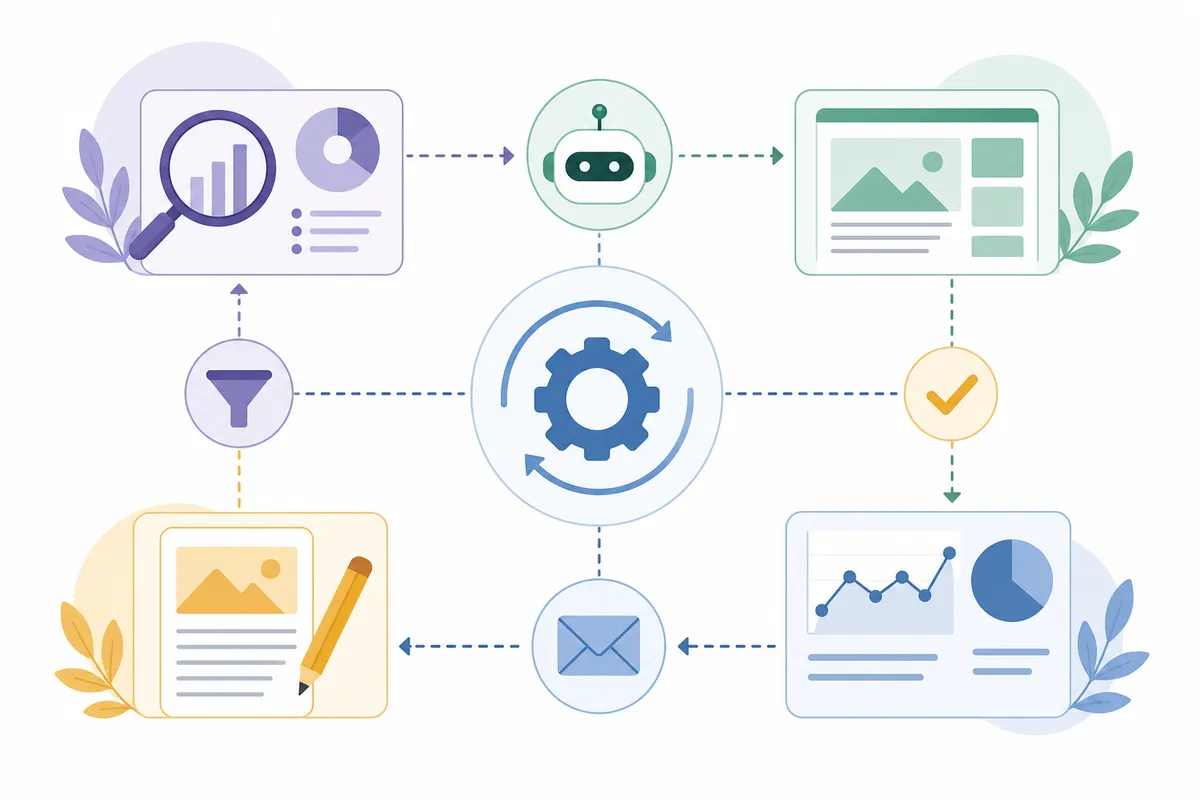
A workflow becomes "fully automated" when the individual tasks above are chained together instead of run one at a time by hand. A typical loop looks like this: crawl the site, then cluster the keyword opportunities it surfaces. Next, generate a content brief, and draft or route the page for writing. Publish, then monitor rankings and feed the results back into the next crawl.
Keyword clustering is a good example of how mechanical this can get. One automation platform's published clustering rule groups keywords into a pillar topic. The trigger: sharing four or more of the same top-10 ranking URLs. That's a purely structural signal pulled straight from SERP data, with no judgment call involved.
Tools built to run this whole loop from a single starting point exist for a reason. They save a small team from stitching six separate subscriptions together by hand. An AI SEO agent that runs the loop from one URL shows what that chained version looks like end to end. It covers everything from crawl to content plan.
Automated SEO vs. Hiring an Agency: The Real Cost

The honest cost comparison isn't automation versus nothing. It's automation versus paying a person, or an agency, to do the same repetitive work by hand.
What Automation Platforms Charge
Pricing varies widely by how much volume you need and how many workflows you run. Gumloop's published pricing gives a useful reference point for what one automation platform charges across tiers:
| Plan | Monthly Price | Credits Included | Best Fit |
|---|---|---|---|
| Free | $0 | 2,000 credits | Testing one or two simple workflows |
| Solo | Starts at $37 | 10,000 credits | A single SEO specialist running several automations |
| Team | Starts at $244 | 60,000 credits | A content or SEO team sharing workflows |
| Enterprise | Custom pricing | Unlimited | Agencies running automation across many client sites |
Siteimprove's automation guide warns against the obvious trap here: most teams waste money on overlapping tools. That means buying a rank tracker, a technical scanner, and a content optimizer that all duplicate each other's features. Its advice is to start with one solid platform and add specialized tools only as you actually scale into needing them.
What Time It Actually Saves
Time saved is where automation earns its cost back, when it works. Siteimprove's guide breaks down rough time savings by automation category:
| Tool Category | What It Automates | Reported Time Saved |
|---|---|---|
| Content strategy tools | Topic clusters, prioritized content plans | 15+ hours per plan |
| Technical scanners | Site structure, broken links, duplicate content | 15+ hours per week |
| Rank trackers | Search positions, featured-snippet alerts | 10+ hours per week |
| Content optimizers | Topic and keyword suggestions from top-ranking pages | 8+ hours per post |
| Link monitors | Backlink health, link-building opportunities | 12+ hours per week |
| Schema generators | Structured data markup | 4+ hours per page |
Marketer Milk's own experience tracks with those numbers. The writer describes a keyword-to-published-post workflow: find a keyword, build an outline, write the article, format it, publish it. That process used to take about eight hours. After adding automation to the research and formatting steps, it dropped to a maximum of three hours. The writer still wrote every article personally.
Where SEO Automation Still Falls Short
Automation doesn't remove risk from SEO. It changes where the risk sits.
The Judgment Calls Automation Can't Make
Keyword research itself is one area several practitioners are careful to keep manual. Marketer Milk's guide draws a clear line here. Keyword analysis, pulling volume and CPC data on keywords you've already chosen, automates well. Keyword research, deciding which keywords are worth targeting in the first place, stays close to the person running the strategy.
Deciding what to hand off? Which parts of the workflow to hand off and which to keep is a useful checklist to run your own tasks against. Use it before you automate anything.
Google's Rules on Automated Content
Automating the workflow around content is different from automating the content itself. Google's Search Essentials spam policies treat content built primarily to manipulate rankings, not help a real reader, as a violation. That's true regardless of whether a person or a script produced it. Tools that automate research, formatting, and reporting don't run into this problem. Tools used to mass-generate publishable articles with no human review can.
What to Automate First
Given the trade-offs above, a sensible order for most small teams looks like this:
- Site crawls and technical audits, lowest risk, purely mechanical, easy to verify.
- Rank tracking and monitoring, factual data with no judgment involved.
- Keyword clustering and reporting, structural work that speeds up planning without deciding strategy.
- Content briefs, automate the research portion, keep a person writing and reviewing the final draft.
- Publishing decisions and brand strategy, keep these fully manual.
For more detail, a full breakdown of what to automate and what to leave manual goes deeper into edge cases. One example: automated interlinking suggestions are sometimes safe to accept, and sometimes need a manual check first.
Working through this order first, rather than automating whatever tool you bought first, tends to save real time. Skip the order, and automation just moves the busywork somewhere less visible.
FAQs
What tasks can automated SEO handle reliably?
Site crawls, technical audits, rank tracking, keyword clustering, bulk meta-tag generation, and schema markup automate well because they follow clear, repeatable rules. Reporting also automates cleanly once the underlying data sources are connected.
Is automated SEO the same as using AI to write content?
No. It usually refers to the research, tracking, and formatting layers of an SEO workflow. Several practitioners who use automation heavily, including Marketer Milk's own guide, are explicit about this. They don't recommend using AI to generate the content you actually publish.
How much does automated SEO software cost?
It varies by platform and volume. Gumloop's published pricing is one reference point: a free tier with 2,000 credits, solo plans starting at $37 a month. Team plans start at $244 a month, with custom enterprise pricing above that.
Does Google penalize automated SEO content?
Google's search essentials penalize content created primarily to manipulate rankings, regardless of whether it was written by a person or generated automatically. Automating research, tracking, and reporting doesn't trigger this. Mass-publishing unreviewed AI-written pages is a separate, riskier practice.
Can a small business run SEO automation without a dedicated team?
Yes, for the mechanical tasks. Crawls, rank tracking, and reporting can run largely unattended. Strategy, keyword prioritization, and final content decisions still benefit from human review. At least one person who understands the business should check the output before it ships.
See What Automated SEO Looks Like on Your Own Site
The fastest way to judge whether SEO automation is worth adding to your workflow? See it applied to a real URL, not a hypothetical one. Talk to the team and walk through a sample report built the way an automated audit actually runs. Then decide what to hand off first.
Resources / References
Sources
- What SEO tasks can realistically be automated in 2026? ...
- SEO automation made simple with AI agents
- 13 best SEO automation tools I'm using in 2026
- What is SEO Automation? Unlocking the Future of Digital ...
- What is SEO automation? Complete 2026 guide
Disclaimer: This article is general legal information, not legal advice, and does not create a solicitor-client relationship. The law changes and its application depends on your particular facts. Speak to a qualified lawyer in the relevant jurisdiction before acting — some rights and claims are subject to strict time limits.
About the author
SearchBlueprint researched, wrote and scored this article with the content pipeline our customers run on their own sites. The score in the byline is what our content engine gave this page before it published. Nothing here is reviewed by hand, which is the point: it is the product's output, published where anyone can check it.